


Cannot view emails

When Mozilla was started this morning it came up with a page to donate. When I try to go around it to get to my email folders that show I have new email, I cannot. I have tried restarting the computer and the same thing still happens. How can I get past this to see my emails?
Byron
Ọ̀nà àbáyọ Tí a Yàn
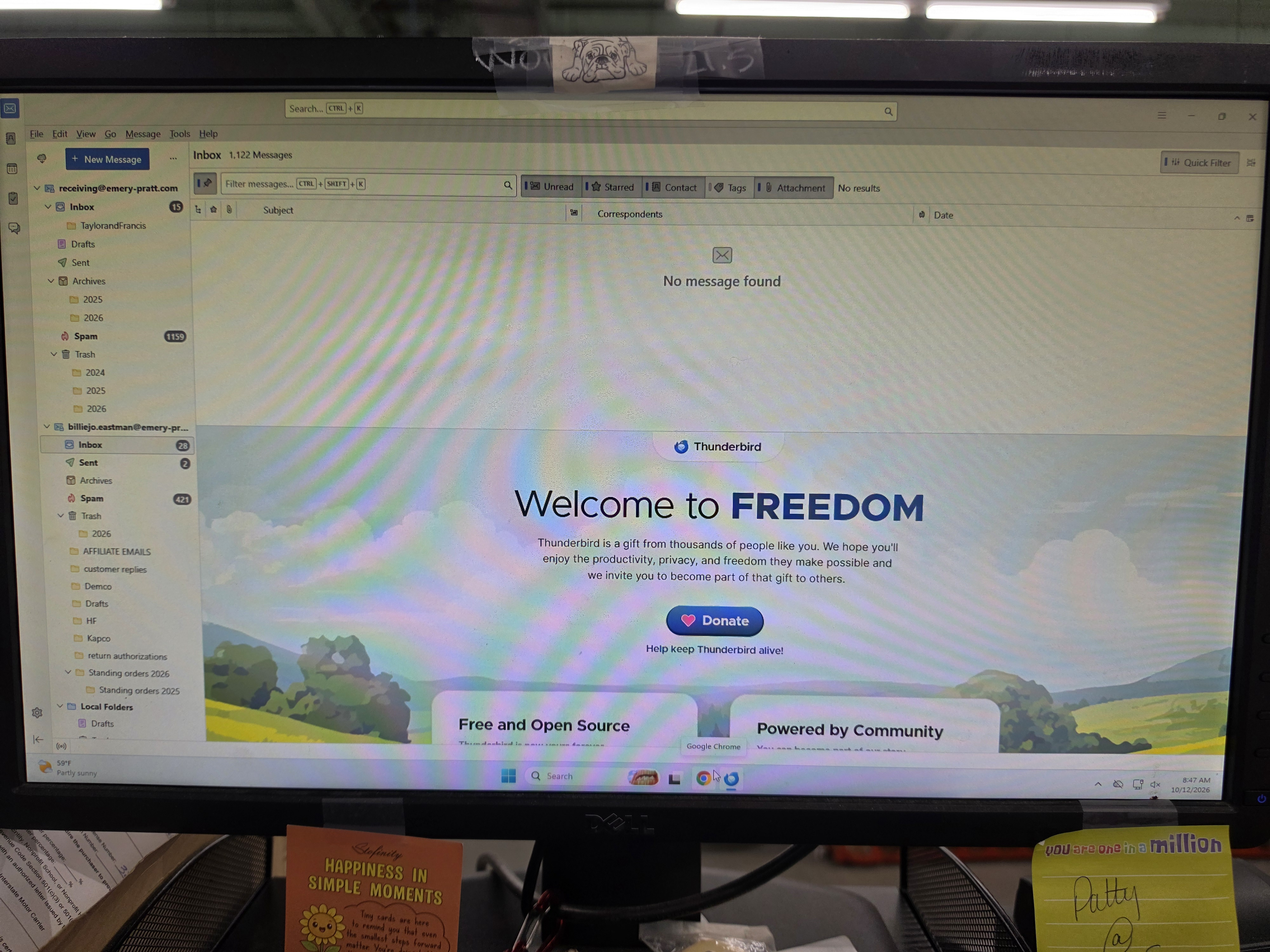
Thinks for the screen shot. It shows that you have enabled the Quick Filter toolbar. Unfortunately the mediocre quality of your image doesn't allow to detect which filters are active. Just left-click on the "Quick Filter" button in the upper right corner to disable the filter and its toolbar and your Inbox messages will be back
All Replies (5)
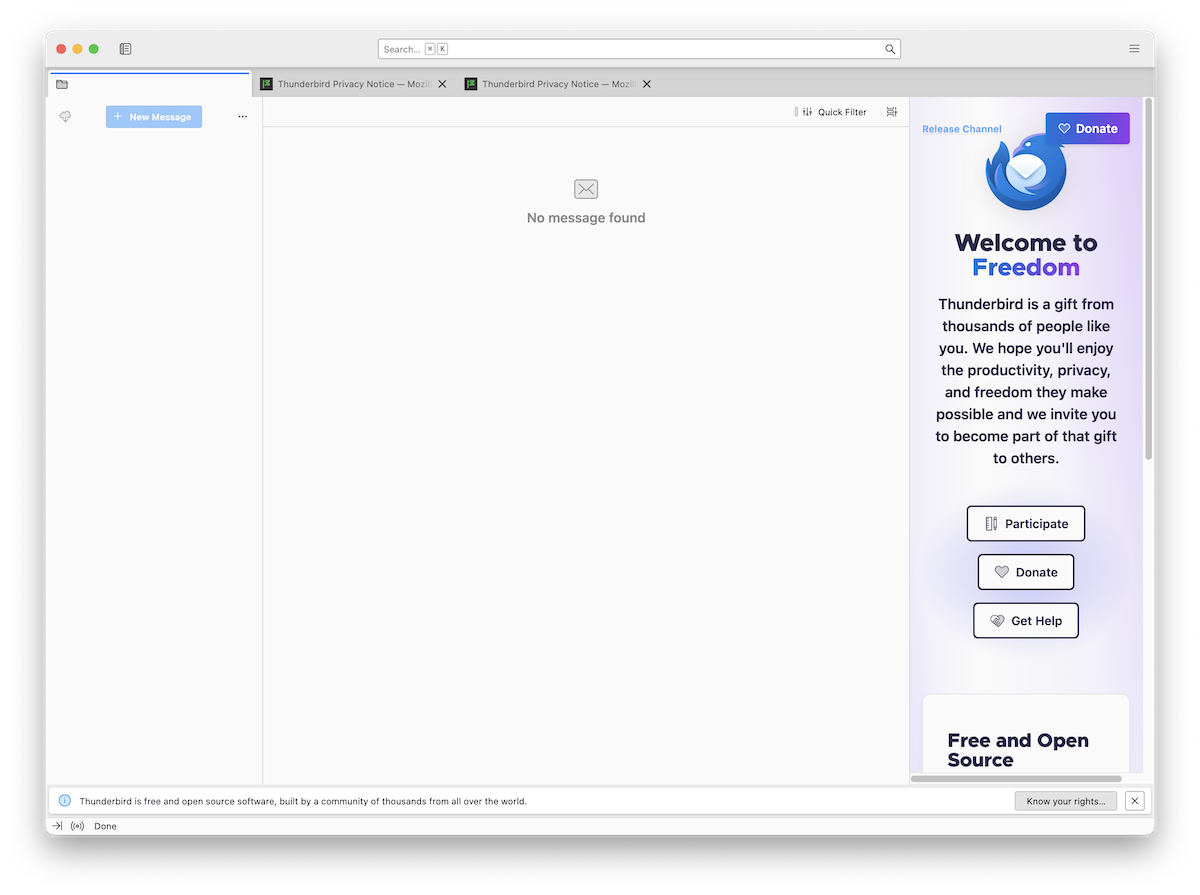
Please show a screen shot of your Thunderbird main window on startup. Does it look like the one shown in my attached image?
No it looks different. Here is a picture of the screen when I open Mozilla. Even though it shows the folders on the side with new emails, the will not open when I click on them.
Ọ̀nà àbáyọ Tí a Yàn
Thinks for the screen shot. It shows that you have enabled the Quick Filter toolbar. Unfortunately the mediocre quality of your image doesn't allow to detect which filters are active. Just left-click on the "Quick Filter" button in the upper right corner to disable the filter and its toolbar and your Inbox messages will be back
Thank you, that seemed to work. Sorry about the quality, I was working on another computer and taking a picture was the only option I had. Thank you again for your assistance. Have a great day.
Thanks for your feedback. Forget the picture and have a nice day 👍