


impossible to add search engine lilo.org (was working previously)

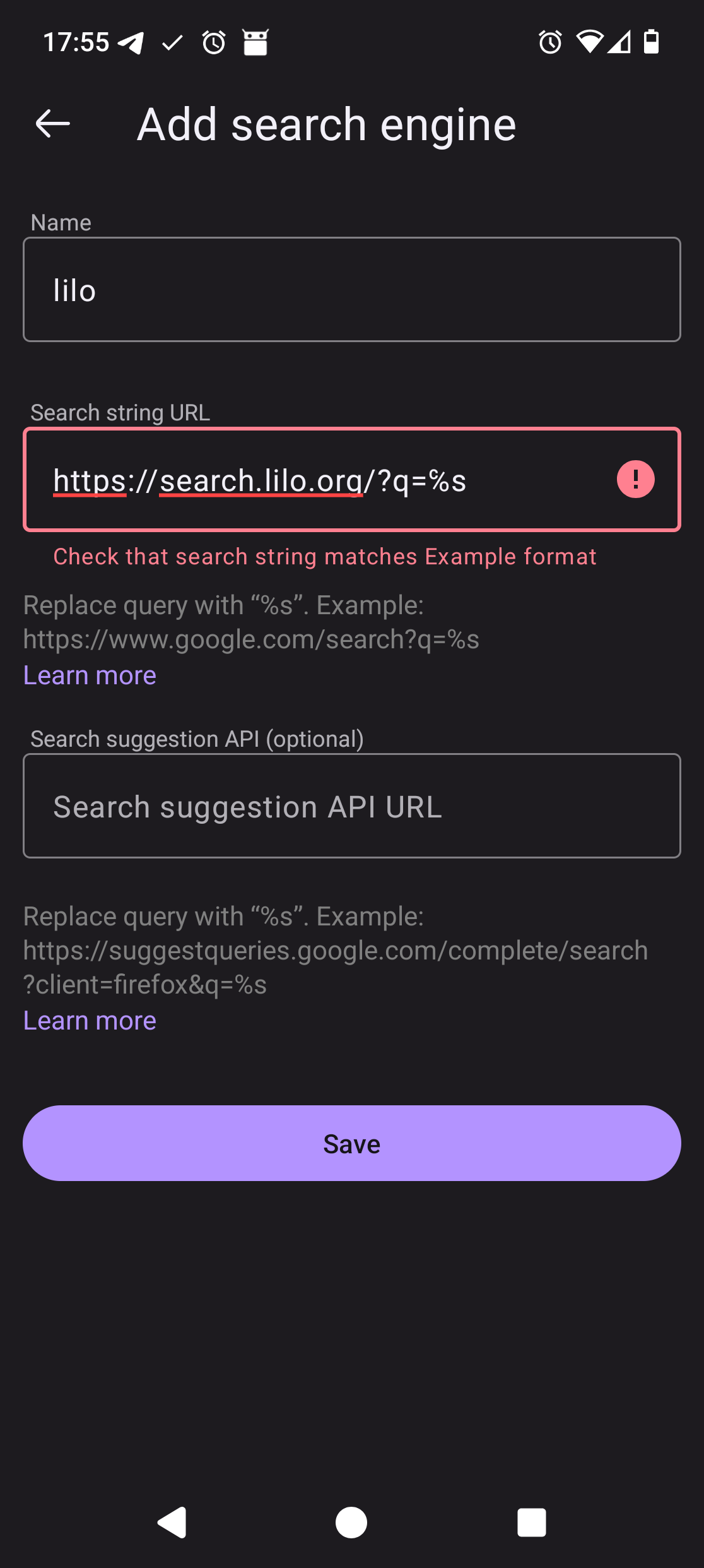
Hi, It's now impossible to add lilo.org search engine in firefox mobile for my new android device (android 16, firefox 155.0.1). Now when I try to add it (please check screenshot), I have an error message : "Check that search string matches Example format" The query string is https://search.lilo.org/?q=%s and on my previous android device (Android 13, firefox mobile 155.0.1) I still have it setup as the default search engine, and I just tried to add it again on this device and I don't have this blocking error message. Thanks in advance for your support, Regards, Stéphane
Ọ̀nà àbáyọ Tí a Yàn
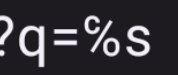
Hi there, Thanks for your answer, by checking your answer I reopened my screenshot but from my PC screen, much larger and I noticed something weird with the % character in my string: for some reason on my new device, the keyboard layout propose both % sign and this c/o sign (please check the screenshot). So it was my mistake, and firefox was perfectly right to say that the format was not correct, I replaced this weird character by a decent % and I could add my search engine ;) Thanks again for your time and help, Regards, Stéphane
Ti ṣàtúnṣe nípa Stephane Masper
All Replies (3)
Hi Stephane, I can confirm it works,
Post it in as plain text, in your pic the % looks odd.
Also, please update to Firefox 156.
Thank You
Hi Stephane, I have answered your question, And it is waiting on Mods to approve.
Also, Firefox 156 for Android is now available to upgrade at Google Play Store.
Ọ̀nà àbáyọ Tí a Yàn
Hi there, Thanks for your answer, by checking your answer I reopened my screenshot but from my PC screen, much larger and I noticed something weird with the % character in my string: for some reason on my new device, the keyboard layout propose both % sign and this c/o sign (please check the screenshot). So it was my mistake, and firefox was perfectly right to say that the format was not correct, I replaced this weird character by a decent % and I could add my search engine ;) Thanks again for your time and help, Regards, Stéphane
Ti ṣàtúnṣe nípa Stephane Masper