


Firefox Cannot Consistently Access a Web Site

My desktop Firefox (version 155.0.1) has recently became unable to consistently access the Web site at this Web site this Web site. Chrome successfully accesses the site 100% of the time. Firefox's connection failures are intermittent, unpredictable, and usually go away on their own after varying time intervals (sometimes can't connect for up to 24 hours). I see status messages saying Firefox is trying to connect to the site, but it eventually gives up and times out.
I cleared the Firefox cache, but that had no effect. I don't recall making any significant changes to the Firefox settings lately. Any suggestions on what to look at/try would be greatly appreciated.
(Yes, I know the site doesn't use https: Its protocol is outside my control).
All Replies (10)
My desktop Firefox (version 155.0.1) has recently became unable to consistently access the Web site at this Web site this Web site. Chrome successfully accesses the site 100% of the time. Firefox's connection failures are intermittent, unpredictable, and usually go away on their own after varying time intervals (sometimes can't connect for up to 24 hours). I see status messages saying Firefox is trying to connect to the site, but it eventually gives up and times out. I cleared the Firefox cache, but that had no effect. I don't recall making any significant changes to the Firefox settings lately. Any suggestions on what to look at/try would be greatly appreciated. (Yes, I know the site doesn't use https: Its protocol is outside my control).
Note: This forum isn't showing the site link correctly. The site URL is http://www.hymntime.com/tch.
Nah, the site is fine, and http is also fine (less things can break down).
It seems hosted at some Google cloud so hard to tell how DNS and content delivery is handled. When you have trouble connecting, check about:networking where it's actually trying to connect, and how the DNS resolution looks like. Not sure if your Google–hosted infrastructure is supposed to do some security checks or bot protections on loads?
After I got Firefox can’t connect to the server at www.hymntime.com, I entered about:networking as suggested. Firefox then displays a very large table of host names, ports, etc.
To (possibly) complicate matters, I have to access the Internet through Wifi at my apartment complex, which uses Cox. Probably not relevant, though, since Chrome connects to the site with no problems. By process of elimination, the problem seems to be in my Firefox. I’ve been using Firefox to access that site for literally decades, and this is the first time it’s had a problem like this. As I said, I can verify (through Chrome) that the site is up and running normally. Are you connecting to it with Firefox?
What should I be looking for in the about:networking output? Would it help to send that table to the site manager?
Ah, sorry I misread the post thinking that's your site — i.e. you'd have known how to make use of the networking data there (to compare to the expected results, if you were the site operator).
Besides some hanging connection to no longer existing "Bibles & Literature in French (BLF USA)" resources, I indeed do see it plenty fine in Firefox:
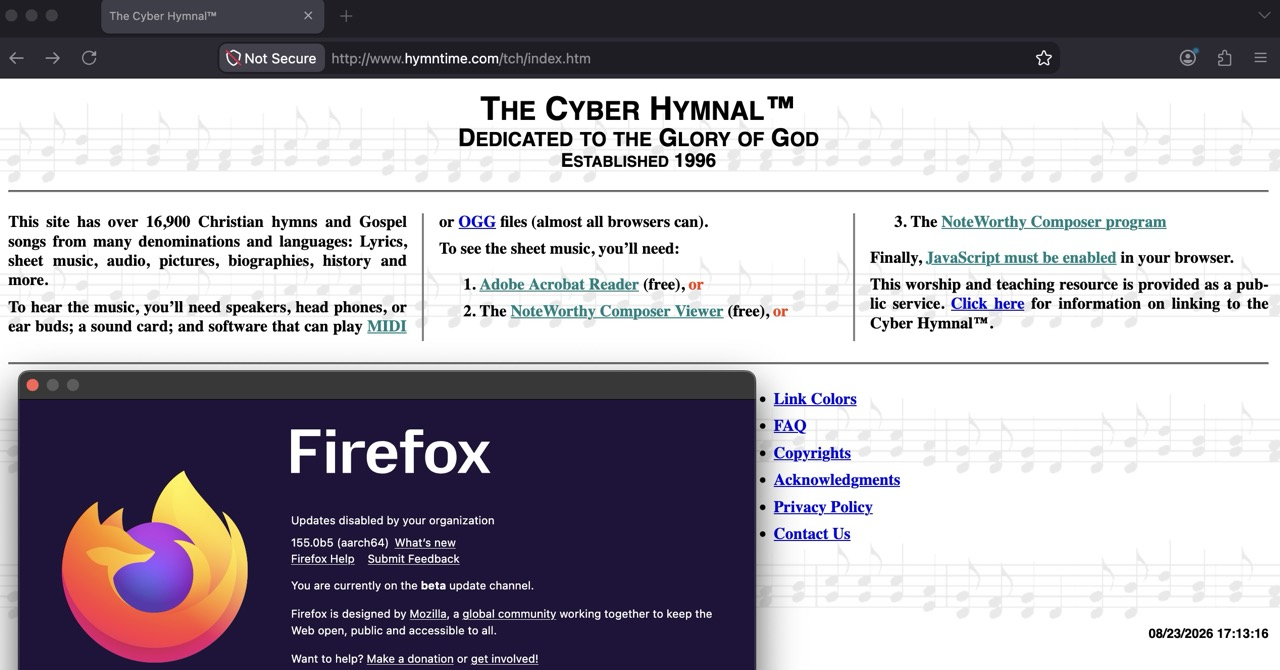
Thanks for the quick turnaround. The fact that you can see the site in FF and I (sometimes) can't—assuming we’re both using the latest FF version— means something must wrong with my FF installation (or perhaps I've stumbled across some edge case FF bug).
The problem does not seem be my infrastructure or Internet connection, since Chrome connects flawlessly , 100% of the time. And I also don't understand what caused the problem suddenly surface without warning.
Maybe the Web server sometimes thinks our IP address is a bad actor? I just tried turning on/off my VPN to see if that made any difference, and it didn't. Very mysterious. Does FF maintain any logs that I could forward to Mozilla for the developers to examine?
Since the site seems to provided from within Google network, they most likely won't be blocking their own browser — but may apply different rules for other clients.
I'd still guess it's the connection/routing being a factor here, look for Firefox DNS over HTTPS options and change the provider or flip that feature on/off, which might give you different resolving and potential regional connection difference — maybe some of the settings will work better for this host.
(Before the kind of a failure point is known, it's rather hard to advise any logging steps — as it's not apparent which component would see any relevant operations.)
Ti ṣàtúnṣe nípa jbr
Well guess, what? I found a "solution." The problem seems only to occur when Thunderbird is running. If I close Thunderbird, the problem goes away. I wonder if a silent Thunderbird update introduced the issue. Hard to believe I'm the only one with the problem, though.
And you don't have any Thunderbird content related to that site (their newsletter, links, tabs open, content embedded in emails open etc.) per se — i.e. you don't get, or send, or share anything related with this site? (In case their network limits the amount of concurrent connections from single user; or, the use of Thunderbird user agent triggers their protections for the whole IP then.)
The situation has become more complicated since I last wrote. It turns out I there are actually two conditions, not one, which must be true in order to connect to the site:
- Thunderbird must be closed
- My VPN (from Norton) must be up and running
If either condition is false, I usually can't connect. But f both are true, I can connect just fine. But I noticed just now that I can connect even when Thunderbird is up and running. Not sure how long that will last. So the problem now seems to be intermittent and unpredictable.
And no, I don't share direct content with the site. My only connection with it is an SFTP connection for uploading files. But the SFTP connection is not open most of the time. Only for a few seconds when uploads are in progress. That may happen a few times a day. Doesn't seem to impact ability to access the site.
And my memory usage rarely goes above 30-40% usage. My system has 32 GB RAM.
Don't know if it's pertinent, but when I try to access the site before it times out, I see the message "Connecting to hymntime.com" flash 2-3 times at the bottom of the Firefox window before the connection attempt eventually fails.
This is all very confusing, because I've been connecting to the site without problems for almost 30 years, until access attempts suddenly began to go south recently. And the problem doesn't occur with any other site. But at least I have a workaround now. I may just have to live with it for now.
Actually perhaps just try updating to the newest v156.0 — it has some DNS optimization changes that might have been a factor in this connection as well.