Èròjà atẹ̀lélànà yii ni a ti fi pamọ́ fọ́jọ́ pípẹ́.
Jọ̀wọ́ béèrè ìbéèrè titun bí o bá nílò ìrànwọ́.

A ti fi pamọ́ fọ́jọ́ pípẹ́
print page
dear team when i print a page it data will be missing vertically from right hand side.its very irritating when gives a print command and the data is missing.please hepl to solve this problem.
dear team when i print a page it data will be missing vertically from right hand side.its very irritating when gives a print command and the data is missing.please hepl to solve this problem.
All Replies (1)
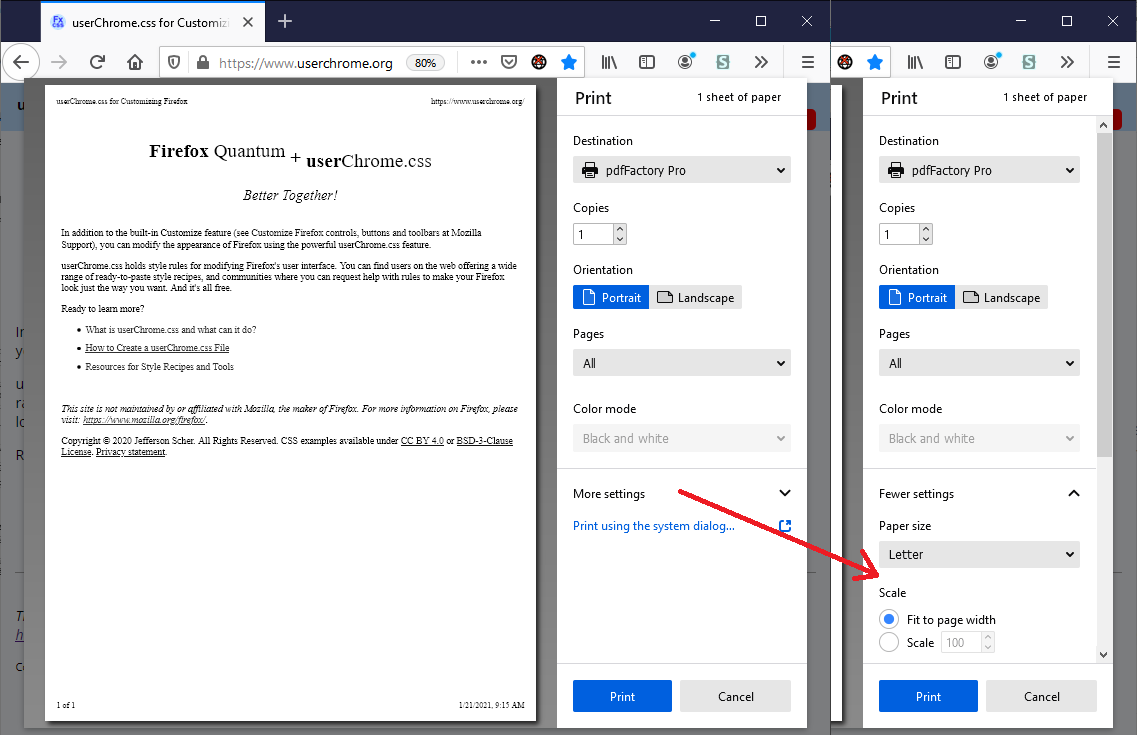
Hmm, usually the "Shrink to Fit" option prevents this from happening. When you call up the print overlay (Ctrl+P), on the right side, click More setting to show the section of the setup panel where you can switch between fixed percentage scaling (100%, 90%, etc.) and Fit to page width.
I have attached a screenshot illustrating what I mean. Do those settings help?