


Scroll and arrow navigation is funky on <select> tags with <optgroup>

On <select> tags with <optgroup>s the scrolling and arrow-down/arrow-up navigation is acting "funky". Basically the selection while scrolling is "jumping". This behavior is not observed in other browsers.
Looked into these recommendations yet it did not help. - https://support.mozilla.org/en-US/questions/981140 - https://support.mozilla.org/en-US/questions/1019147
Note: Using Firefox 40.0.3, OS X 10.10.3
All Replies (4)

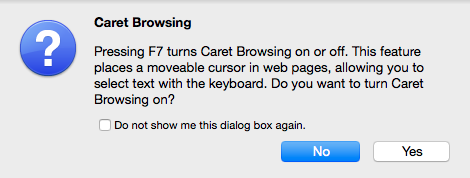
You may have turned on caret browsing <F7> by accident.
Caret Out {web link} Disables change of the caret browse mode by shortcut key(F7).
Can you clarify what you mean with jumping?
Is this about scrolling a long selection list or about scrolling the web page?
Do you mean that scrolling isn't smoothly or do you mean that the selection changes?
Start Firefox in Safe Mode to check if one of the extensions (Firefox/Tools > Add-ons > Extensions) or if hardware acceleration is causing the problem.
- Switch to the DEFAULT theme: Firefox/Tools > Add-ons > Appearance
- Do NOT click the Reset button on the Safe Mode start window
- https://support.mozilla.org/kb/Safe+Mode
- https://support.mozilla.org/kb/Troubleshooting+extensions+and+themes
You can try to disable hardware acceleration in Firefox.
- Firefox > Preferences > Advanced > General > Browsing: "Use hardware acceleration when available"
You need to close and restart Firefox after toggling this setting.
You can check if there is an update for your graphics display driver and check for hardware acceleration related issues.
@cor-el Tried the recommendations. Still jumping.
By jumping I mean: I have a select
- Optgroup A
  * a1
  * a2
  * a3
- Optgroup B
  * b1
  * b2
  * b3
  * ...
  * bn
So i select a1 then i start keying down arrow. The selection goes: a1, a2, a3, b1, b2, b3. And when it reaches b3 (the limit of the current box) the selection is jumping back into OptgroupA to a2 (instead of going further to b4).
So I continue: key down: a2, a3, b1, ... b4 and again instead of going to b5 is jumping back to Optgroup A to a3 ... and all over again.