Why can't I remove the FIREFOX logo from my home page this happened after the latest update, I have all toggles off and been on about:congig and put the relevant tabs to false. Low and behold the round Firefox logo is still present blighting my wallpaper

Hi after the 152.0.6 Firefox update I cannot get rid of the round Firefox logo on my home screen and new tabs. I have this toggled off in settings and toggled false in about:config. Why aren't these updates tested before release to the public

All Replies (4)
Hello
I do not see the problem, https://connect.mozilla.org/t5/discussions/again-clean-new-tab-home-screen-please/m-p/131347/highlight/true#M52681
Other subject, https://connect.mozilla.org/t5/discussions/giant-logo/td-p/89137, with the help of userContent.css
A subject, https://bugzilla.mozilla.org/show_bug.cgi?id=2048307#c17
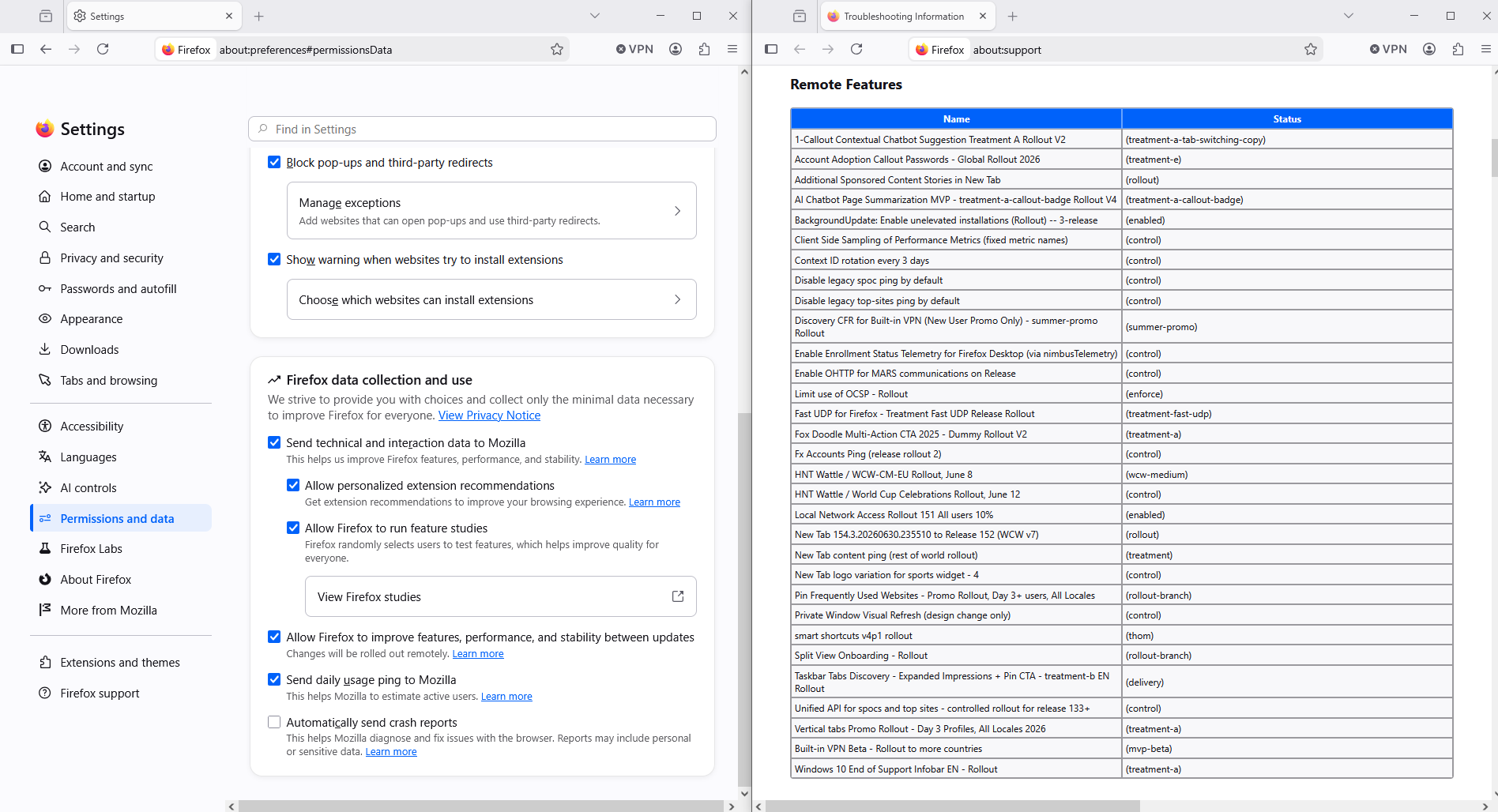
Please, check, Manage remote improvements settings in Firefox https://support.mozilla.org/en-US/kb/remote-improvements
If the Allow Firefox to improve features, performance, and stability between updates setting is turned off, please, turn on Restart Firefox
Allow Firefox to improve features, performance, and stability between updates A verification performed https://www.youtube.com/watch?v=nPaq80RMpg8
Allow Firefox to improve features, performance, and stability between updates Illustration Remote Features take a look at about:support