


Did Not Connect: Potential Security Issue - for all sites

Hi there!
I recently installed Firefox on a macOS Catalina and it's not working for any site. Every time I try to access any website I get the same error. I even tried to navigate in the Mozilla site to download a newer version of the browser and got the same error (see attached screenshot).
Thank you for helping me with this!
/moved thread from Firefox for iOS (for iPhone/iPad) to Firefox section as you have macOS.
Hi there!
I recently installed Firefox on a macOS Catalina and it's not working for any site. Every time I try to access any website I get the same error. I even tried to navigate in the Mozilla site to download a newer version of the browser and got the same error (see attached screenshot).
Thank you for helping me with this!
/moved thread from Firefox for iOS (for iPhone/iPad) to Firefox section as you have <b>macOS</b>.

Được chỉnh sửa bởi James vào
Tất cả các câu trả lời (3)
Can you click the Advanced button and paste here the certificate of that website? Thanks.
This one?
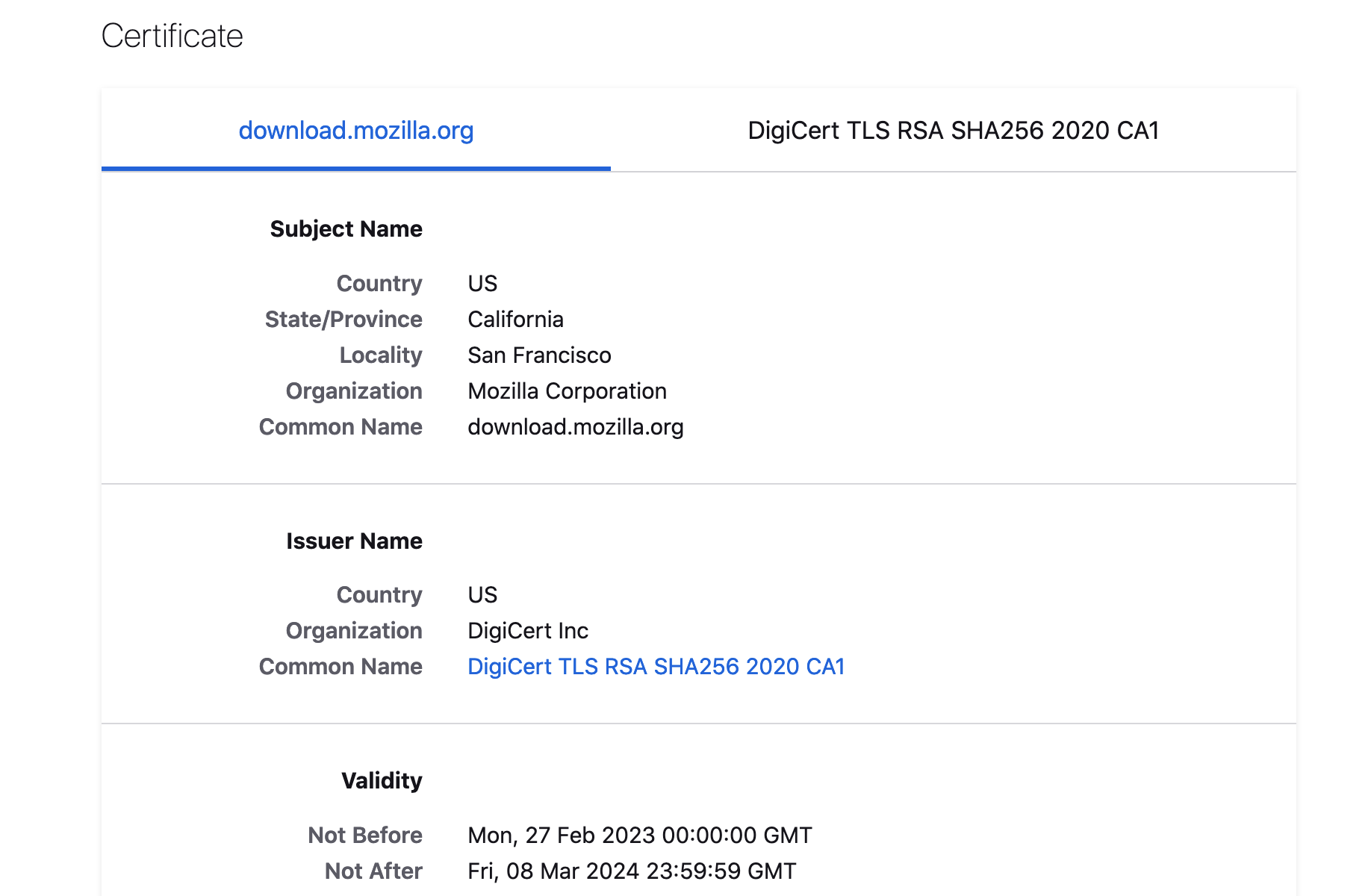
Yes. There should be download string option below. Please paste it here.
But it looks fake. It should be an Amazon cert, not Digicert.