


How to increase performance

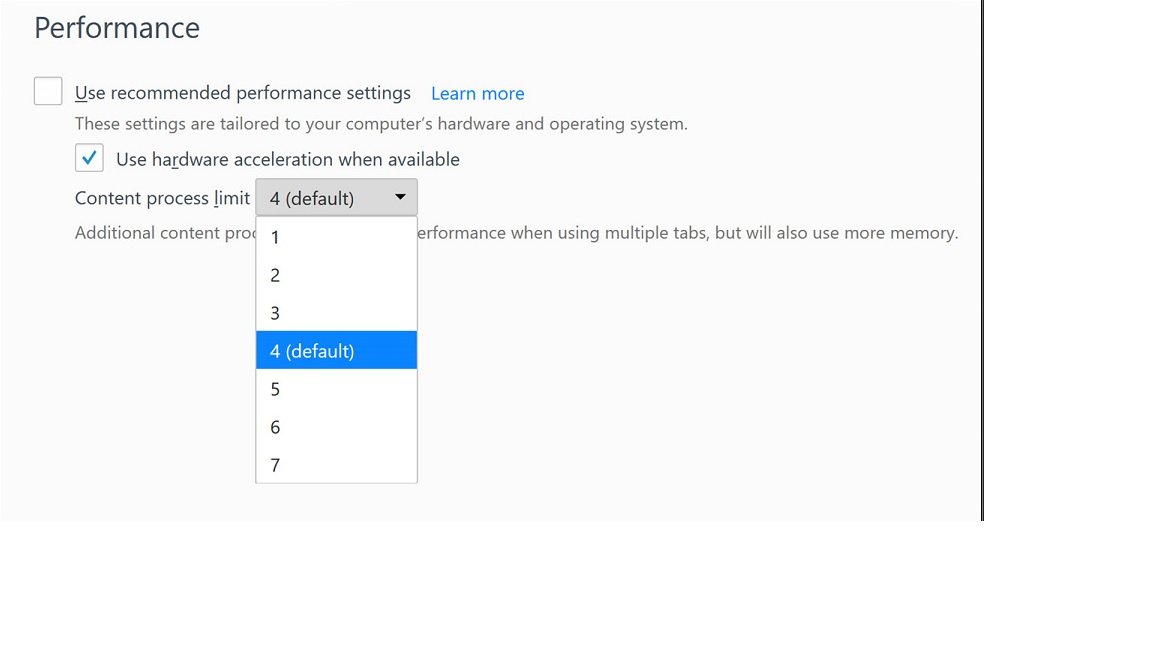
Firefox v55.0.3 64bit is extremely slow in loading pages (so slow that I'm using IceDragon in most cases). I looked up increasing performance by using Hardware Acceleration by increasing the Content Process Limit (see attached). I have Hardware Acceleration selected. However, the selection for Content Process for my version of Firefox is set to one and the option is grayed out so I can't change it.
Any ideas on how to increase my performance? Running Win 10 Pro 64bit CU with latest updates.
تمام جوابات (1)

منتخب شدہ حل
Start Firefox in Safe Mode {web link} by holding down the <Shift> (Mac=Options) key, and then starting Firefox.
A small dialog should appear. Click Start In Safe Mode (not Refresh). Is the problem still there?
https://support.mozilla.org/kb/Firefox+is+already+running+but+is+not+responding
https://support.mozilla.org/en-US/kb/firefox-slow-how-make-it-faster
https://support.mozilla.org/en-US/kb/firefox-uses-too-many-cpu-resources-how-fix
https://support.mozilla.org/en-US/kb/firefox-hangs-or-not-responding