


Firefox created a folder "Old Firefox data" on my desktop

Firefox created a folder "Old Firefox data" on my desktop which is impossible to delete. I am getting an error "Access denied" even when trying to delete it as administrator. How can I delete this folder?
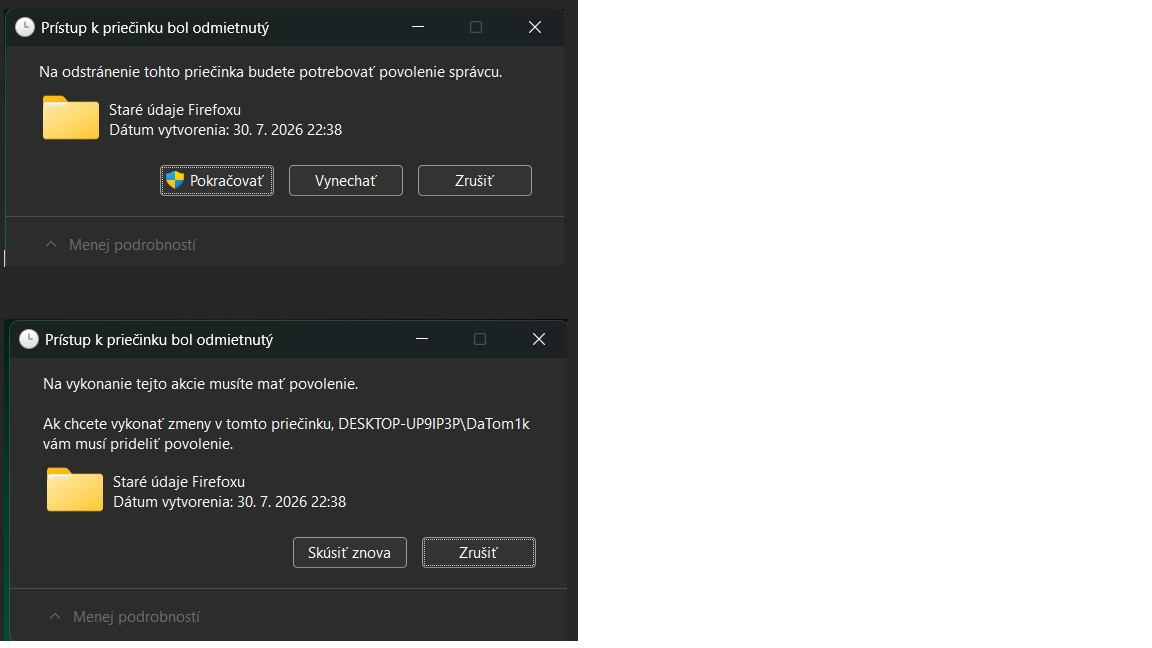
All Replies (2)

In some cases, Firefox may create a folder on your desktop called "Old Firefox Data". This folder contains a complete backup of your Firefox profile and can be used to restore bookmarks and other missing information. If you have this folder on your desktop, do not delete the Old Firefox Data folder until you have recovered the information you need.
If you cannot delete it, you are using it.
You can try to check if you missing anything like bookmarks or stored passwords, and https://support.mozilla.org/en-US/kb/restore-bookmarks-passwords-and-data-from-an-old-firefox-profile
If you are sure you do not need it and have backup your current profile, you can close Firefox and delete it.
Hi, this does not work, I am getting an error "Access denied" even when the Firefox is closed, even when I uninstalled it...