


I accidentally deleted the entire AOL entry in the Saved Logins section and cannot see how to add it back

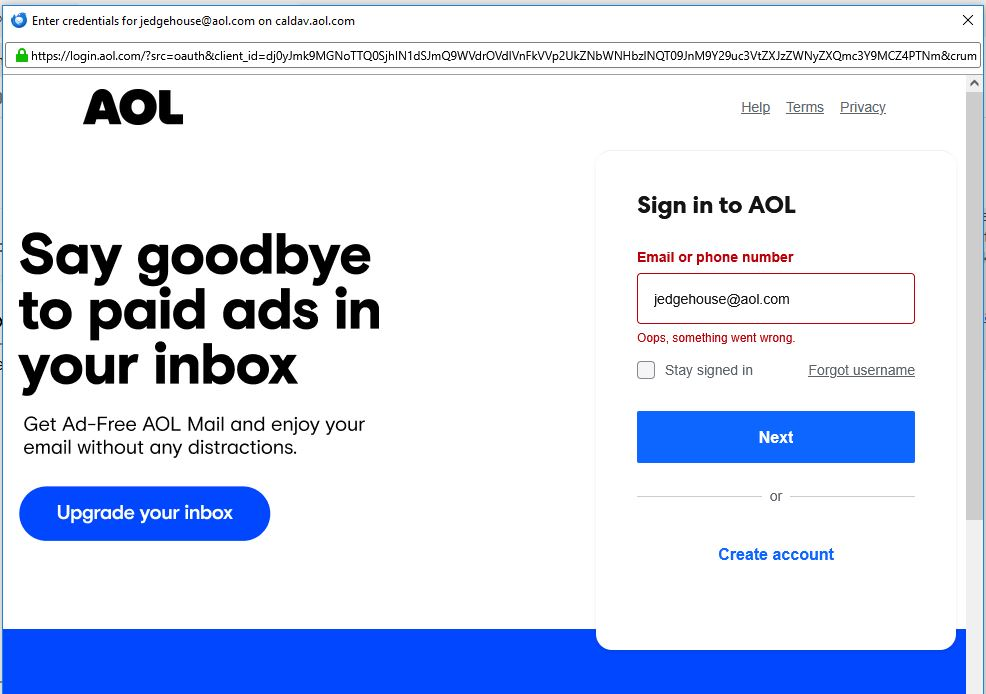
I needed to change my AOL password and when I went to change it in Thunderbird I accidentally deleted the entire entry instead of just the password. Now I don't see a mechanism to reenter that information. I thought it might ask that if I simply tried to reconnect to the AOL mail, but I get the attached when I try even though that is the information I use to sign into AOL
Thoughts?
Thanks, John
All Replies (2)

Chosen Solution
This is normal - AOL is just trying to re-authorize Thunderbird to manage your AOL email.
You should confirm that Cookies are allowed in Thunderbird ( see <Settings | Privacy & Security | Web Content | Accept cookies from sites>",) and it might help to delete any existing AOL cookies in Thunderbird (see <Settings | Privacy & Security | Web Content | Show cookies>".)
Then restart Thunderbird and supply your AOL credentials if prompted.
Thanks! As soon as I read this I remembered the cookies issue, but I would have wracked my brain for days without your response. Thanks so much, it worked.