Need To Re-Enter Password, Can't See How
ln trying to solve download issues with Yahoo mail, I accidentally deleted all my passwords (thought only the selected ones would be deleted when 'delete all' was chosen in the password manager).
Now, cannot find a means to re-enter my password. The "Tools" > "Options" > "Security" pathway leads only to "Saved Passwords" (now empty) & a 'Master Password' option that I hadn't previously been using, but no option to enter a new password.
Similarly, "Tools" > "Account Settings" > "Server Settings" does not lead to a password entry field.
Now what?
Thanks.
Opaite Mbohovái (4)

Ñemoĩporã poravopyre
What should happen is you just use it, and you'll be asked to provide a password when needed.
Thanks, for some reason the request for a password didn't come up when I restarted TB after my error... did when I restarted after your note.
Am still having problems downloading my Yahoo mail to TB though.
In trying to solve the issue I changed the "Server Name" from "pop.att.yahoo.com" to "pop.mail.yahoo.com" (per: https://help.yahoo.com/kb/SLN3217.html) but I note that under "Saved Logons" the "Site" is listed as: "mailbox://pop.att.yahoo.com (mailbox://pop.att.yahoo.com). It evidently didn't change when I made the change in "Server Name". Is this an issue? If so, how to rectify?
No, those particular names are not a problem. They are the folder names in which your messages are stored, and they were created when the account was first set up in Thunderbird. Clashes with later-added accounts on the same server would be avoided by adding numeric suffices.
You should be able to see these folders if you open the "Mail" folder in your profile.
If Iist the contents of my Mail folder, I get:
Feeds
Feeds-2
Feeds-2-1
Feeds-2-2
Local Folders
Local Folders.old
mail.example.com
pop.gmail-1.com
pop.gmail.com
pop.gmx.com
pop-mail.outlook.com
pop.mail.yahoo.com
smart mailboxes
You can see multiple Feeds and gmail accounts here.
Look as I might, I can't find a 'Profile' to open to find my mail folders.
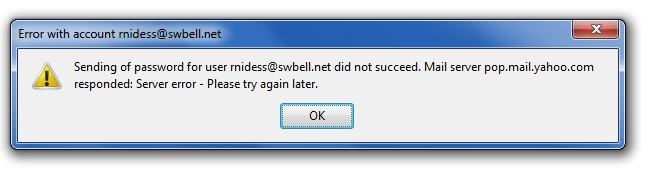
At present, I am able to neither send nor receive e-mail via Yahoo. I've double-checked and my password is correctly entered at Yahoo, and the pop & stmp locations in TB, but I am getting the attached error message: