Open
Adding more shortcuts per line to home page
How can I add more shortcuts per line to the home page? Thank you
How can I add more shortcuts per line to the home page?
Thank you
All Replies (1)
Hello
Is it, your question
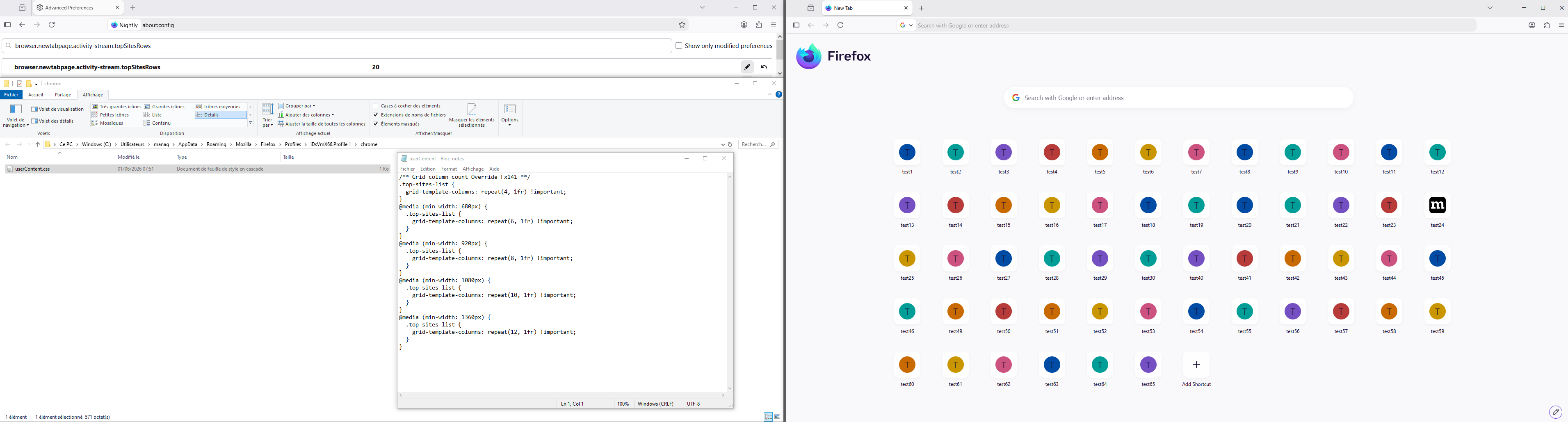
If you wish to test the preference, browser.newtabpage.activity-stream.topSitesRows
1 - Go to configuration editor https://support.mozilla.org/en-US/kb/about-config-editor-firefox 2 - Enter a search term browser.newtabpage.activity-stream.topSitesRows
Clarification, if during your test, you can no longer add a shortcuts, then. Delete the last shortcut added, to be able to recover, add shortcut.
To complement, for information, a test with userContent.css https://connect.mozilla.org/t5/ideas/firefox-home-screen-shortcuts-more-rows-please/idc-p/104075/highlight/true#M54807