


Cannot load a Map Downloader for Subaru map update process

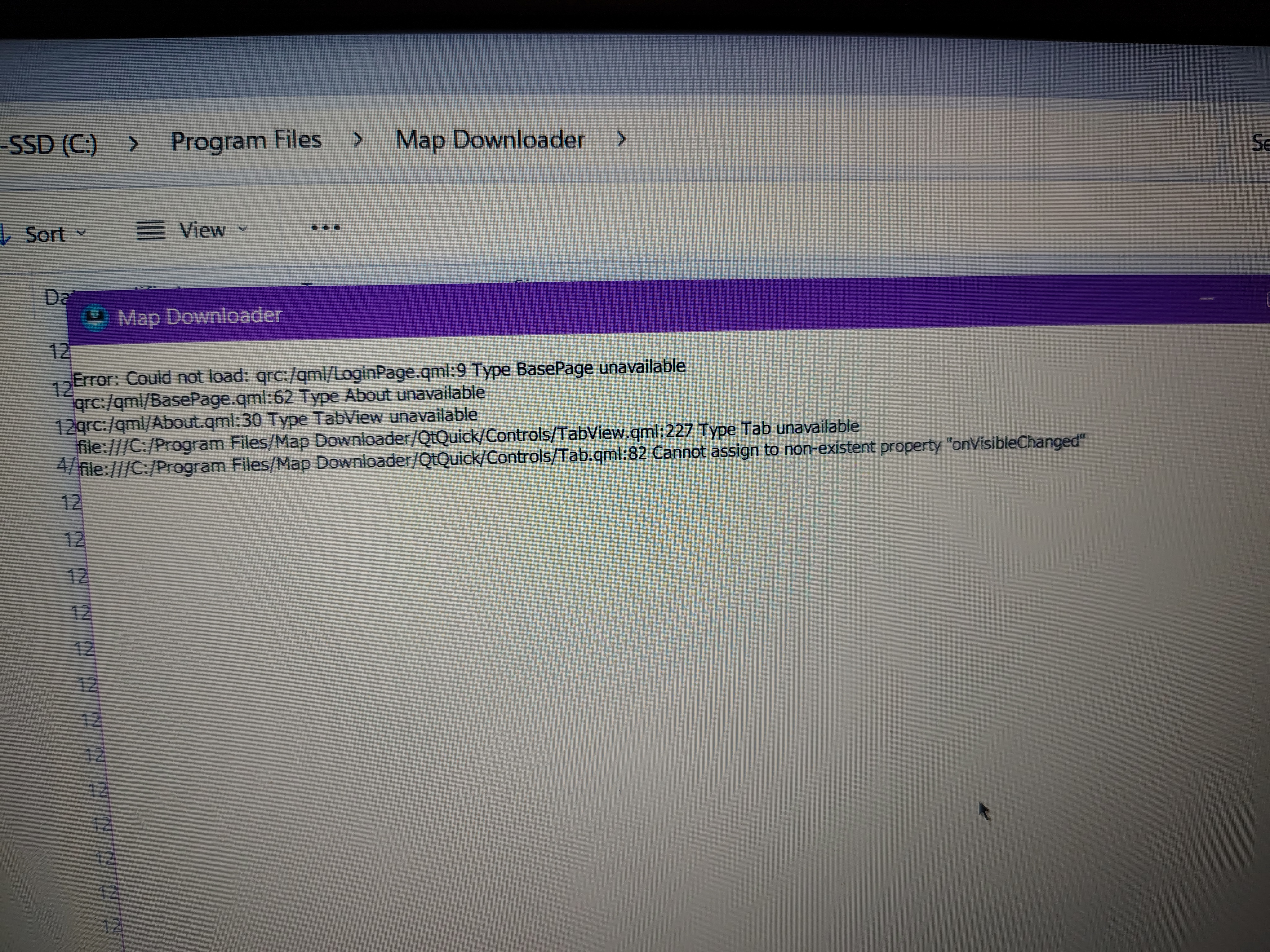
We have purchased an update for our car navi system and the process begins with a map downloader installed in our computer. We are getting an
Error Message : Could not Load: qrc:/qmi/loginpage.qmi:9 type Basepage unavailable.
Is this process being blocked by Firefox?
All Replies (2)
Hello,
Firefox should not block the Subaru Map Downloader. The browser is only used to download the installer, but once the application is installed it runs independently from Firefox.
The error message you are seeing:
`Could not Load: qrc:/qmi/loginpage.qmi:9 type Basepage unavailable`
usually indicates that the Map Downloader installation is incomplete or some application files are missing or corrupted.
We recommend trying the following steps:
1. Completely uninstall the Subaru Map Downloader from your computer. 2. Restart your computer. 3. Download the installer again from the official Subaru map update website. 4. Reinstall the program (preferably by running the installer as Administrator).
If the issue continues, please let us know:
which operating system you are using (Windows or macOS and version) whether the error appears immediately when opening the Map Downloader
This information will help us investigate the issue further.
Kind regards.
Modified by Nathan Giovannini
I am not able to uninstall Subaru Map Downloader. It appears that the system is not "changing" the default "NO" on the User Account control screen to "allow this unknown publisher to make changes" to "YES" as I am requesting.