


I Want To Edit The Bookmarks Menu After 49.0.1 Update

Hello, Firefoxers!
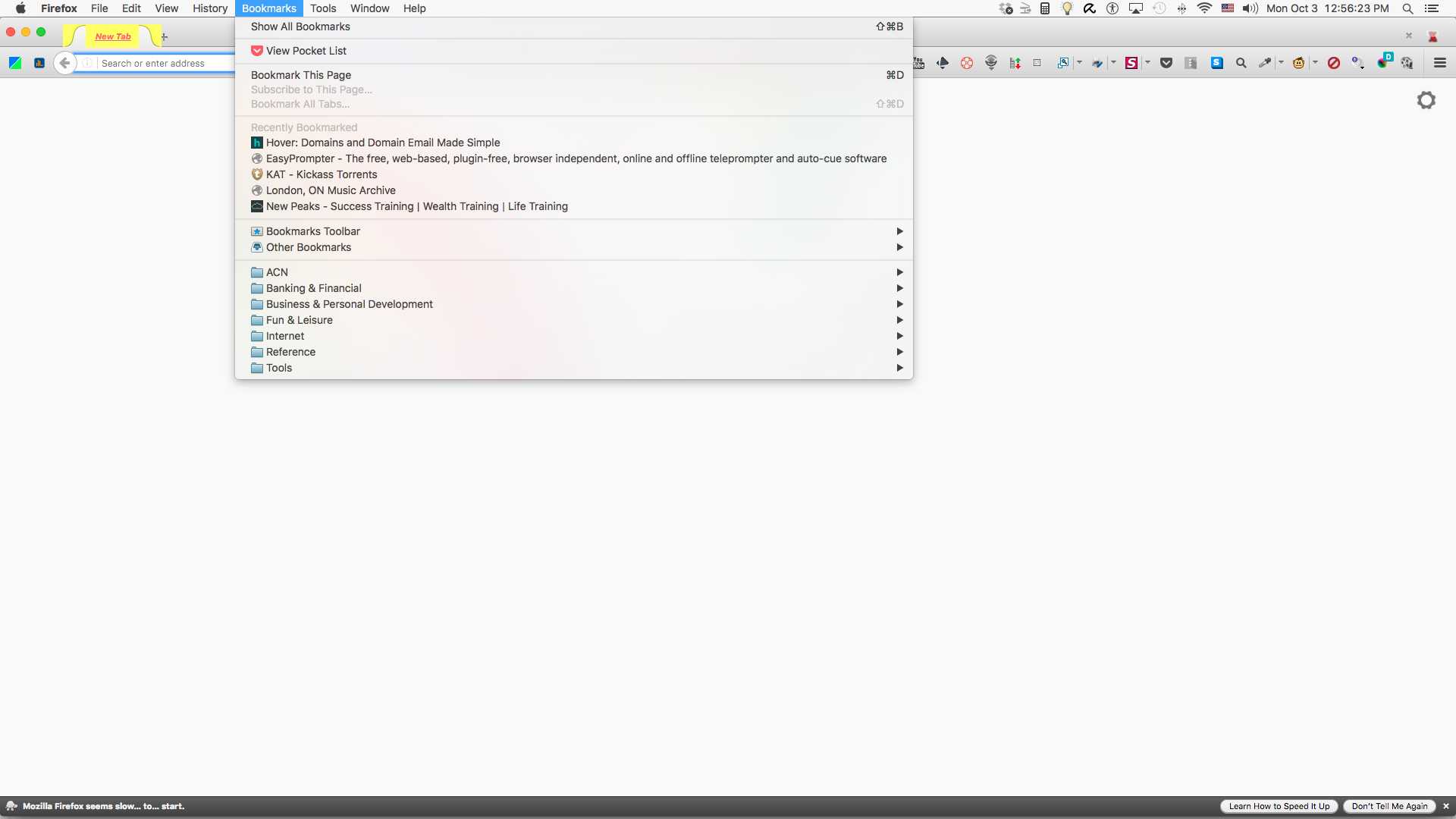
Since Firefox was updated recently to Version 49.0.1, my Bookmarks drop-down menu got cluttered. I've since deleted most of the stuff I don't use, but I cannot remove the "Recently Bookmarked", "Bookmarks Toolbar", "Other Bookmarks" or "View Pocket List" entries.
So my Bookmarks Menu still appears cluttered and my bookmarks are unnecessarily moved to the bottom. I have included a screenshot of what I am talking about.
Just so you know, I'm on a Mac Mini using OS X El Capitan, Vers. 10.11.6
Thank you.
Chosen solution
The Menu Wizard extension allows the user to hide Menu items. https://addons.mozilla.org/en-US/firefox/addon/s3menu-wizard/
Read this answer in context 👍 0All Replies (1)
Chosen Solution
The Menu Wizard extension allows the user to hide Menu items. https://addons.mozilla.org/en-US/firefox/addon/s3menu-wizard/