


tabs scaling option in settings
I wonder if there is any way of setting global scaling for all tabs? i.e. with my htpc connected to a fullhd big tv, i have to scale each tab i open. and i dont have a traditional keyboard connected, i just use my android phone to control the htpc. this results in alot of thumb movements on my phone... otherwise love the mozilla :) regards roy
การตอบกลับทั้งหมด (9)

Could you please clarify what you were meaning by "scale." Are you meaning make the tabs themselves larger, or do you want the websites to be zoomed in/out automatically?
hi! I would like the websites to be zoomed automatically..do you know a solution to this?
Yes, the NoSquint Add-on would work for this. Once you install it from the link I gave you above, just:
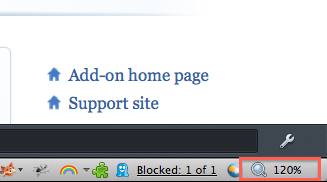
- Click the NoSquint item on the icon bar.
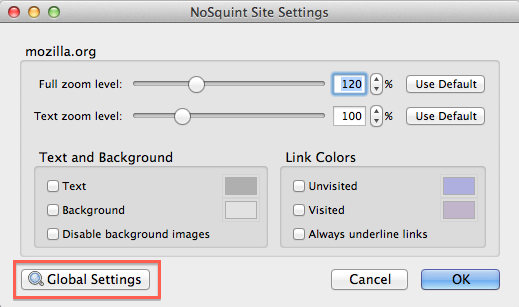
- In the dialog that appears, click Global Settings.
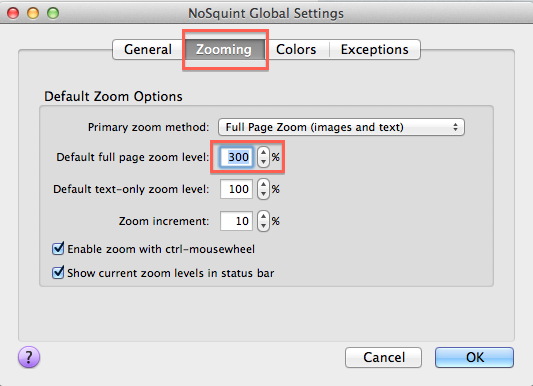
- Select the Zooming tab, and enter in the desired zoom level (as a percentage).
Note: I have attached a few screenshots.
thanks for your help :) thats a nice add-on. however as websites are different, some pages will need to be zoomed out because they get too big for the screen. Do you know if this add-on is capable of automatic zoom to fit screen? regards
I don't think it can do that, sorry.
You can set site-specific zoom for the sites that you use most, maybe that will work?
Well, thanks for your help :) I just found an add-on that fits page to width: "zoom page" i feel a little bit embarassed for not doing more searching for add-ons before posting here, but maybe this thread will be helpful to others wondering about this.. Problem solved! LOL :)
Great, can you post the link just in case someone else has the same issue in the future?
See also:
- Default FullZoom Level: https://addons.mozilla.org/firefox/addon/default-fullzoom-level/