


Default font displays incorrectly in Firefox 5.0.1 in OS X Lion.

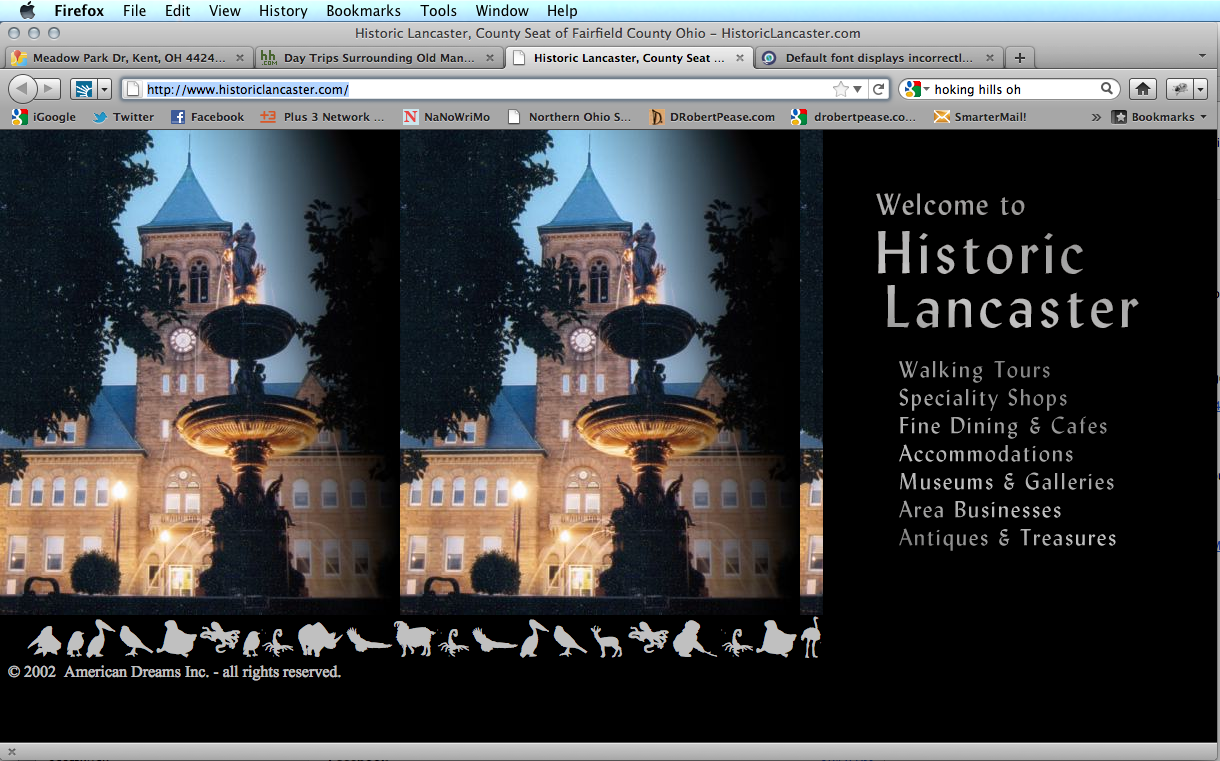
Since upgrading to OS X Lion, some fonts in Firefox 5.0.1 display as a font called "Le Monde de Victor" I have installed.
วิธีแก้ปัญหาที่เลือก
I had the same problem and the fix was to go to font book. If your not sure where this is search for it. From there have osx validate all your fonts. This should find the fonts that have errors in them. Delete the messed up fonts. In my case I have ~1,700 fonts and 20 had errors. Deleted the ones with errors and this fixed a font issue within Firefox, Outlook and Adobe CS5.
อ่านคำตอบนี้ในบริบท 👍 0การตอบกลับทั้งหมด (5)
Websites look wrong
https://support.mozilla.com/en-US/kb/Websites%20look%20wrong
Check and tell if its working.
None of these suggestions helped. Any other ideas?
You can see an example of what I'm talking about. View this site: http://www.historiclancaster.com/ Then view the image I attached to see what I see.
You can do a check for corrupted fonts and other font issues:
- http://www.creativetechs.com/iq/garbled_fonts_troubleshooting_guide.html - CreativeTechs Tips: Garbled Fonts Troubleshooting Guide
- http://www.thexlab.com/faqs/multipleappsquit.html - Font Book 2.0 Help: Checking for damaged fonts
วิธีแก้ปัญหาที่เลือก
I had the same problem and the fix was to go to font book. If your not sure where this is search for it. From there have osx validate all your fonts. This should find the fonts that have errors in them. Delete the messed up fonts. In my case I have ~1,700 fonts and 20 had errors. Deleted the ones with errors and this fixed a font issue within Firefox, Outlook and Adobe CS5.
เปลี่ยนแปลงโดย killgja เมื่อ
Thanks killgja, I think that did the trick.