


How do I turn the tabs back to how they were before?
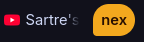
After an update (seemingly, I did not run 'sudo pacman -Syu'), the tabs have changed in look and to be frank i find the new layout ugly. How do I turn it back? Attached is a photo of the new tab groups, i couldn't get one of the circular tabs.
วิธีแก้ปัญหาที่เลือก
Waterfox: Settings > Appearance > it's at the very top.
Librewolf: Settings > Appearance > Browser Theme > uncheck 'Enable the Nova redesign'
Both are super simple to change. ☺
Note: Waterfox is closest to the original Firefox. Librewolf is more security minded so has it's own problems.
การตอบกลับทั้งหมด (19)
Bonjour
A space for users to give product feedback https://support.mozilla.org/en-US/kb/what-mozilla-connect
A subject css https://www.reddit.com/r/FirefoxCSS/comments/1wu4i5z/help_adjusting_the_tab_group_shapesize_in_new_ui
Introduction, please read, contributors guide on Firefox advanced customization with css https://support.mozilla.org/en-US/kb/contributors-guide-firefox-advanced-customization
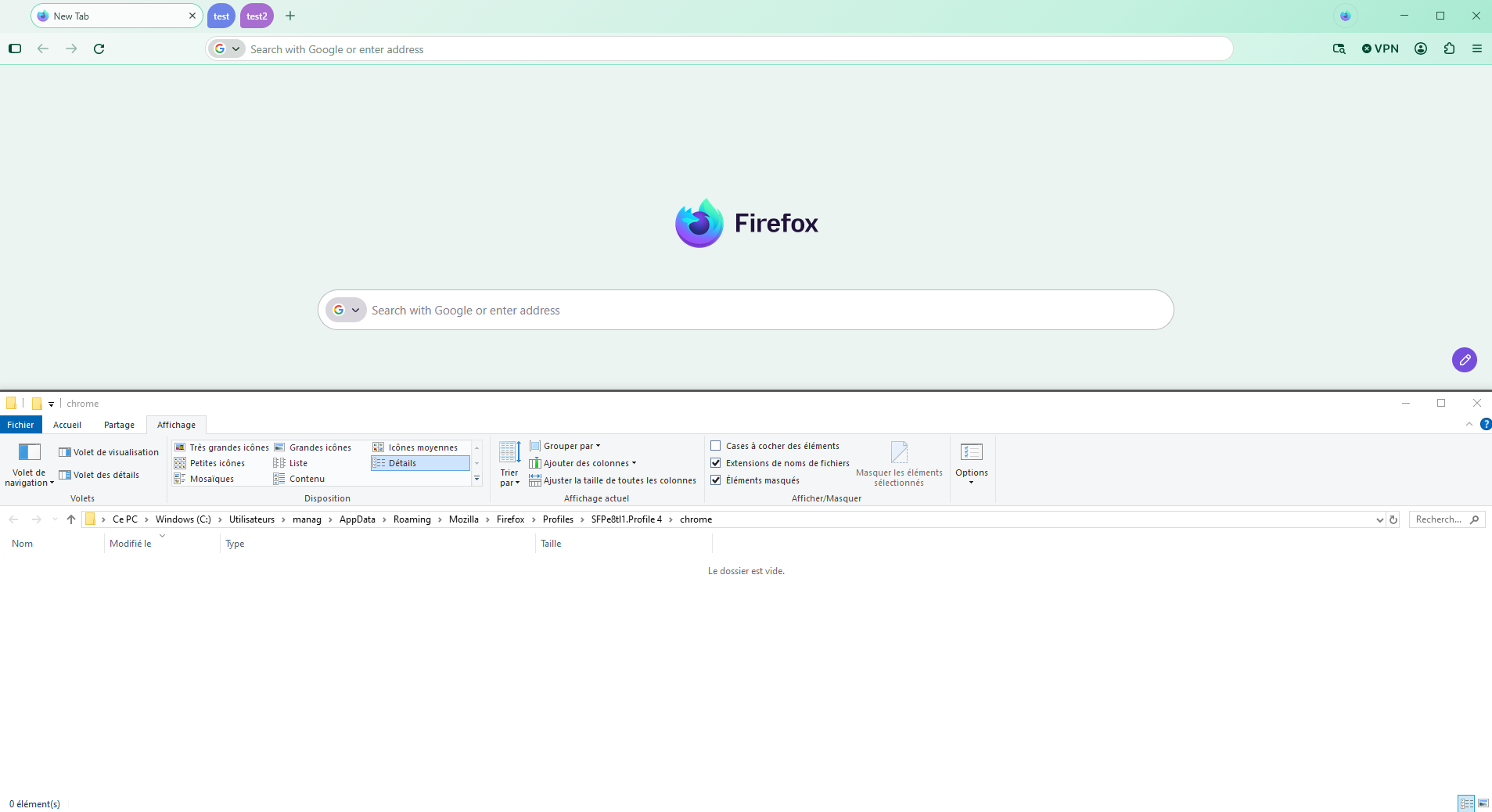
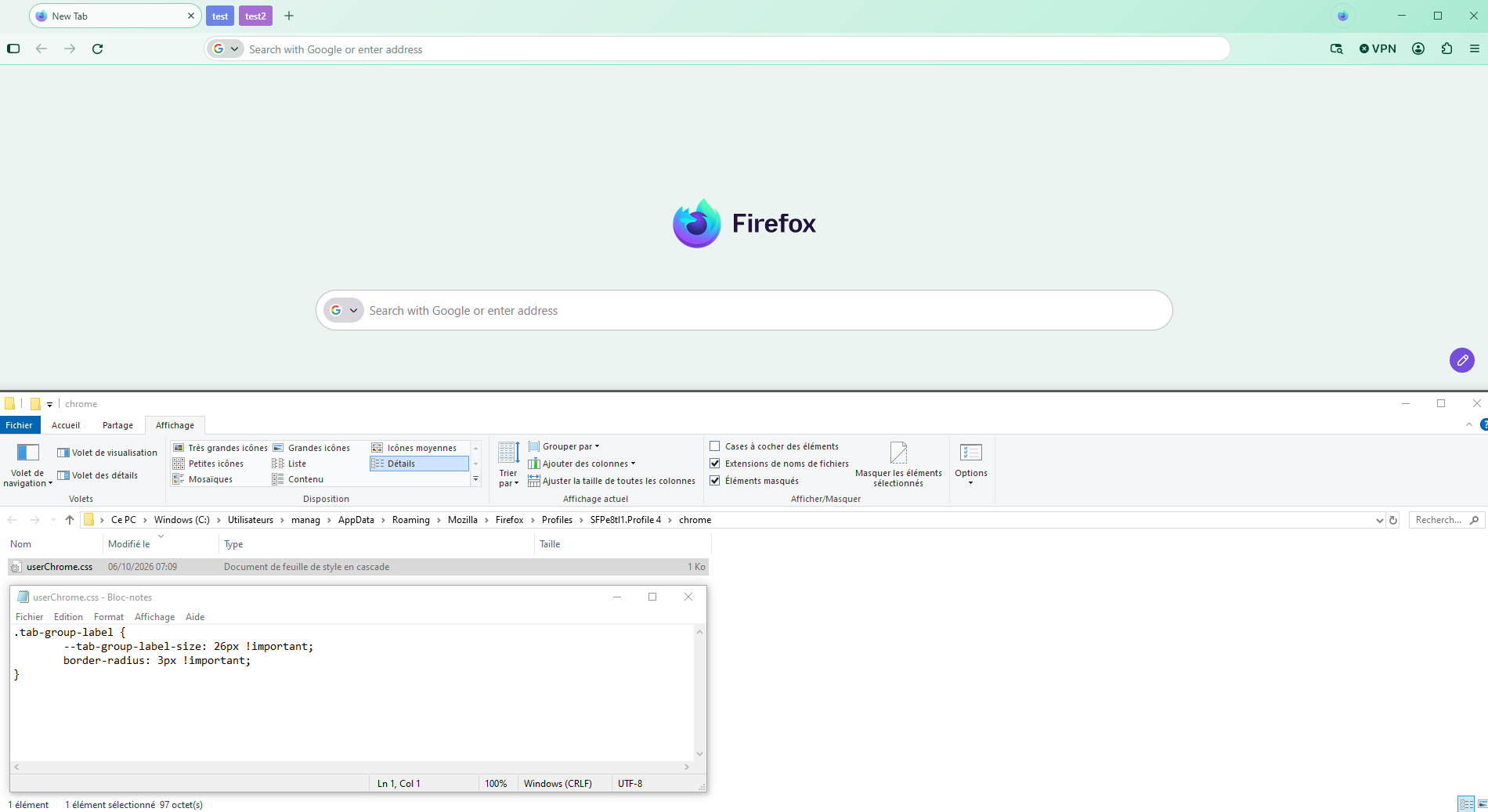
If you wish to try userChrome.css
.tab-group-label { --tab-group-label-size: 26px !important; border-radius: 3px !important; }
Copy/paste the code into your notepad Save Type: All files userChrome.css
Create a chrome folder Move userChrome.css to your chrome folder
Go to your profile folder https://support.mozilla.org/en-US/kb/profiles-where-firefox-stores-user-data#w_how-do-i-find-my-profile
Move your chrome folder to your profile folder
Go to configuration editor https://support.mozilla.org/en-US/kb/about-config-editor-firefox Enter a search term toolkit.legacyUserProfileCustomizations.stylesheets Double-click on the preference, to set its value to true
And restart Firefox
Below, the result of the test Without userChrome.css - With userChrome.css
เปลี่ยนแปลงโดย Agent virtuel เมื่อ
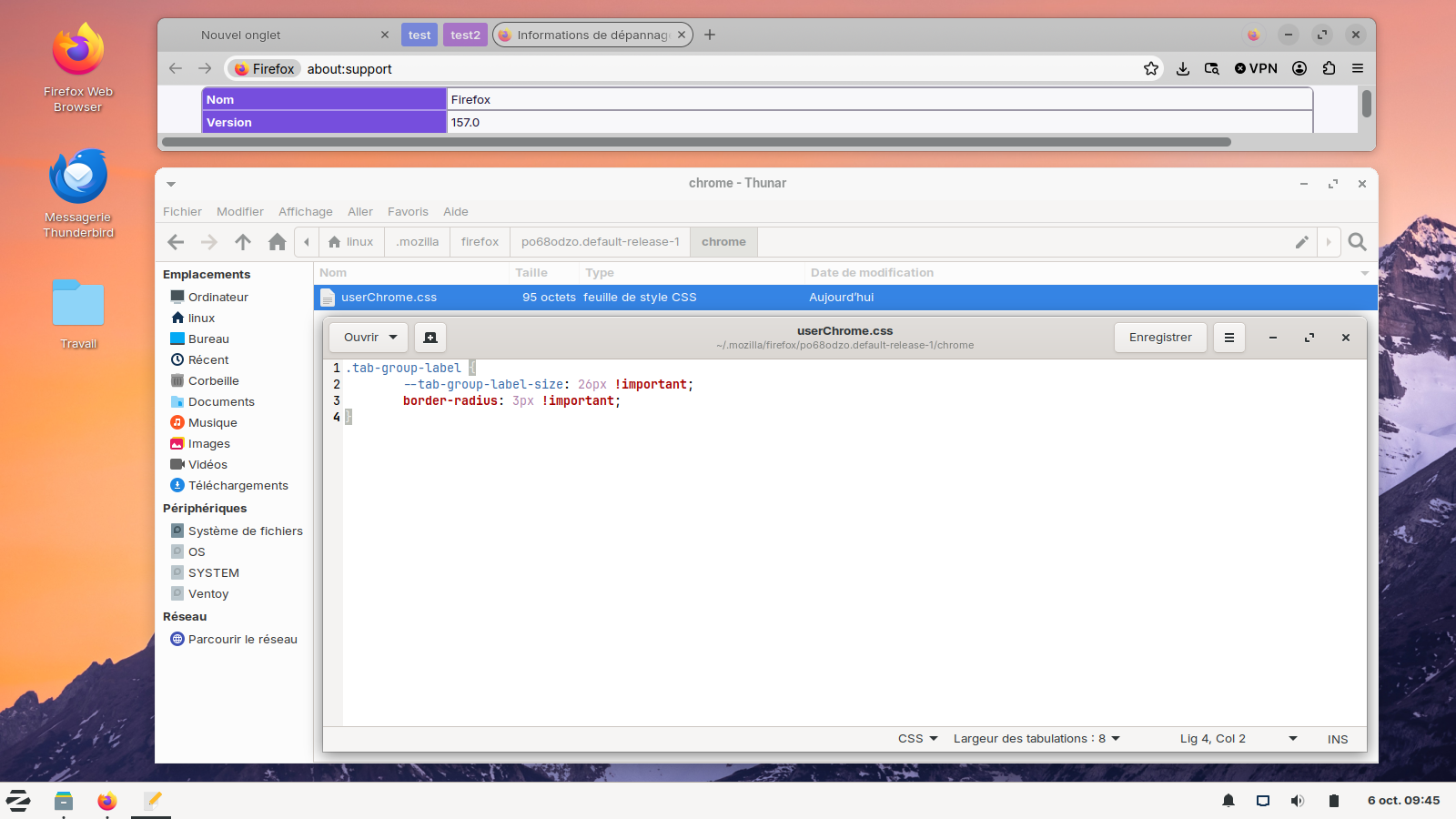
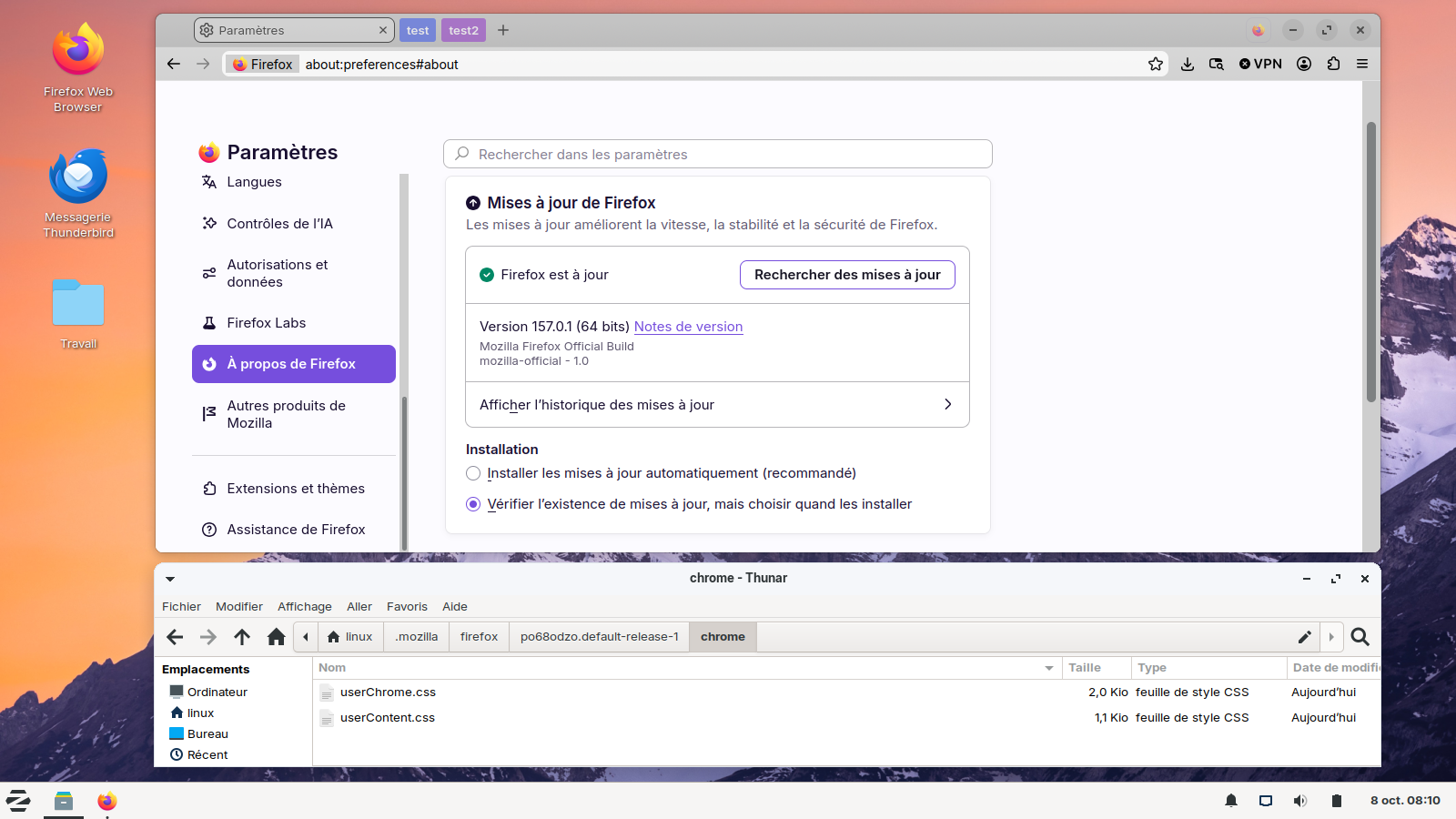
Below, Linux, the result of the test of this userChrome.css
That should work for the tab groups, but I mean moreso for the entire circular interface. I want my rectangles back, if that makes sense. Attached are some more examples of what I mean. I basically want it to look how it looked in 156 while still being able to keep new features and support.
Bonjour
Take a look at the Mozilla Connect Community https://connect.mozilla.org
Bonjour
Just to see. https://connect.mozilla.org/t5/discussions/hate-the-rounded-corners-inside-firefox-disabled-them-in-windows/m-p/142075/highlight/true#M58044 https://www.camp-firefox.de/forum/thema/141025-auf-die-schnelle-nova-to-proton-ein-umfassendes-css/?postID=1295648#post1295648
You can add the code to the userChrome.css.
Below, userChrome.css and userContent.css, together.
That works as well, I also discovered if one goes to about:config and sets "browser.nova.enabled" to false, it will go back to how it was.
Bonjour
A space for users to give product feedback https://support.mozilla.org/en-US/kb/what-mozilla-connect
A simlar discussion thread https://support.mozilla.org/en-US/questions/1611802
As for me, i'm not a fan the Nova Style. I use, css, among others css, i use https://support.mozilla.org/en-US/questions/1610048, https://support.mozilla.org/en-US/questions/1611680#answer-1855268
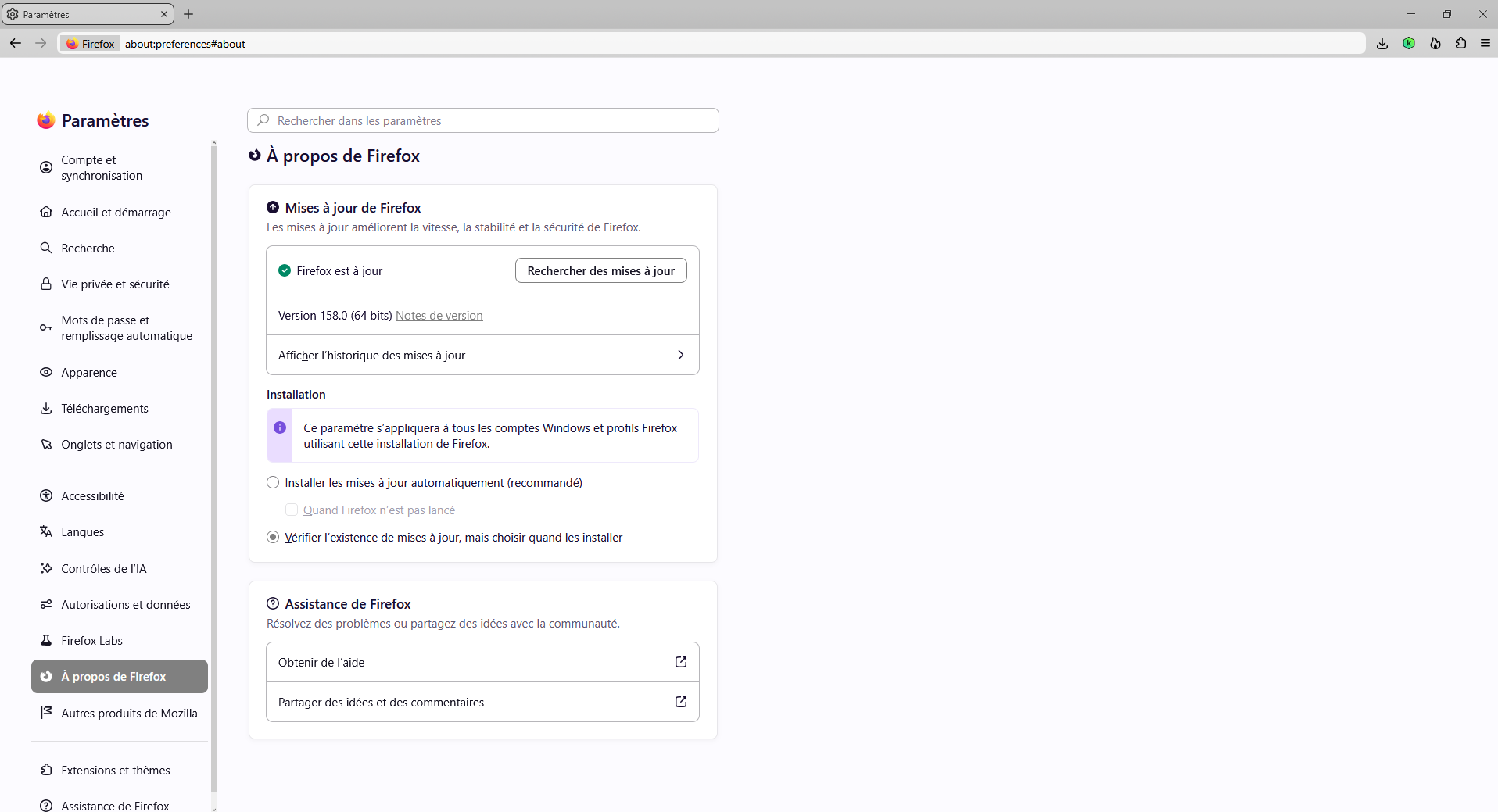
Unfortunately, Mozilla has already discussed how the the option to use about:config and sets "browser.nova.enabled" to false will go away on November 24th.
Any .css changes done to deflect Nova will probably not work either.
Seriously? Does LibreWolf or WaterFox have a fix for this?
วิธีแก้ปัญหาที่เลือก
Waterfox: Settings > Appearance > it's at the very top.
Librewolf: Settings > Appearance > Browser Theme > uncheck 'Enable the Nova redesign'
Both are super simple to change. ☺
Note: Waterfox is closest to the original Firefox. Librewolf is more security minded so has it's own problems.
Why do you say this part I've bolded:
cadwellm said
Unfortunately, Mozilla has already discussed how the the option to use about:config and sets "browser.nova.enabled" to false will go away on November 24th. Any .css changes done to deflect Nova will probably not work either.
The shape of tabs is completely controlled by CSS, so the odds are that users will still be able to modify them using CSS as they have before, during, and after every major tab redesign over the past many years. Of course, there should be a better/easier option, but let's not forecast a CSS apocalypse without any signs that it will occur.
And of course you're likely to find solutions and discussion on r/FirefoxCSS (https://www.reddit.com/r/FirefoxCSS/).

If your tabs suddenly look different, try closing and reopening the app first. If that doesn’t work, check the app’s settings to see whether the layout has changed.
If you mean the tabs in ChatGPT, Chrome, or another app, tell me which one you’re using and I’ll give you the exact steps to get them back to how they were before.
Bonjour
To complement, about, browser.nova.enabled https://support.mozilla.org/en-US/questions/1611802#answer-1855530, https://bugzilla.mozilla.org/show_bug.cgi?id=2071454
On the left Firefox 159.0, clarification : i'm not a fan the Nova Style. I use, css. Among others css.
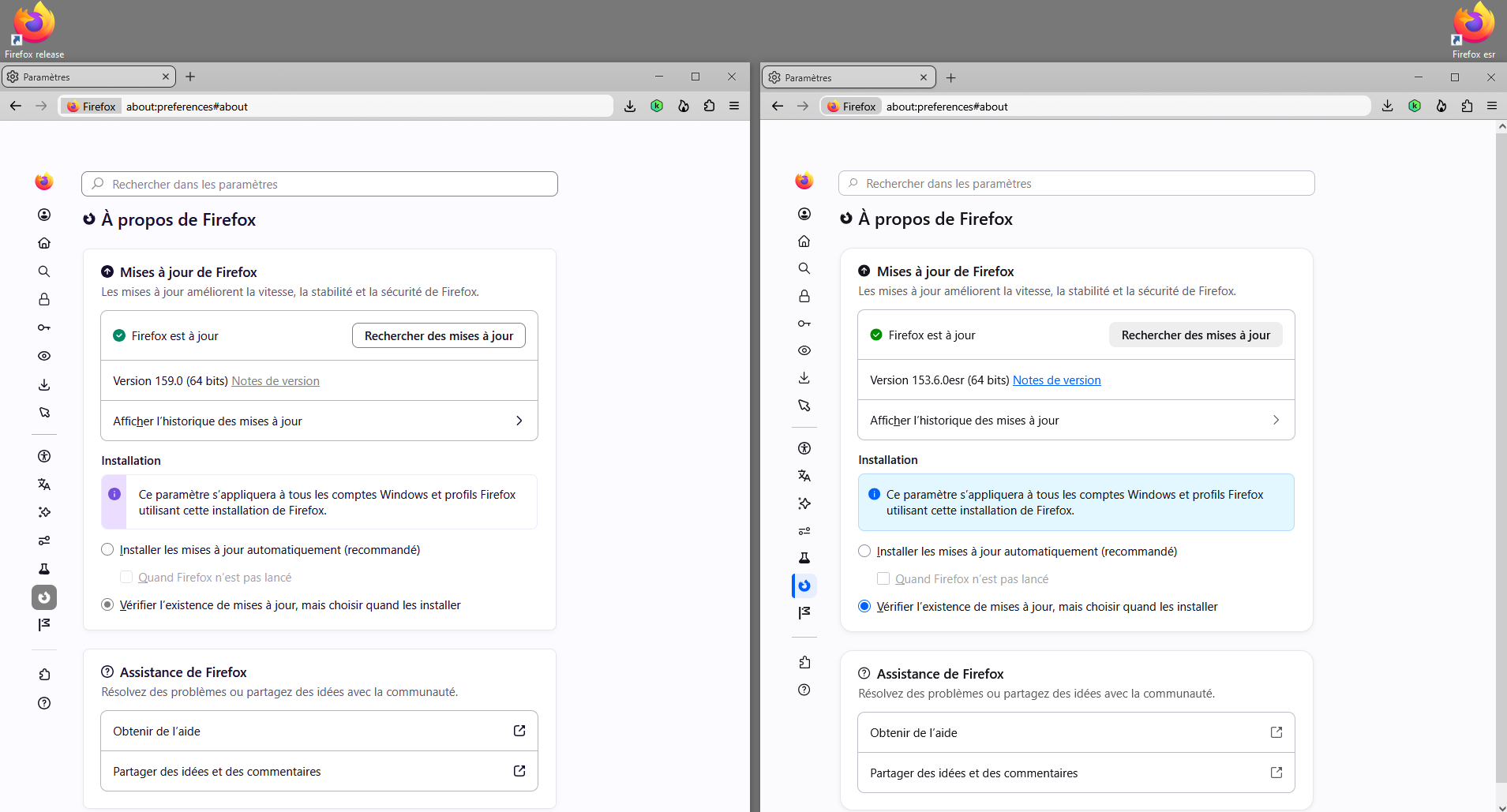
About Firefox (e.g.) https://support.mozilla.org/en-US/questions/1613943#answer-1857830 (e.g.) https://connect.mozilla.org/t5/discussions/firefox-esr-115-43-1-does-not-block-emudhra/m-p/144826/highlight/true#M59287 take a look at the screenshots.
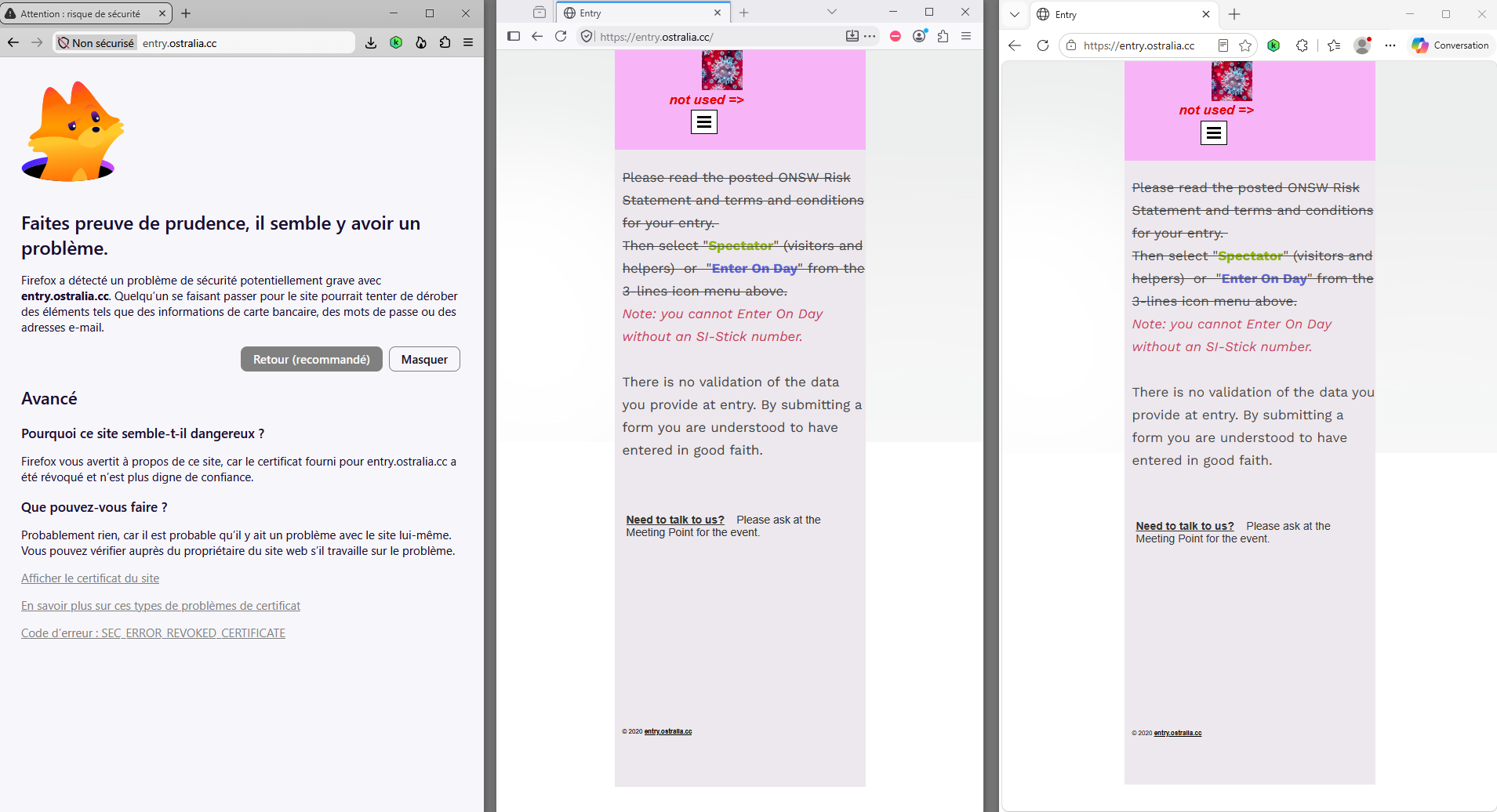
Firefox a bloqué cette page, Edge ne bloque pas la page, Waterfox ne bloque pas la page. Faites preuve de prudence, il semble y avoir un problème.
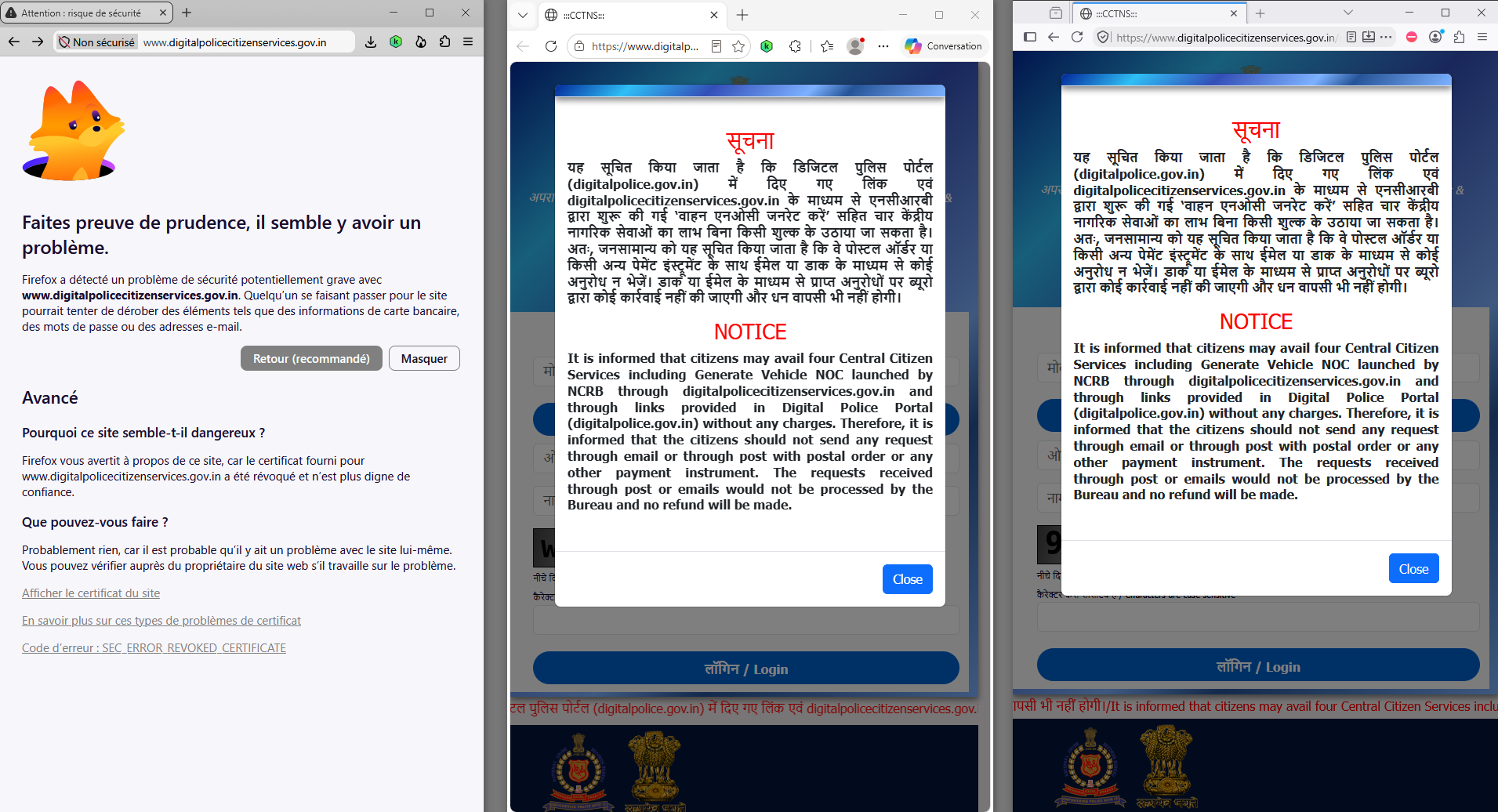
To complement, https://support.mozilla.org/en-US/questions/1608578#answer-1856881
about:config, about css Firefox is a work in progress and, to allow for continuous innovation, Mozilla cannot guarantee that future updates won’t impact these customizations, https://support.mozilla.org/en-US/kb/firefox-advanced-customization-and-configuration, https://support.mozilla.org/en-US/kb/contributors-guide-firefox-advanced-customization
(e.g. css) https://connect.mozilla.org/t5/discussions/hate-the-rounded-corners-inside-firefox-disabled-them-in-windows/m-p/117875/highlight/true#M46050 https://connect.mozilla.org/t5/discussions/hate-the-rounded-corners-inside-firefox-disabled-them-in-windows/m-p/142075/highlight/true#M58044
เปลี่ยนแปลงโดย Agent virtuel เมื่อ
To complement, this discussion thread https://connect.mozilla.org/t5/discussions/rounded-corners-no/td-p/141457
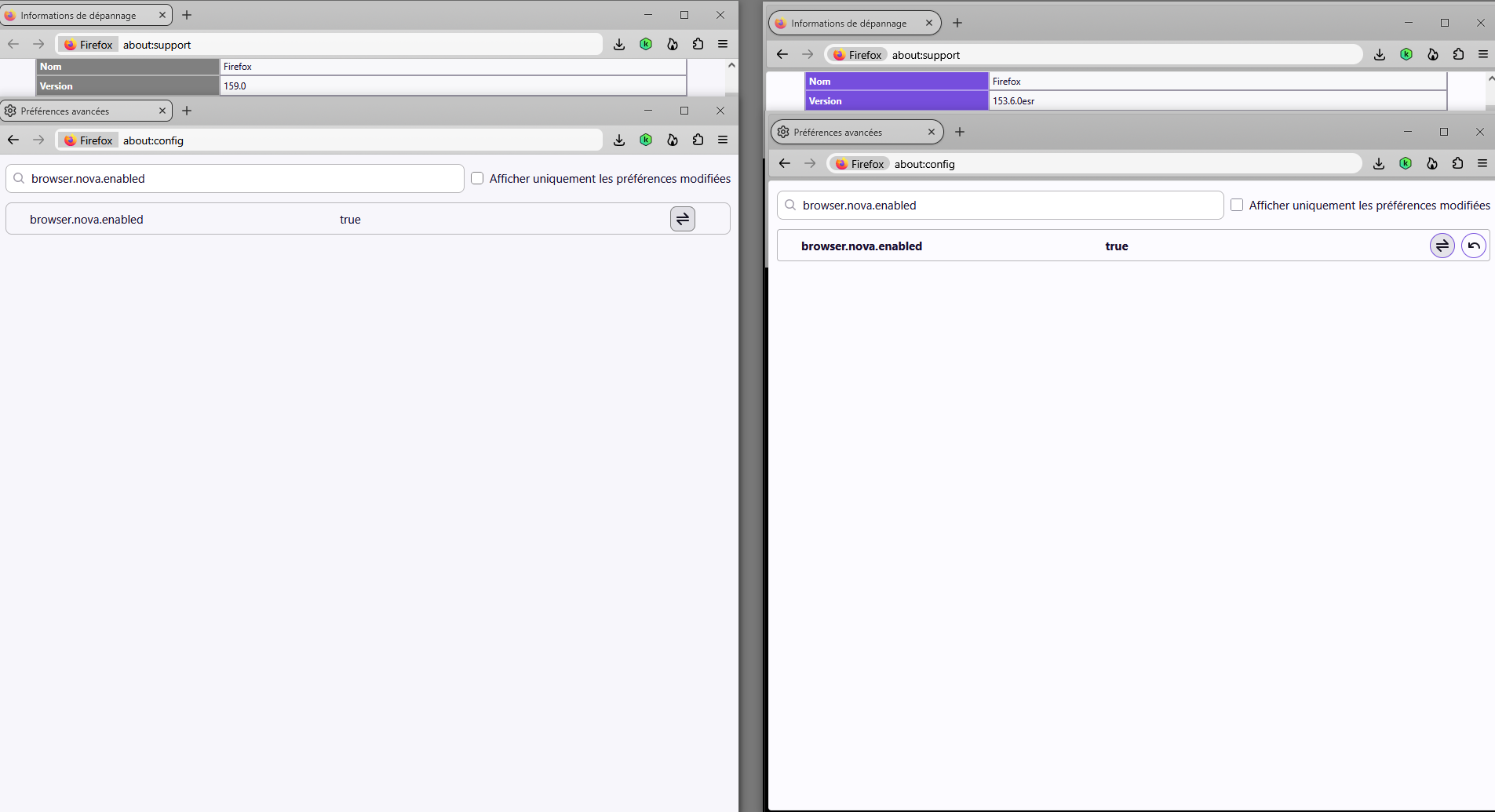
On the left, browser.nova.enabled, default value, true Firefox 159.0, clarification : i'm not a fan the Nova Style. I use, css. Among others css. On the right, just to see, browser.nova.enabled, value, true Firefox 153.6.0esr.
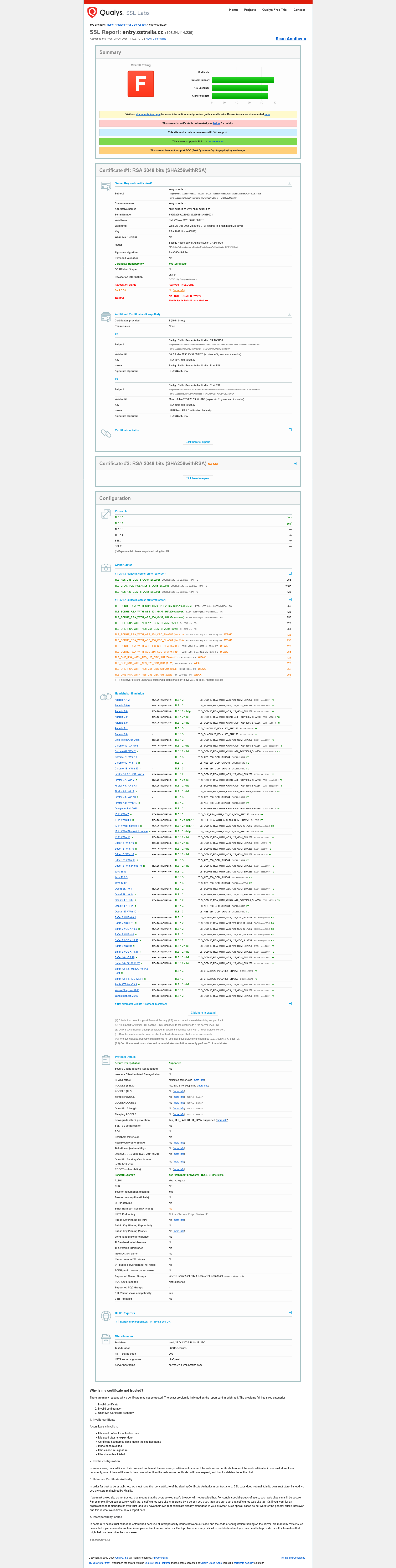
(e.g. Overall Rating) https://support.mozilla.org/en-US/questions/1610034 Overall Rating F, Revocation status Revoked INSECURE, at the moment, analyzed.. https://www.ssllabs.com/ssltest/analyze.html?d=entry.ostralia.cc Firefox a bloqué cette page, Waterfox ne bloque pas la page, Edge ne bloque pas la page. Faites preuve de prudence, il semble y avoir un problème.
เปลี่ยนแปลงโดย Agent virtuel เมื่อ
jscher2000 - Support Volunteer said
Why do you say this part I've bolded:cadwellm said
Unfortunately, Mozilla has already discussed how the the option to use about:config and sets "browser.nova.enabled" to false will go away on November 24th. Any .css changes done to deflect Nova will probably not work either.The shape of tabs is completely controlled by CSS, so the odds are that users will still be able to modify them using CSS as they have before, during, and after every major tab redesign over the past many years. Of course, there should be a better/easier option, but let's not forecast a CSS apocalypse without any signs that it will occur.
And of course you're likely to find solutions and discussion on r/FirefoxCSS (https://www.reddit.com/r/FirefoxCSS/).
1. It's already known that .css changes can break after an update. So, what you're accustomed to using in one version may not work in the next version.
2. When I was making changes in .css, to get squarer looking tabs instead of the squircles, none of my .css changes made a difference to the tab shape. This makes sense from the side of Mozilla since they're pushing Nova so hard.