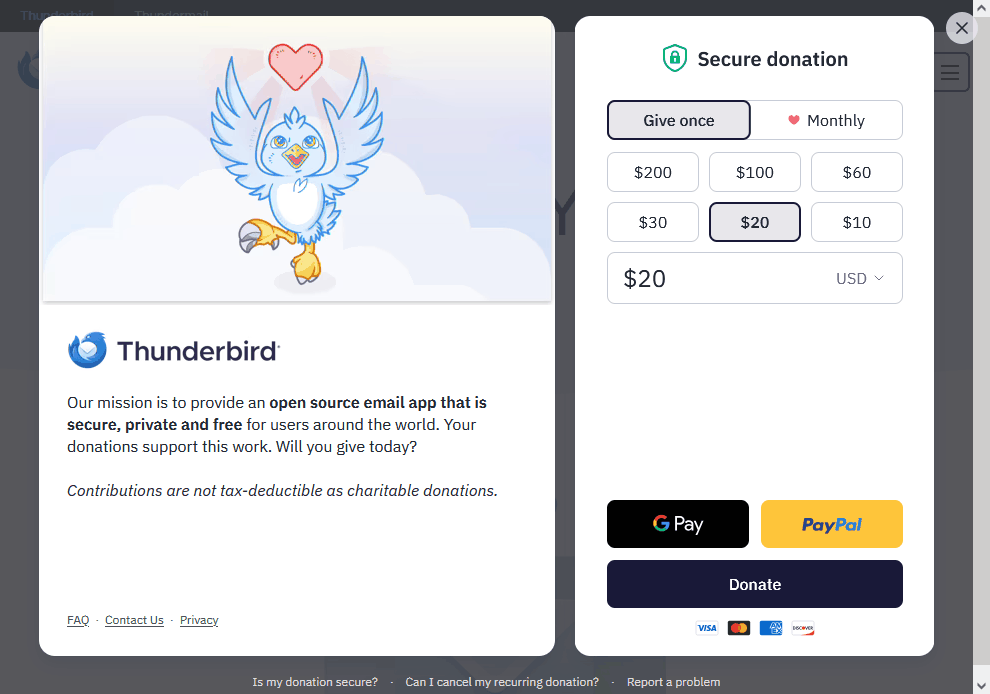
I'm trying to download a copy of Thunderbird. I get to a page that asks for a donation, I click continue and another page is asking for a donation. I just donated $20. How can I get past the donation page and get to the download?
Greetings,
I've been using Thunderbird for more than a decade. My old version quit on me, I can't get e-mails. The error message I get is: "The certificate for inbound.att.net:995 does not come from a trusted source." I was hoping someone would get to the server and fix the issue, but it's been more than a week now and still no service. So I took it upon myself to download a new copy. I get to the donation page and donated $20. I attempt to download and I'm taken to another donation page and I can't get passed it without making another donation.
I'm stuck and need assistance.
Thank you, MSuñer
การตอบกลับทั้งหมด (1)

Donations are never required to download, install, or use Thunderbird. Yes, they do encourage and appreciate donations, but they are not necessary.
If the attached image is what you're seeing, notice that there is an [X] in the upper right corner that will dismiss it. The actual file has been downloading all the while and can be found wherever your web browser is set to download files to.
I'm afraid that the certificate problem you had before is not likely to be solved by this re-install. The problem is on the server end and is out of your control. It's possible that your server settings are incorrect. You should verify them with your email provider.
It's also possible that your anti-virus or network security program, if any, is interfering with certificate verification. You can test this by temporarily disabling your AV or creating and exception in it for Thunderbird.