


My emails won't load to open

My emails are listed, but won't load to open...blank page.
การตอบกลับทั้งหมด (21)
Started yesterday. My emails are listed but won't open (won't load)

What's the solution? I have same problem

Try right-click Inbox > Properties > click 'Repair folder' button.
Good results?

Hello People, I have the same problem, but in my case the emails aren't even listed, just a blank page, see screen shot. I have tried Ed's solution - Try right-click Inbox > Properties > click 'Repair folder' button. - which helped for a short time, but since yesterday evening I have a blank page again. Who could help me solve this problem? Thanks in advance!
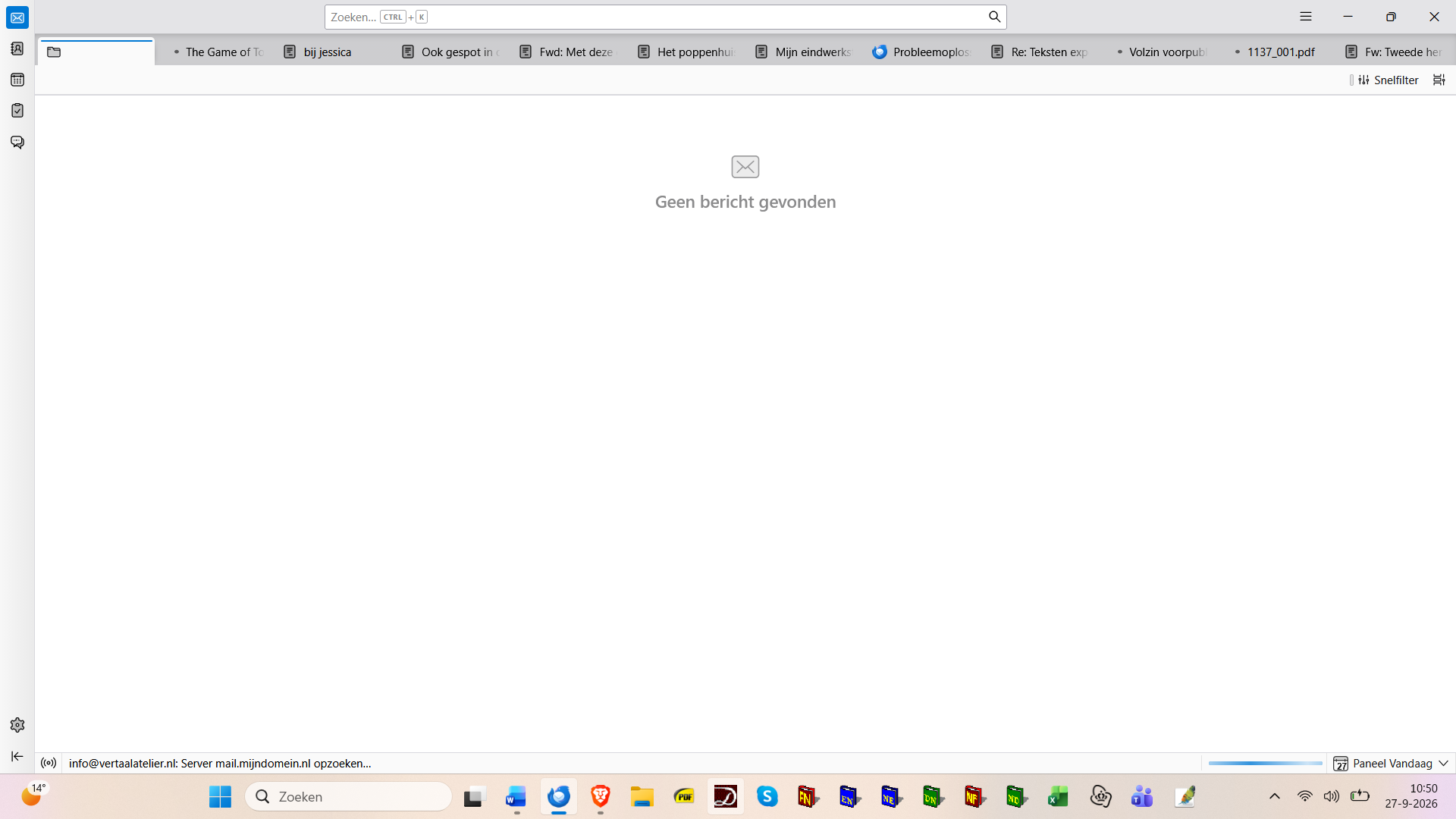
PS: Of course I couldn't have tried Ed's solution seeing a plank page, I did this when - yesterday afternoon - the program decided to work again after showing the plank page... Also, I have tried to solve the problem, that occurred earlier, by upgrading Thunderbird, which at first seemed to have helped, but I can see now that it hasn't.
เปลี่ยนแปลงโดย ysart เมื่อ
You could try restarting Thunderbird and checking whether the issue continues in Troubleshoot Mode. Also, make sure Thunderbird is up to date and your internet connection is working properly. If the emails still won't open, check the Error Console for error messages that may help identify the cause.
Ah - thank you. And where do I find trouble shoot mode? And can I find it on a blank page?... I have the last version of Thunderbird, since I tried to solve the problem by upgrading, which at first seemed to help, but here I am again with a blank page.
Also, I forgot to mention that to begin with the program asks for the password of the first of my three accounts, see screen shot.
And that I can see at the bottom of the blank page how the system seems to block on looking for messages on my third account - see the screen shot added to my first message
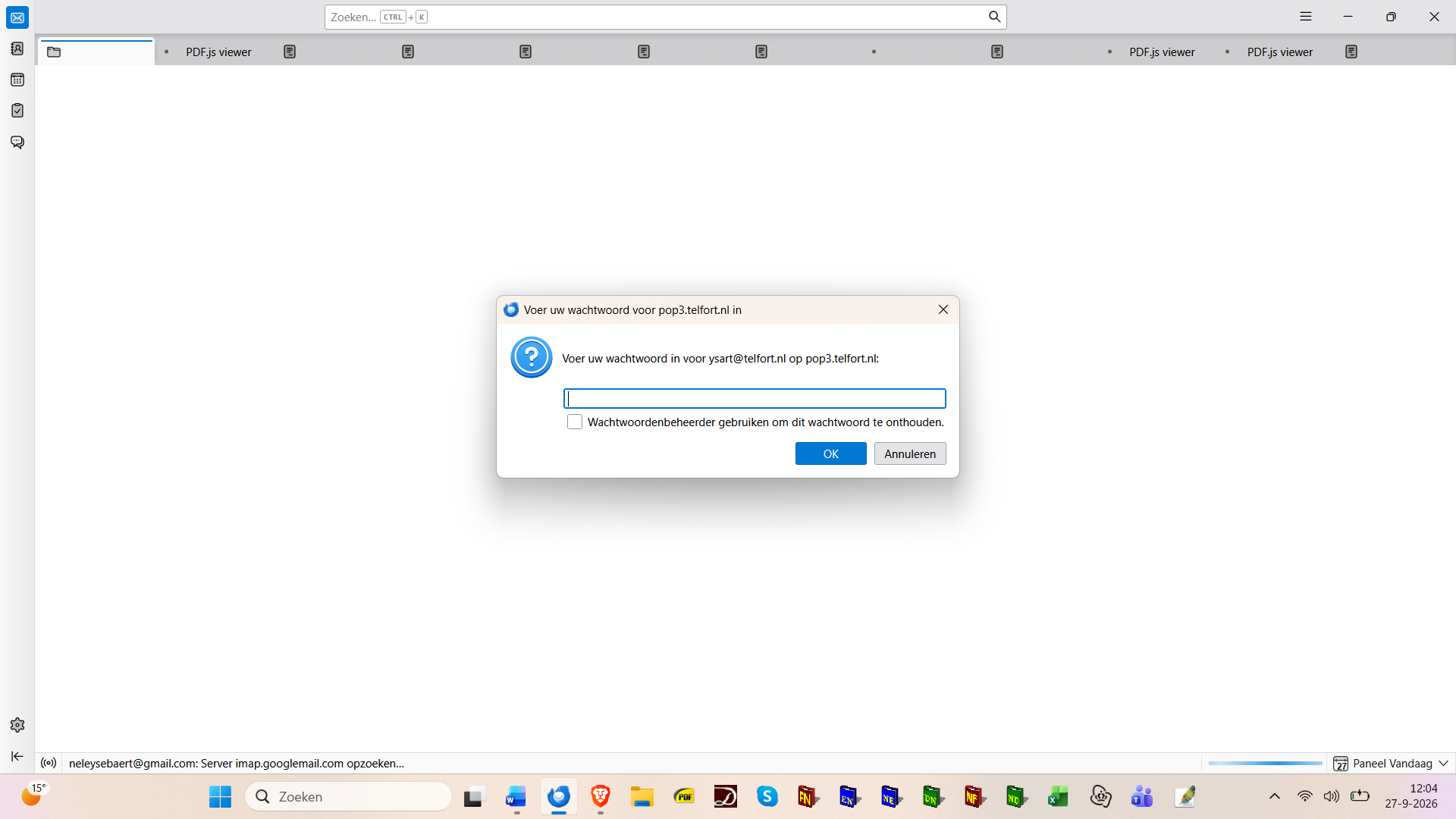
เปลี่ยนแปลงโดย ysart เมื่อ
Hello Ysart,
ysart said
Ah - thank you. And where do I find trouble shoot mode? And can I find it on a blank page?...
With "blank page" do you mean the Thunderbird start page shown in your screen shot? You remember our discussion https://support.mozilla.org/en-US/questions/1605628 we left about a week ago? You already had shown a similar screen shot of " blank page" in this discussion but eventually you told me that everything was OK. Does Thunderbird become unresponsive when showing this page after startup? If not go to menu Help > Troubleshoot Mode > ...... Thunderbird closed you can also start in troubleshoot mode by pressing the shift key whilst launching Thunderbird.
Thanks for you answer, Mapenzi. I will investigate further this evening - now heading for a meeting...
The problem of the "empty" start page and non responsive Thunderbird probably is related with these two recent bug reports:
• https://bugzilla.mozilla.org/show_bug.cgi?id=2071951 "Thunderbird hangs on startup when restoring session.json"
• https://bugzilla.mozilla.org/show_bug.cgi?id=2075935 "Thunderbird should recover gracefully from a failed or stalled session restore"
Here I am again, and I've just launched Thunderbird in troubleshoot mode, but alas, to no avail...
เปลี่ยนแปลงโดย ysart เมื่อ
Thank you for these two reports. In the first I may actually have found a solution to my problem: 'Renaming session.json to session.json.old immediately resolved the problem.' But - apologizing for my ignorance -where do I find 'session.json'?
"'But - apologizing for my ignorance -where do I find 'session.json'?" The file session.json is located in the Thunderbird profile folder. I think that you still remember how to open the profile folder when Thunderbird is closed.
Euh.. well I don't, but I will look it up straight away! :)
Have a look at this article https://support.mozilla.org/en-US/kb/profiles-where-thunderbird-stores-user-data , in particular the paragraph "Finding your profile without opening Thunderbird"
Ah - thank you, I'm going to read it...
เปลี่ยนแปลงโดย ysart เมื่อ
Nele, your image shows the Thunderbird "profile manager" ! You are confusing the profile manager with the Thunderbird "profile folder" Here you need to open the profile folder; did you read the SUMO help article I linked in my reply? In your thread from last week you showed a screen shot with one of your three profile folders, so I concluded that you did know how to navigate to ... \users\username\AppData\Roaming\Thunderbird\ Profiles\q8pzu1k9.default \.....
Oww... I see. But I did look into the article now, and - through another itinerary than you showed me last week - I actually did succeed in opening the profile folder and changing session.json into session.json.old. And I do believe my problem is solved now! Thanks again - mille mercis - for your kind help!
Thank you for your feedback! I'm not sure that your problem is solved definitively since this seems to be a bug, and I've seen users in other Thunderbird forums reporting the same issue. Anyway, whist waiting for the bug fix you know how to remedy it if this issue returns. I cannot confirm this bug since by default I open messages in the message pane and not in new tabs. A votre service et bonne continuation 🤝