


Any attempt to add a Nextcloud CalDAV calendar to Thunderbird presents a "certificate exception" (flatpak)
[Edit:] I'm using Kubuntu with Thunderbird installed via flatpak using the flathub repo.
When attempting to add my calendars on our Nextcloud server, I can't get further then the second dialog.
Steps to reproduce: 1. New account > Calendar 2. Select "On the network" 3. Enter the correct user name and address (I did try the server address AND both CalDAV addresses presented in the calendar settings on the Nextcloud web app). 4. Press "Search for calendars" 5. After an extended period of time a dialog with a title "Adding a security exception" appears, claiming, that our Nextcloud site does not have a correct certificate (it does).
This is where the journey ends. If you add an exception, the dialog disappears and you are still at number 3. Trying again will produce the same result. Funny thing is, that you can press the button "Load certificate" in the "exception dialog" and then the same dialog will declare that our site does indeed have a correct certificate! But it will only allow you to close the dialog and you are still at number 3 and without any chance to add your calendars.
This is a completely new installation of Thunderbird. There are other folks that are using Thunderbird with their calendars on the same Nextcloud server and everything works happily. I presume this is a bug with the newer version of Thunderbird or something of that sort.
เปลี่ยนแปลงโดย O. Michal Mária OSB เมื่อ
การตอบกลับทั้งหมด (6)

Any attempt to add a Nextcloud CalDAV calendar to Thunderbird presents a "certificate exception"
Please post a screen shot of the exception prompt. https://support.mozilla.org/kb/how-do-i-create-screenshot-my-problem
This is the dialog window. And then I'm adding the same dialog after you click "Get Certificate".
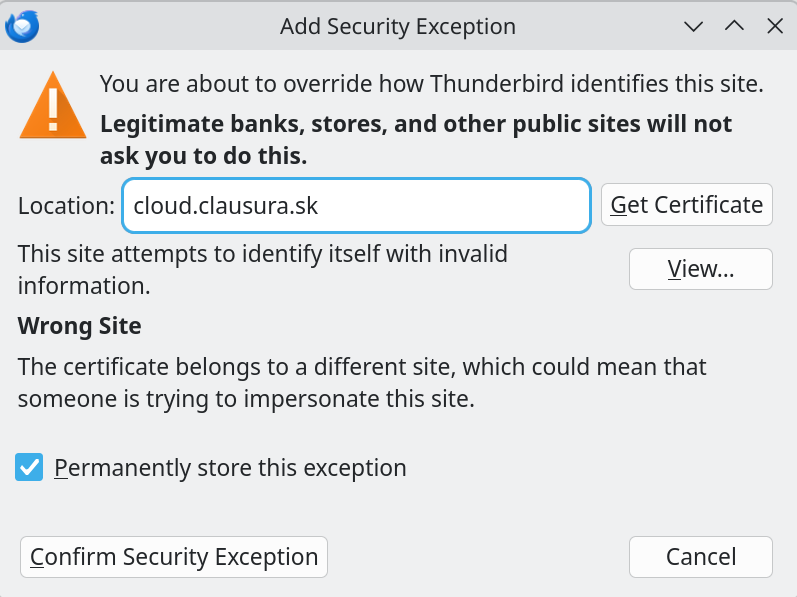
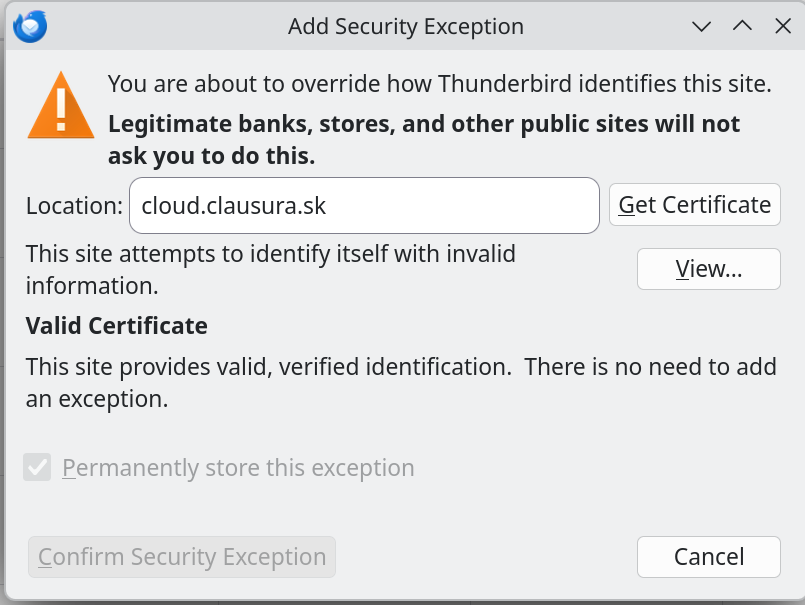
a dialog with a title "Adding a security exception" appears, claiming, that our Nextcloud site does not have a correct certificate (it does).
Is cloud.clausura.sk the Nextcloud site you're attempting to connect to?
Click the 'View' button at the exception prompt to open the Certificate Viewer with the cert details. Please post another screenshot with the cert details.
Yes, it is. You can check the certificate yourself by visiting the site. I'm including the screenshot, but it contains only the beginning of the information.
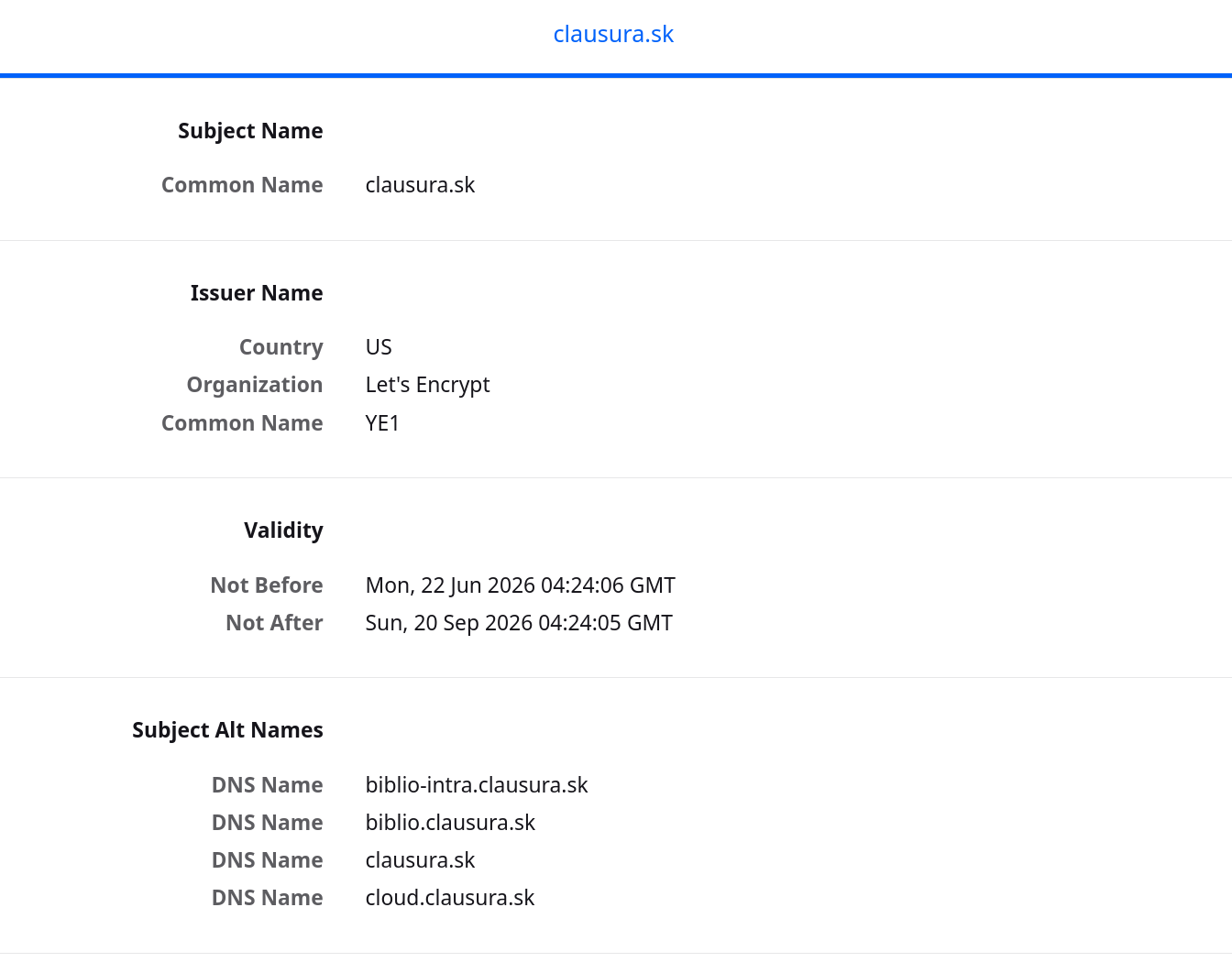
I tried an alternative — installed the same version via snapd.
thunderbird (monthly/stable) 151.0-1 from Canonical✓ installed
With that everything works. So the problem seems to be with the flatpak installation. The *not working* installation is
         ID: org.mozilla.thunderbird
        Ref: app/org.mozilla.thunderbird/x86_64/stable
       Arch: x86_64
     Branch: stable
    Version: 152.0
    License: MPL-2.0
     Origin: flathub
 Collection: org.flathub.Stable
Installation: system
  Installed: 328,9 MB
    Runtime: org.freedesktop.Platform/x86_64/25.08
        Sdk: org.freedesktop.Sdk/x86_64/25.08
As you already stated, the cert looks good. Inspecting the cert via ssllabs.com it finds that 'the site works only in browsers with SNI support'. While modern versions of Thunderbird (including version 152.0) fully support Server Name Indication (SNI), that could at least be related. Ensure your calendar URL in Thunderbird explicitly starts with https:// and targets the exact domain name listed on the certificate, without trailing slash discrepancies that could trigger broken internal redirects.
You may also want to take a look at the Nextcloud Community Help Forum for known issues in connection with Thunderbird. https://help.nextcloud.com/latest
I tried an alternative — installed the same version via snapd. thunderbird (monthly/stable) 151.0-1 from Canonical✓ installed With that everything works. So the problem seems to be with the flatpak installation.
I'd try the vanilla Thunderbird version from https://www.thunderbird.net/thunderbird/all/ If that works you may want to raise a bug for the Mozilla provided Flatpak version. https://bugzilla.mozilla.org
เปลี่ยนแปลงโดย christ1 เมื่อ