


‘How to move People All contacts list back to email Send To contact list? Firefox screwed up!!!!!!!!!!’

‘How to move People All contacts list back to email Send To contact list? Firefox screwed up!!!!!!!!!!’ for ‘Firefox’
วิธีแก้ปัญหาที่เลือก
In Firefox, to send an email, you click on the NEW EMAIL button in the tool bar and the email app appears. When you click on the TO button to add email addresses, the ADD RECIPIENT page appears and a list of people and their email addresses normally appear.
THERE IS NO LIST OF PEOPLE AND EMAIL ADDRESSES, it is empty. They have been moved to the PEOPLE folder on the left side tool bar below the top MAIL icon. The email list in the PEOPLE folder is still in tact.
My question is how do I correct this error which appears to have happened during an update.
One would think if you highlight the PEOPLE email list it could be moved back to the ADD RECIPIENT list but that does not appear to be possible.
What is the solution????????
การตอบกลับทั้งหมด (8)
Please provide more information, I do not understand what situation you are describing. Thank you
My entire regular Send To email list has been moved to the People directory. One would thing the People list could be highlighted and moved back to the Send to, but NO! It appears Firefox did an update before.
The email list is still in tact, what is the solution.
The thunderbird mailing list is a subset of an addressbook. I am unclear how firefox is involved. Can you do a screenshot of this?
วิธีแก้ปัญหาที่เลือก
In Firefox, to send an email, you click on the NEW EMAIL button in the tool bar and the email app appears. When you click on the TO button to add email addresses, the ADD RECIPIENT page appears and a list of people and their email addresses normally appear.
THERE IS NO LIST OF PEOPLE AND EMAIL ADDRESSES, it is empty. They have been moved to the PEOPLE folder on the left side tool bar below the top MAIL icon. The email list in the PEOPLE folder is still in tact.
My question is how do I correct this error which appears to have happened during an update.
One would think if you highlight the PEOPLE email list it could be moved back to the ADD RECIPIENT list but that does not appear to be possible.
What is the solution????????
Please post a screenshot of what you are seeing. That may clear up a lot. Thank you
Note the Email icon at the top left "below" Outlook and two icon down, the People icon. If you need a pic of the empty ADD RECIPIENT page/folder let me know but it is empty.
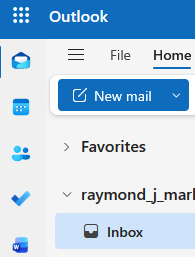

You're showing Outlook web mail in a web browser, Firefox, I assume.
- All data such as messages and contact lists are stored on Microsoft's servers. Firefox has no ability to move that data around on its own. It only displays what Microsoft has programmed its web interface to show. They change the interface from time to time. You can confirm this by going to that site with another web browser. It will look the same.
- This is a Thunderbird support group. It has nothing to do with Firefox or with Outlook.com Your question is about Microsoft's Outlook web site design or usage.
- If you think there's a problem with Firefox itself, not with the Outlook web site, there's a Firefox support group here:
https://support.mozilla.org/en-US/questions/firefox
(Hint: to address an email on the Outlook.com web mail interface, just start typing the name of the contact in the To: field, It will show contacts from the People list that match what you have typed.)
Thanks for the link. I do not recall how online help got me here. I will try the help process again.