


Windows 10 reached EOS (end of support) on October 14, 2025. If you are on Windows 10, see this article.

ค้นหาฝ่ายสนับสนุน

Avoid support scams. We will never ask you to call or text a phone number or share personal information. Please report suspicious activity using the “Report Abuse” option.

เรียนรู้เพิ่มเติม

Sending of Password fails

  • ยังไม่มีคำตอบ
  • 0 คนมีปัญหานี้
  • Open

As so many have experienced, but I have yet to find the actual solution, I will bring up the issue.

I recently purchased a new computer. Installed Thunderbird, created all the mail accounts I have and... no problems. All the accounts, once created, populated with emails. For 3-4 days, there were no issues.

Important to note: I let TB use all the default settings. And once everything was up and running >>>>I did not change anything<<<<<.

Then a few days later, I started getting the following messages for two accounts that had migrated from q.com to myctl.net. Entering the 100% proven-correct password results in the know endless-loop of entering the password and the same pop-up error message. The PW is 100% correct as I can go to Centurylinks' website and login using that same, exact password and read my emails.

I've spent enough time trying all the suggestions here, reddit, facebook etc so I'd thought I'd see if anyone has actually found a solution.
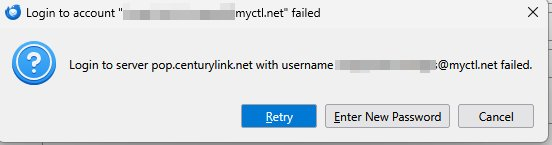
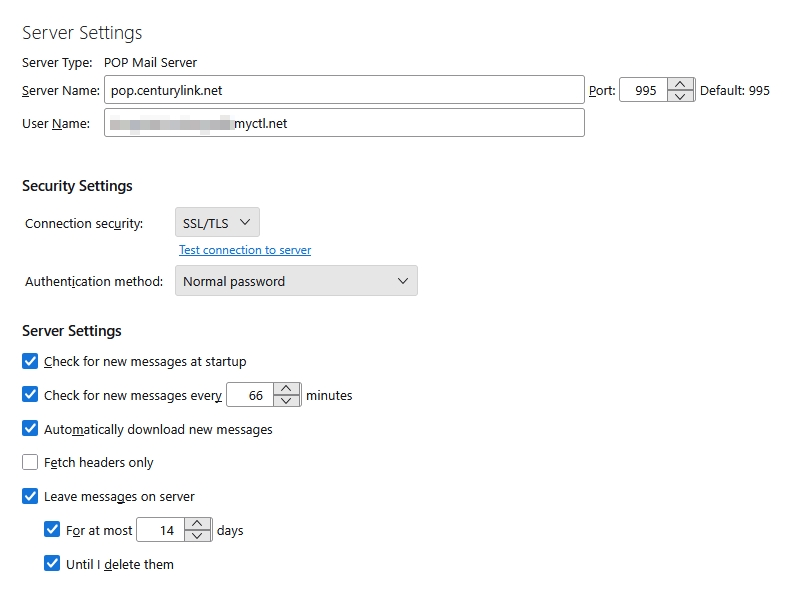
As so many have experienced, but I have yet to find the actual solution, I will bring up the issue. I recently purchased a new computer. Installed Thunderbird, created all the mail accounts I have and... no problems. All the accounts, once created, populated with emails. For 3-4 days, there were no issues. Important to note: I let TB use all the default settings. And once everything was up and running >>>>I did not change anything<<<<<. Then a few days later, I started getting the following messages for two accounts that had migrated from q.com to myctl.net. Entering the 100% proven-correct password results in the know endless-loop of entering the password and the same pop-up error message. The PW is 100% correct as I can go to Centurylinks' website and login using that same, exact password and read my emails. I've spent enough time trying all the suggestions here, reddit, facebook etc so I'd thought I'd see if anyone has actually found a solution.
ภาพหน้าจอที่แนบมา

You must log in to your account to reply to posts. Please start a new question, if you do not have an account yet.