

หัวข้อนี้ถูกเก็บถาวรแล้ว
โปรดถามคำถามใหม่หากคุณต้องการความช่วยเหลือ

เก็บถาวรแล้ว
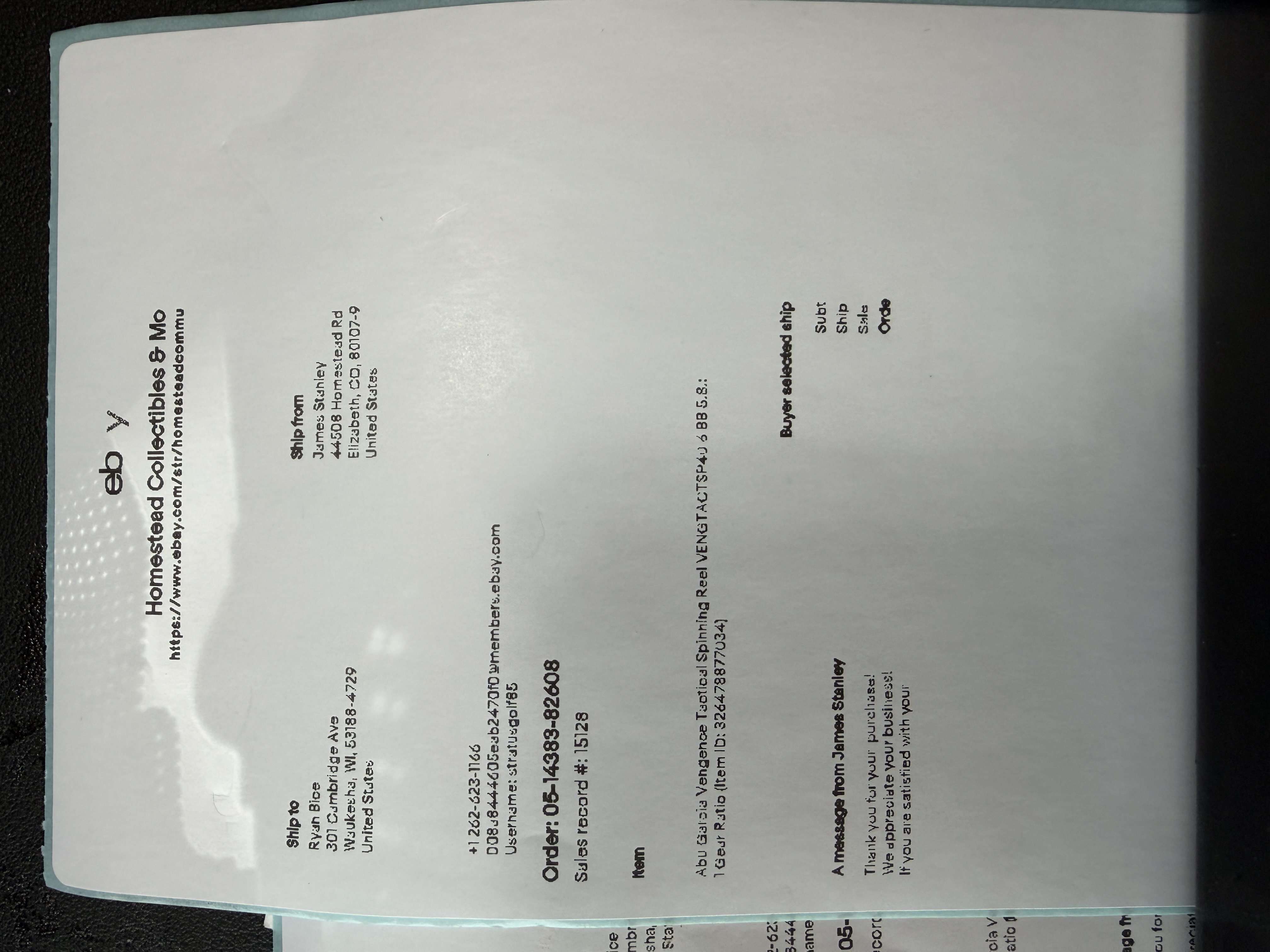
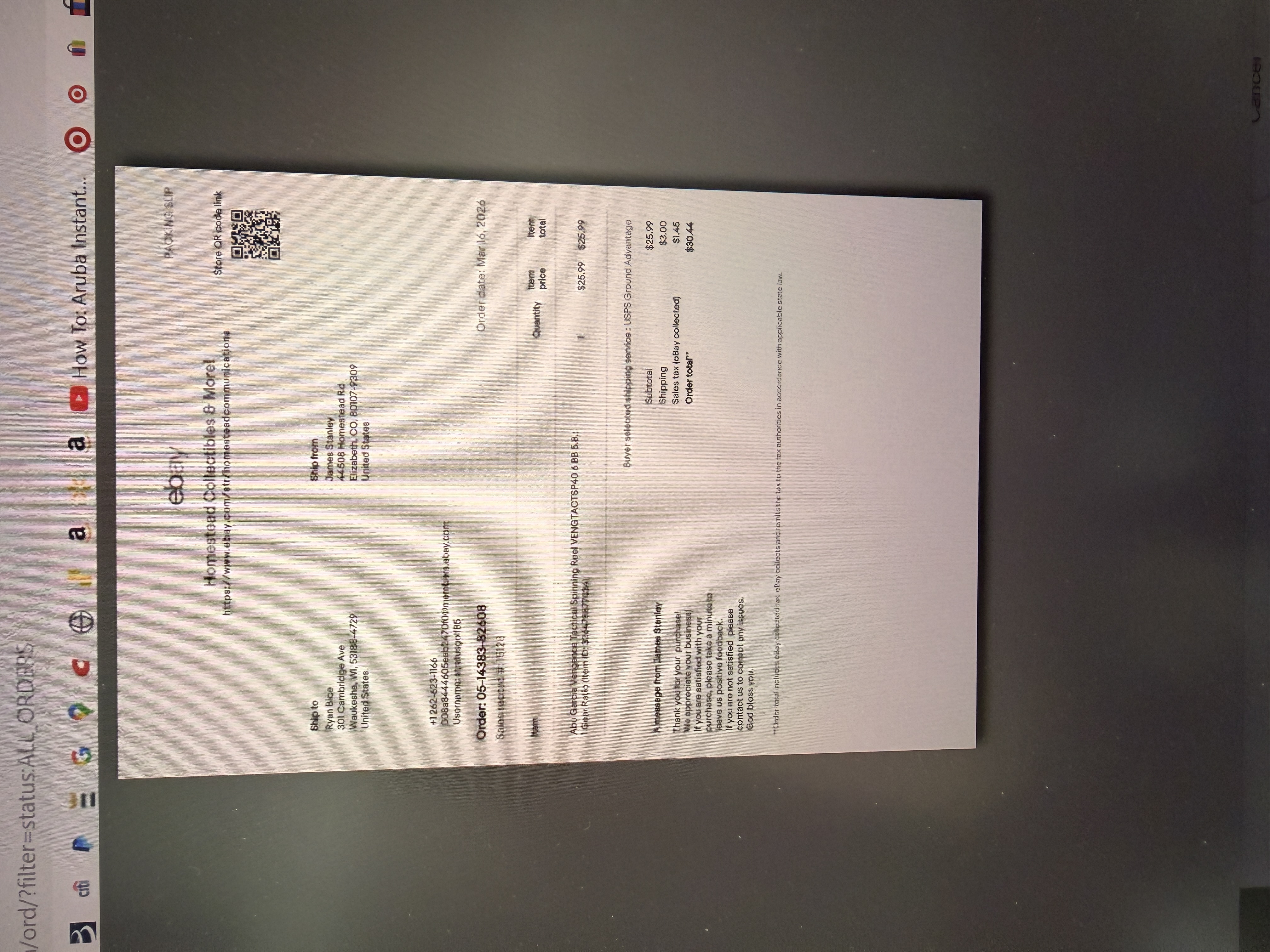
i started using a thermal printer and it is not printing all of the page of the print preview

I am use a Phomemo Thermal Label Printer for labels and packing slips. The print preview shows the whole page, but prints only a partial page and small print. Tried all setting but no difference.. See photos
I am use a Phomemo Thermal Label Printer for labels and packing slips. The print preview shows the whole page, but prints only a partial page and small print. Tried all setting but no difference.. See photos
การตอบกลับทั้งหมด (3)

Wonder what this has to do with Firefox ??
I thought maybe there was a setting that I was missing. I just tried to use Microsoft Edge and it printed the page exactly like the print preview.
I am use a Phomemo Thermal Label Printer for labels and packing slips. The print preview shows the whole page, but prints only a partial page and small print. Tried all setting but no difference.. See photos
Seems to be a page size or scale problem. Be sure the label size selected in the driver (printer Properties) matches the label being used, and also set scaling in the driver properties to 100% or “Actual size”.