

หัวข้อนี้ถูกเก็บถาวรแล้ว
โปรดถามคำถามใหม่หากคุณต้องการความช่วยเหลือ

เก็บถาวรแล้ว
Auto open work account in container using Multi-Account Containers
With Multi-Account Containers, I would like automatically open my Github work account in my Work container.
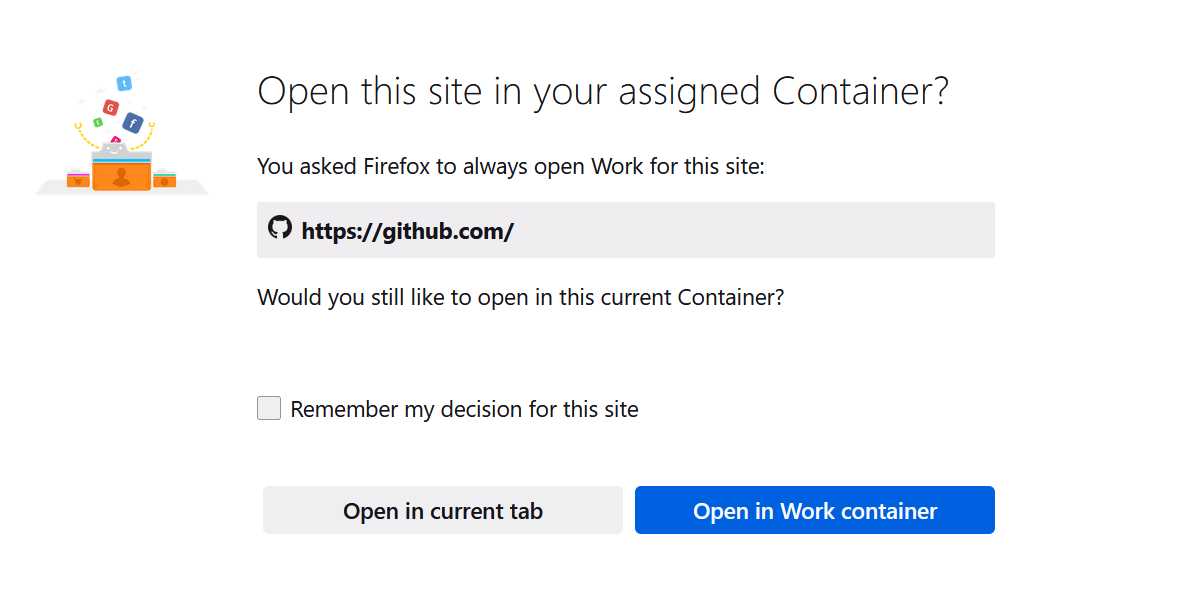
Because now I always see the page(attached) asking me to choose current tab or container.
If I check the 'Remember my decision for this site', it will open my personal Github account in container as well, where I'm not logged into my personal github account.
Is there a way to open in container based on URL? For example, "github.com/works-inc/*" will always open in container.
With Multi-Account Containers, I would like ''automatically'' open my Github work account in my Work container.
Because now I always see the page(attached) asking me to choose current tab or container.
If I check the 'Remember my decision for this site', it will open my personal Github account in container as well, where I'm not logged into my personal github account.
Is there a way to open in container based on URL? For example, "github.com/works-inc/*" will always open in container.
การตอบกลับทั้งหมด (1)
I ended up using another extension just for this use case https://addons.mozilla.org/en-US/firefox/addon/containerise/