


Firefox wanted to be restarted and promised to open previous tabs - unfortunately it didn't

It's frustrating. Ubuntu machine, everything updated. Every time Firefox updates itself in the background, it requests a restart in a new tab, promising to restore everything. Unfortunately, it doesn't. Having usually dozens of tabs at work open after such a restart, I get an empty tab. An annoying massacre. These are not private bookmarks. There is nothing. All sessions in tabs are lost.
การตอบกลับทั้งหมด (1)
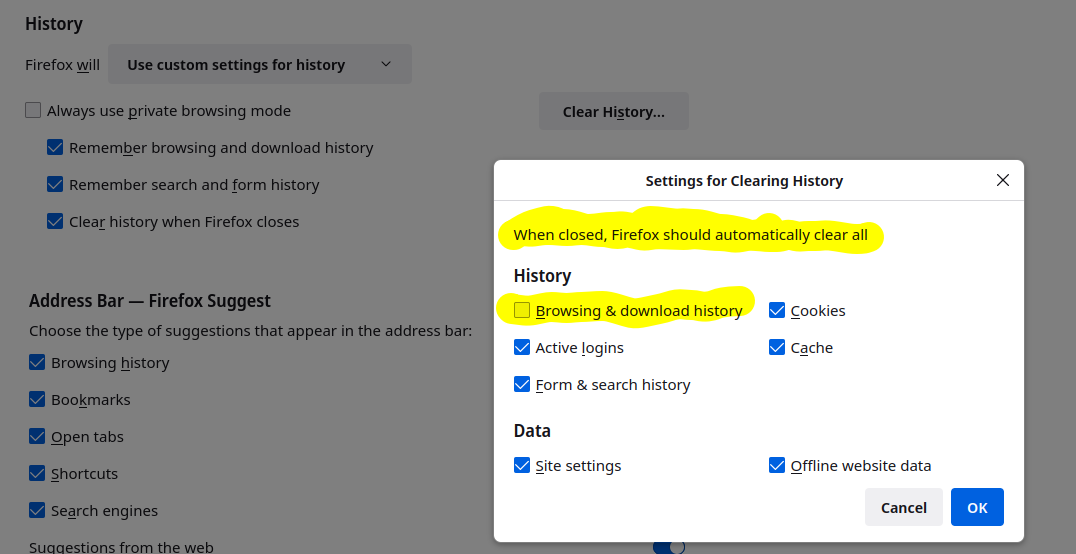
This is why I run multiple versions of Firefox so that my data is not just in one browser. see screenshots My data is synced on different versions of Firefox on my current laptop (ZBook 17 G4) and other laptops. Try downloading Firefox from Mozilla, unzip, and run firefox-bin from the folder and see if you have the same issue. https://www.mozilla.org/en-US/firefox/all/#product-desktop-release
I assume you have Firefox set to restore your last session, but what history setting when you close Firefox?


This question has been locked because the original author has deleted their account. While you can no longer post new replies, the existing content remains available for reference.