

หัวข้อนี้ถูกเก็บถาวรแล้ว
โปรดถามคำถามใหม่หากคุณต้องการความช่วยเหลือ

เก็บถาวรแล้ว
office 365
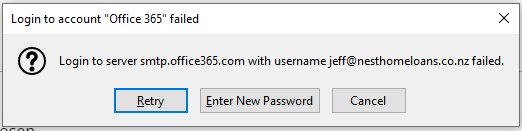
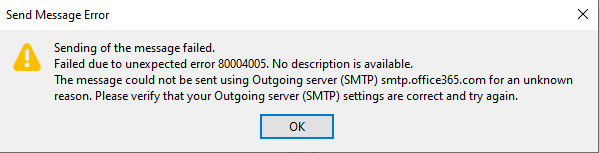
I went through the setup wizard to connect my Office 365 account for emails. The IMAP incoming settings work. But I am unable to send emails. I get an error message (attached). When I click out of that error message another error message pops up (attached) Ive attached my SMTP settings. Password is 100% correct. My Office 365 settings allows 3rd party apps. Its Office 365 E3. Help :)
I went through the setup wizard to connect my Office 365 account for emails. The IMAP incoming settings work. But I am unable to send emails. I get an error message (attached). When I click out of that error message another error message pops up (attached)
Ive attached my SMTP settings. Password is 100% correct.
My Office 365 settings allows 3rd party apps. Its Office 365 E3.
Help :)

การตอบกลับทั้งหมด (1)
OAuth2 isn't supported for O365, yet; only for gmail, AOL, Yahoo and a few others. Use 'normal password' and enter the regular account password, unless you have two-step verification on the account, in which case use an app password.