


How to update Adobe Flash Player?

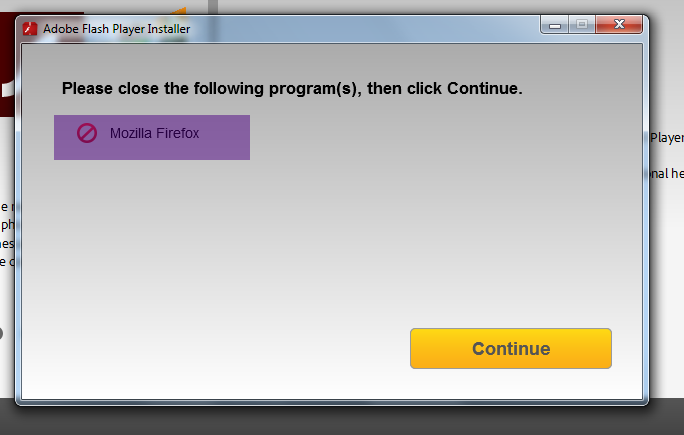
I try to update Adobe Flash Player but Firefox is crossed out on the list. How do I fix this?
วิธีแก้ปัญหาที่เลือก
Firefox has to be closed - completely, so make sure the firefox.exe isn't hung in the Task Manager - per Adobe requirements for updating or installing the Flash Player, aka Shockwave Flash.
Another thing - you have two Flash plugins for Firefox. Shockwave Flash 18.0 r0 and Shockwave Flash 17.0 r0 - best thing to do is to run the Flash uninstaller to get rid of all the Flash files hanging around and install Flash anew. http://helpx.adobe.com/flash-player/kb/uninstall-flash-player-windows.html
อ่านคำตอบนี้ในบริบท 👍 2การตอบกลับทั้งหมด (1)
วิธีแก้ปัญหาที่เลือก
Firefox has to be closed - completely, so make sure the firefox.exe isn't hung in the Task Manager - per Adobe requirements for updating or installing the Flash Player, aka Shockwave Flash.
Another thing - you have two Flash plugins for Firefox. Shockwave Flash 18.0 r0 and Shockwave Flash 17.0 r0 - best thing to do is to run the Flash uninstaller to get rid of all the Flash files hanging around and install Flash anew. http://helpx.adobe.com/flash-player/kb/uninstall-flash-player-windows.html