


Can't see any widgets on Firefox 152 on Windows 11 desktop

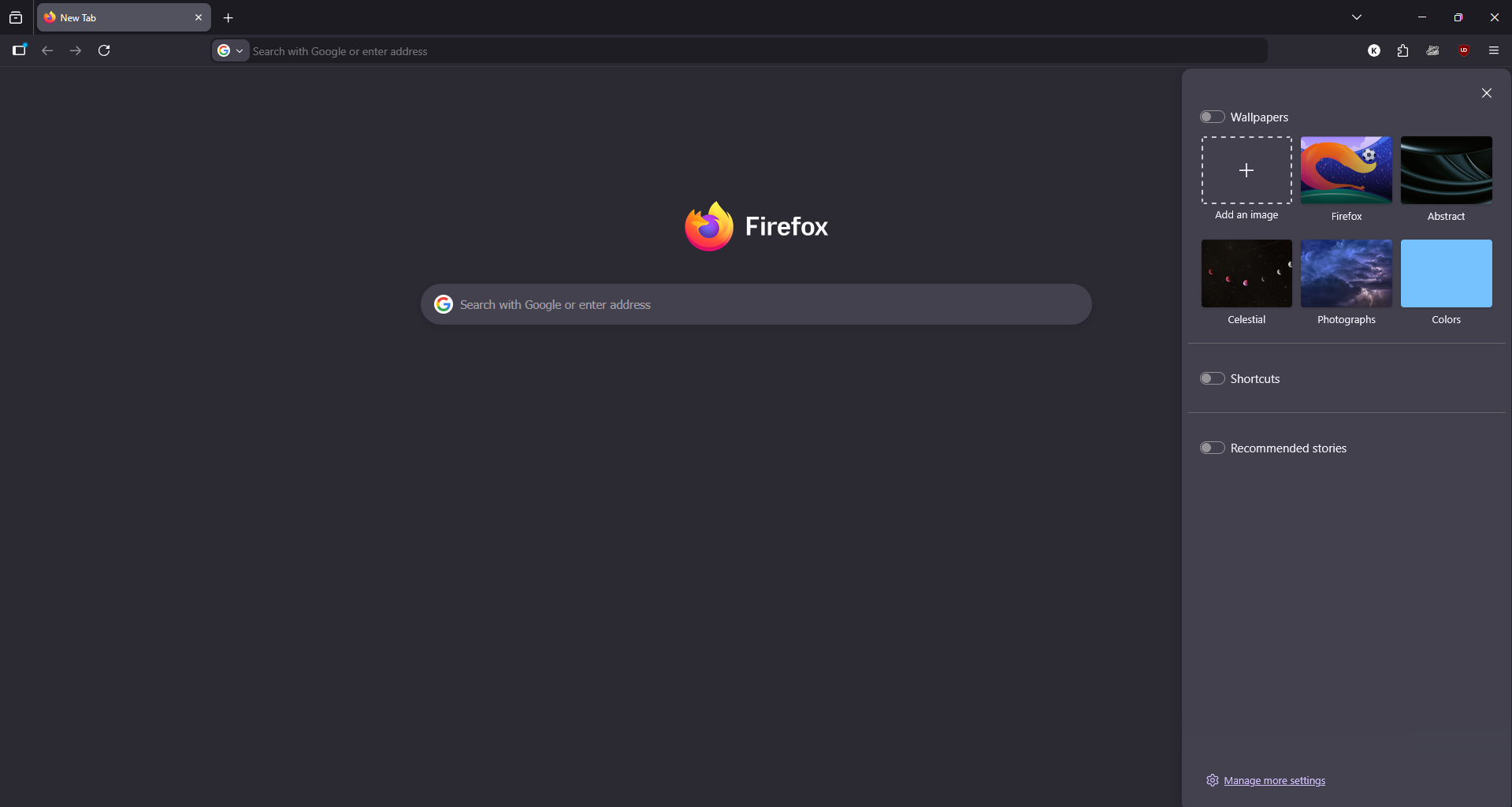
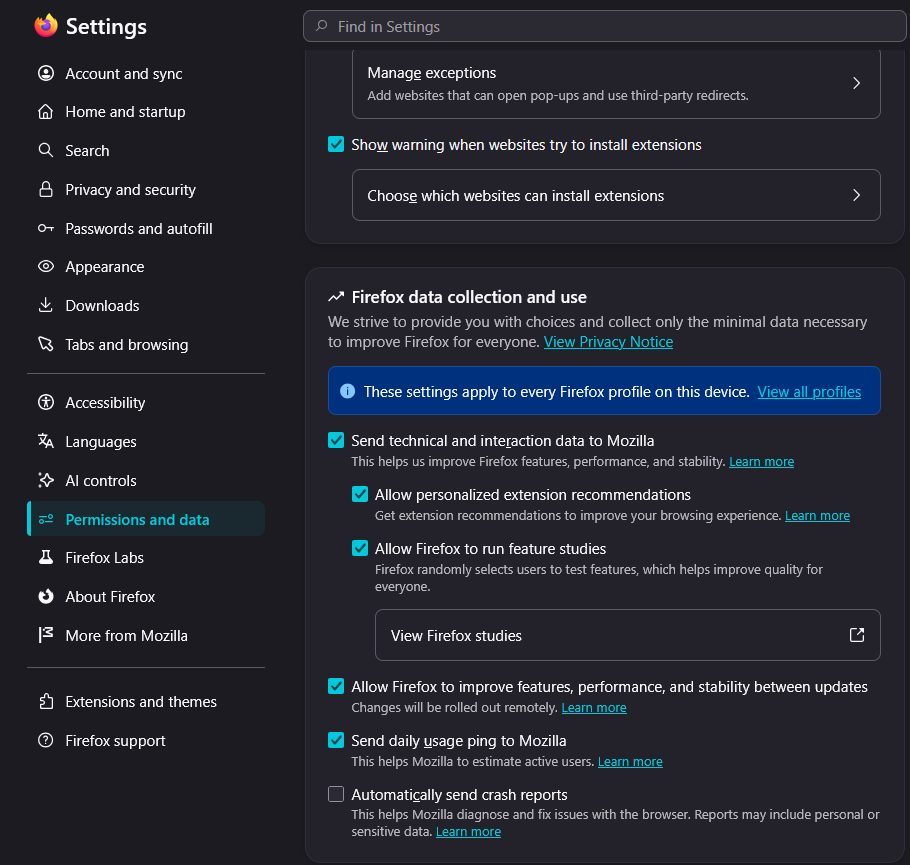
I came to know about Firefox Widgets but can't see any on Firefox 152 on Windows 11 desktop. The option Allow Firefox to improve features, performance and stability between updates is already checked (Screenshot attached) as suggested by users.
ఎంపిక చేసిన పరిష్కారం
Update: The issue was resolved after updating to Firefox 153.
ప్రత్యుత్తరాలన్నీ (5)
Hey there, could you update your Firefox and see if the problem remains? The option should be actually under widgets on the settings from the first screenshot you attached.
Apologies, I just realized you are on the latest Firefox. When you click on the manage more settings, on the first page you attached, what do you get?
Here are the screenshots of page after clicking the manage more settings.
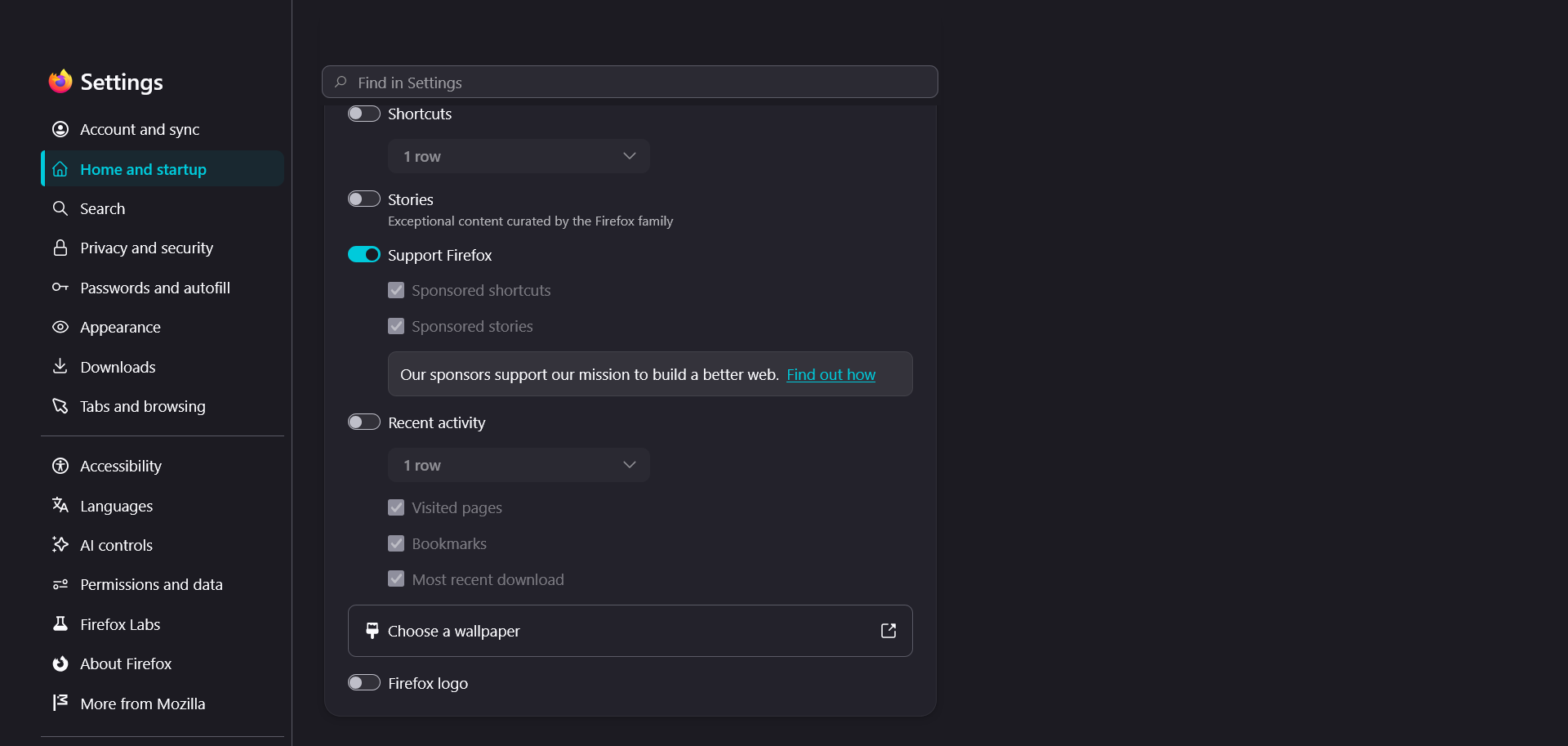
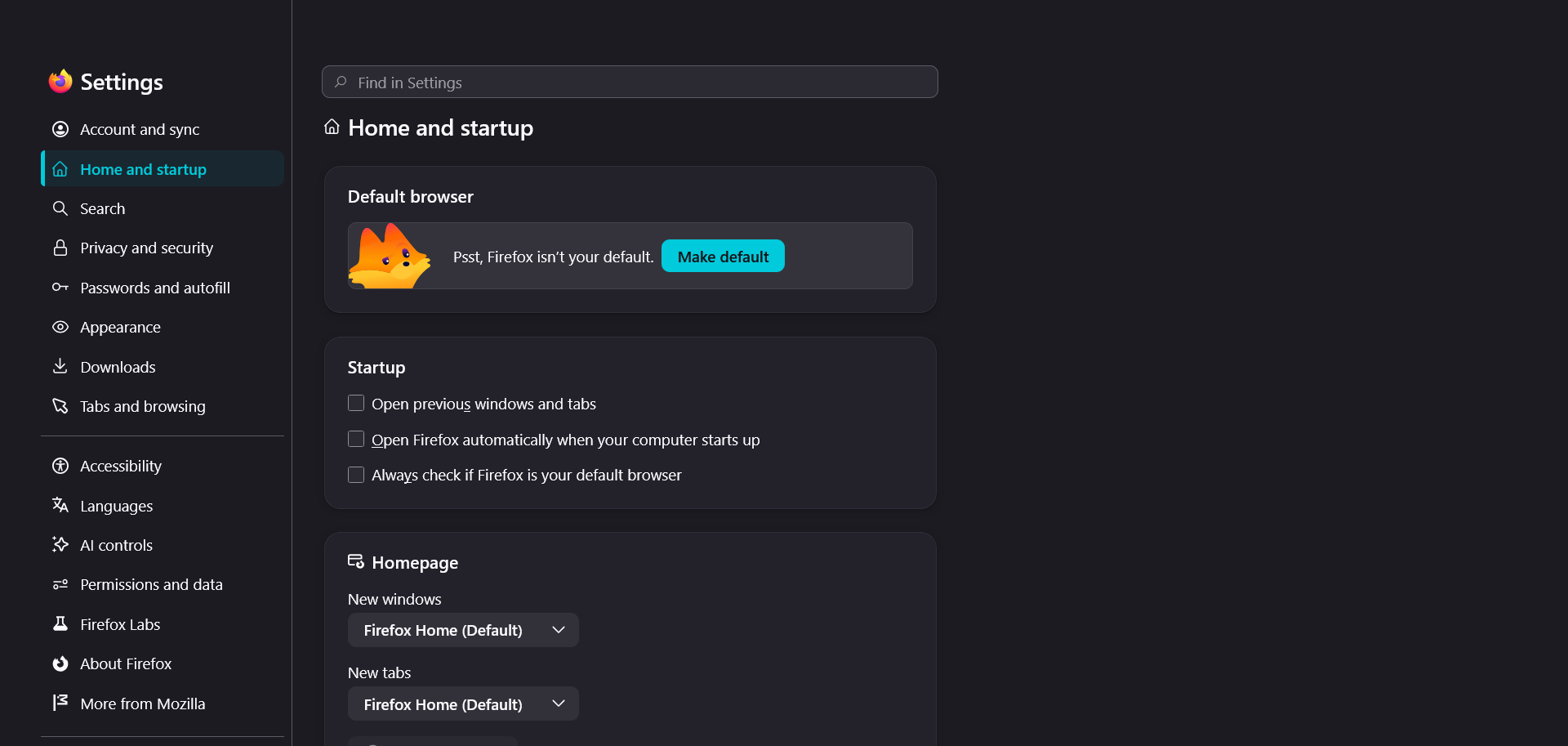
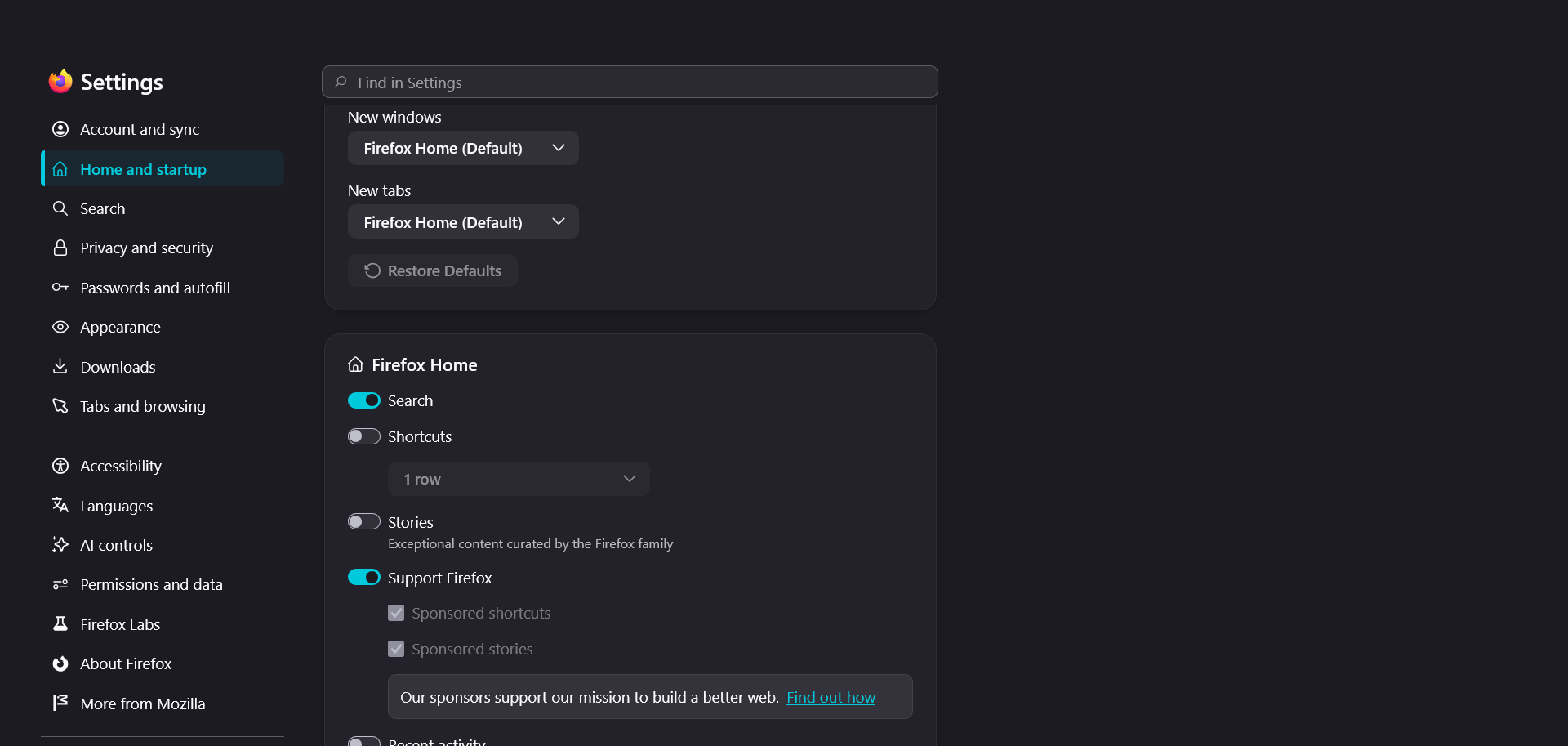
Apologies for the late reply, I was on vacation. This is interesting, you don't see the widget setting at all. I will ask our engineers and keep you up to date.
ఎంపిక చేసిన పరిష్కారం
Update: The issue was resolved after updating to Firefox 153.