


Email with attachment tries to send every day
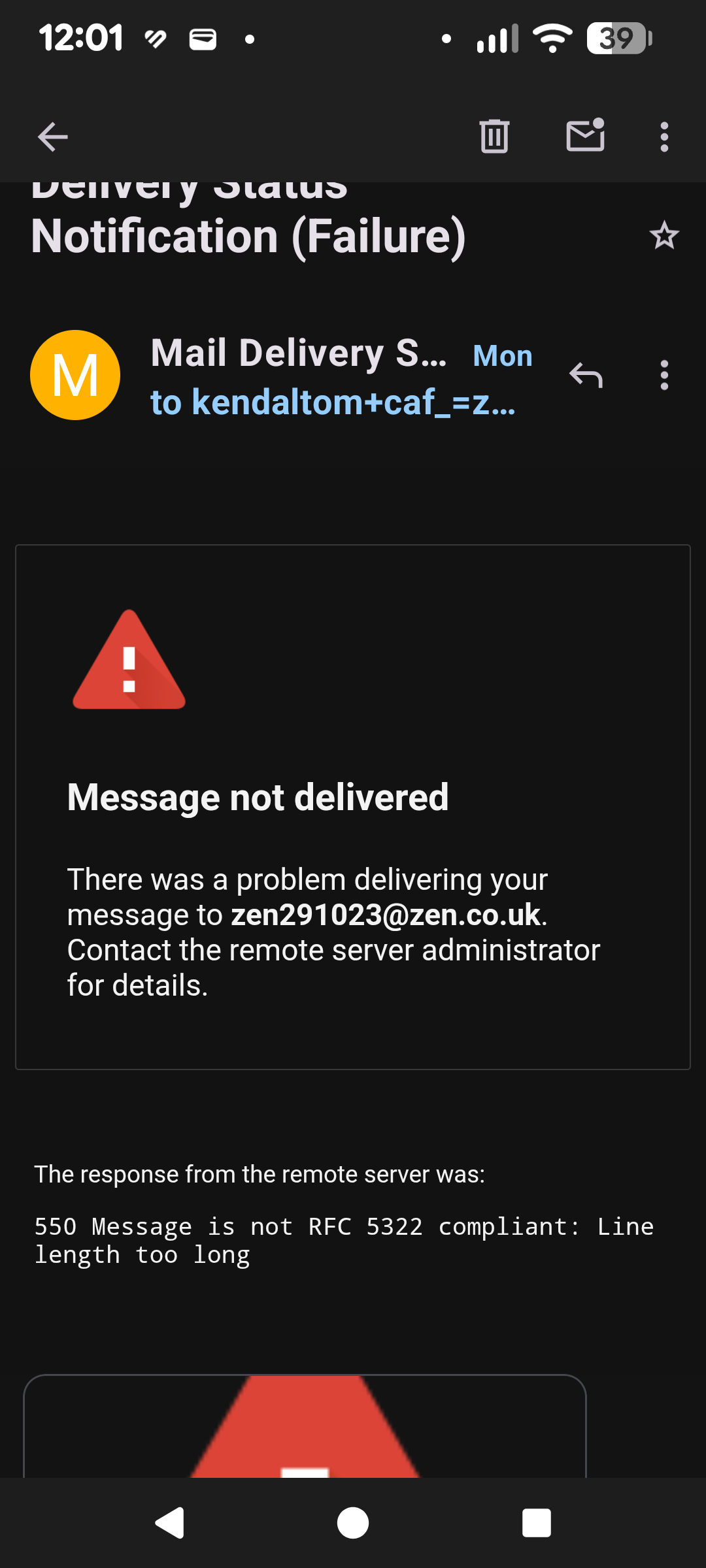
Recently, I tried to send an email with a too large attachment and it gave a too large fail message. However, every day I get this fail message (see screenshot). But there is no message in the Outbox or Drafts. How do I stop these attempts to send the message?
ప్రత్యుత్తరాలన్నీ (7)

Have you tried logging into your email provider's webmail to check if it's still in the outbox there?
Is your email account a personal one or an office365 corporate/school one? If the later, the IT admin may be able to clear the email from the outbound queue.
Platform34 said
Have you tried logging into your email provider's webmail to check if it's still in the outbox there? Is your email account a personal one or an office365 corporate/school one? If the later, the IT admin may be able to clear the email from the outbound queue.
Hi. I don't think there is an outbox at Zen webmail - I don't think stuff sent through their SMTP goes through webmail. Zen always leaves me confused! My email is a personal account, though Thunderbird always claims to be set by my organisation, even though I don't have one. I've tried all the fixes to get rid of this, but it always comes back
Did you send the original message using Thunderbird for Android, or another email client on your PC, tablet etc? If you used another device, have you checked it's outbox?
You can always export your Thunderbird Android settings to a file, reinstall the app and restore the settings. That would at least discount the app as the cause for the email delivery attempts.
న Platform34 చే మార్చబడినది
I use TB for Android on both my tablet and phone and TB on the PC. I almost always use the Android, as I can't be bothered with the PC, and there is nothing in the Outboxes for my 2 main accounts. I'll try reinstalling as you suggest, as I also have problems with TB pn the PC saying it can't write to email usually on startup, and it not being possible to delete an email from a single account - I have to use the combined version. Just out of interest, should there be an outbox for each account on the PC? - I only see an Outbox in Local Folders
In general I would say most accounts with SMTP configured will have an outbox. I'd recommend posting the question on the Thunderbird desktop forum for platform specific advise. This forum is for the mobile app. https://support.mozilla.org/en-US/questions/thunderbird
Platform34 said
In general I would say most accounts with SMTP configured will have an outbox. I'd recommend posting the question on the Thunderbird desktop forum for platform specific advise. This forum is for the mobile app. https://support.mozilla.org/en-US/questions/thunderbird
I've confused myself and you. I meant to uninstall and reinstall on Android, but did it on PC. I'll do the same on both android devices and see what happens. As far as I can remember, I only get this failed send message on the Android version on both devices and not the PC, which probably indicates something.
Hi. I've now uninstalled and reinstalled TB for android on my Honor tablet and Google Pixel 7a phone and these messages still appear on both, but not on a PC running Thunderbird with either Windows or Zorin