


Emails bouncing back

My old email server was Mediacom (mchsi.com). I had that email account plus a gmail account on Thunderbird. Sometimes people said their emails to my gmail account would bounce. I changed email servers and no longer have the mchsi.com email or Mediacom server and have 2 gmail accounts on Thunderbird. The new one works fine. When I send an email to the old gmail account it bounces back saying "address not found. Your message wasn't delivered to ------@mchsi.com because the address could not be found or is unable to receive mail. 550 5.1.1 I had the tech that sold me the PC look at the settings on Thunderbird for the gmail account and he said they were okay. Where else can he check? Somehow the pc thinks that just that one gmail account is run through or attached to mchsi.com Kathy foggiak@gmail.com
ప్రత్యుత్తరాలన్నీ (7)

Hi Kathy,
I'm confused. There seems to be evidence of both a sending and a receving problem.
For a possible sending problem: Would you please go to account settings (≡ button at top right) > account settings, then click on Outgoing server (SMTP) in the left pane? In the right pane, are there any servers from mchsi.com? Or only gmail servers?
Somehow the pc thinks that just that one gmail account is run through or attached to mchsi.com.
There's a couple ways to interpret your intention here. You don't want any gmail accounts being run through or attached to mchsi.com, right?
Sorry, it is confusing. I'm not able to receive emails on Thunderbird or on Google for the one gmail account that seems to be run through or attached to mchsi.com. I can send emails on Thunderbird from that old gmail account and from my phone, just can't receive. I did check the settings you suggested and they all say gmail. No settings with mchsi. Thank you for any help you can offer.
I can make no sense of this situation.
You seem to be saying that all messages (right?) sent to one of your gmail addresses bounce with an error message that cites a mchsi.com address. That means that Google's server is bouncing the messages, they never reach Thunderbird, and so Thunderbird is not even relevant. Is that right?
Do you have that gmail account set to forward messages to your old mchsi.com account, which no longer exists?
Would you please post a screen image of the bounce message?
న Rick చే మార్చబడినది
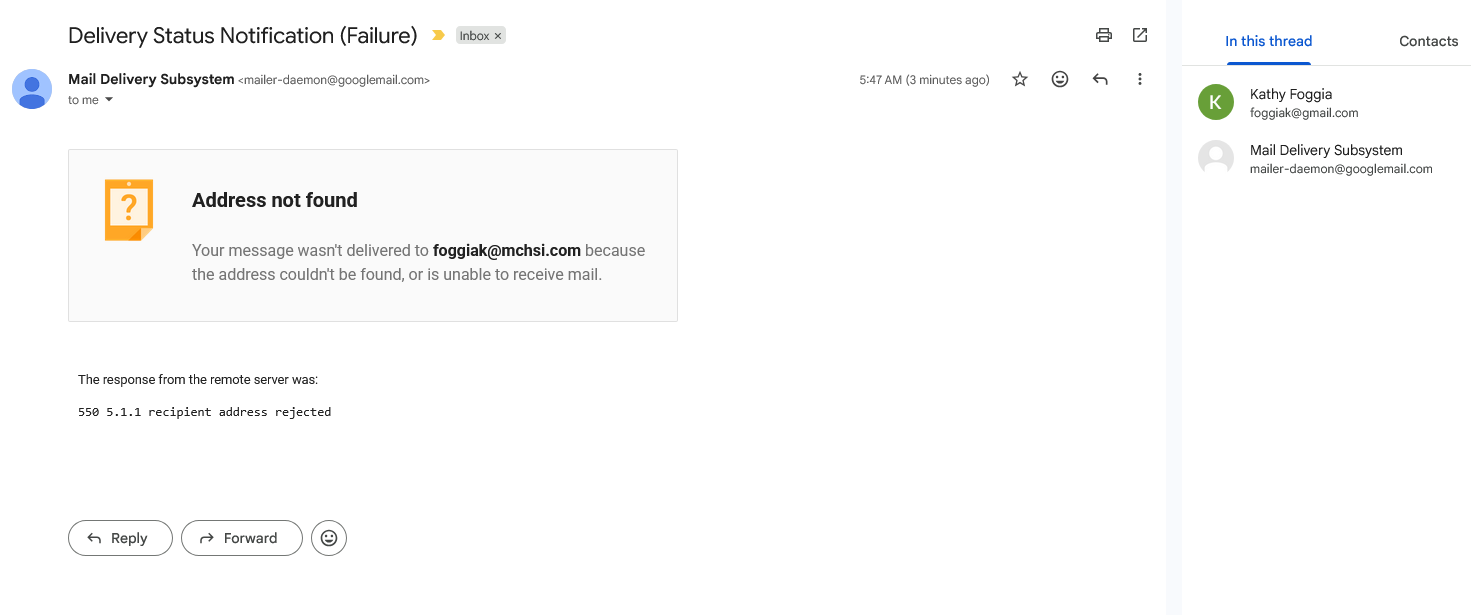
Do you have that gmail account set to forward messages to your old mchsi.com account, which no longer exists?
Where would I check that? I wouldn't have known how to do that intentionally.
If I understand the situation correctly, every message sent to your old gmail address causes the Google mail server to report that it cannot deliver the message to your mchsi.com address. The only explanation that I can think of is that Google is trying to forward mail.
Google's instructions for turning automatic fowarding off:
- Open Gmail.
- Sign in to the account that's forwarding your emails.
- In the top right, click Settings See all settings.
- Click the Forwarding and POP/IMAP or Forwarding tab.
- In the "Forwarding" section, click Disable forwarding.
- At the bottom, click Save Changes.
Was forwarding set?