


I am unable to send emails.

I can receive emails but not send them: error message; my server does not accept encrypted passwords - my password has never been encrypted. I tried 'account settings' but there is no box to change authentication showing. Help please
ప్రత్యుత్తరాలన్నీ (3)
if you got to account settings. Select outgoing server (smtp) from the list. Select the SMTP server you are using and select edit. Change the password to something not encrypted. Check the SMTP settings against those your mail provider says you should use.
I've done that but there is no option for an edit
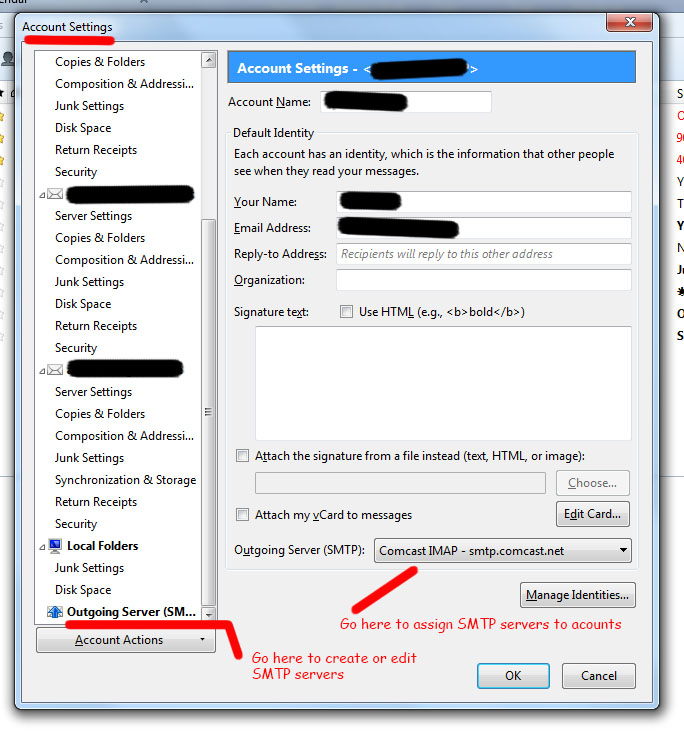
There are 2 SMTP setting locations in server settings. One to create and edit and another to assign them to accounts. Use the one marked create and edit in the attached image.
న user01229325 చే మార్చబడినది