


Firefox windows not active for the keyboard after opening a link

Hello ! I'm confronted to a very weird behavior of Firefox, on Ubuntu 24.04.
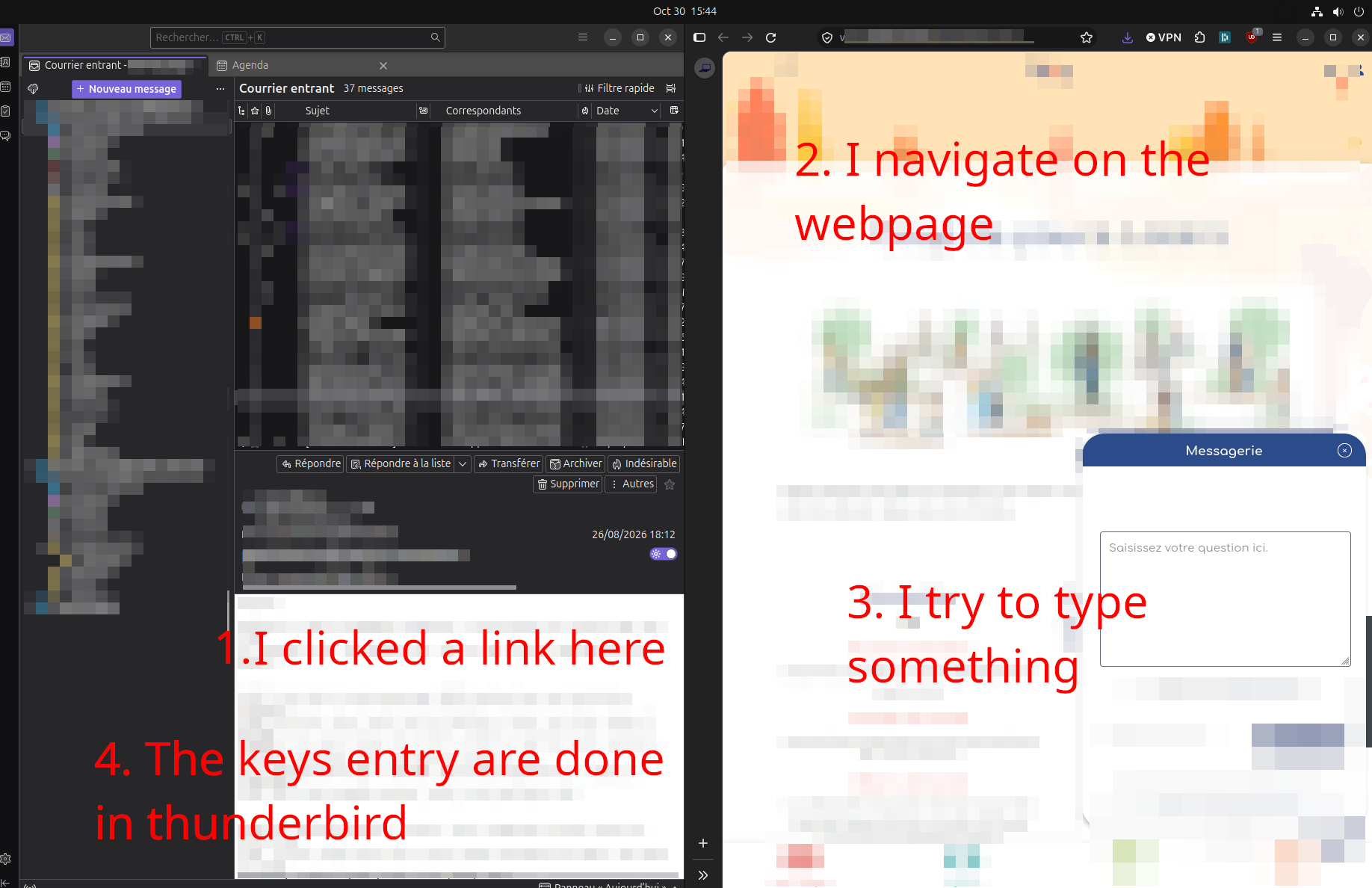
When I'm clicking on a link in a mail of pdf document, the page opens in Firefox, I can navigate and click in it but when I try to type something (for instance to enter my id to connect), the keyboard does not consider I'm in Firefox but still in the previous application (Thunderbird etc). To be able to type something in Firefox, I need to go back to another window (alt tab) then go back to Firefox manually...
This also occurs if Firefox hides the other application on the screen. Note that from the colors of the windows (the tone of grey), I looks like that Firefox is the active window and no longer Thunderbird.
I tried to summary this in the following image.
All Replies (1)

This sounds like a window focus issue rather than a keyboard problem. Since switching away and back to Firefox restores typing, Ubuntu may not be giving Firefox proper keyboard focus when it's opened from another application.
A few things worth testing: 1. Open Firefox normally from the dock or application menu, then try the same link. 2. Check whether this happens with links opened from other applications, not just Thunderbird. 3. Try Firefox Troubleshoot Mode to rule out extensions or custom settings. 4. Check whether the issue persists with a fresh Firefox profile. Does this happen every time you open a link from another application, or only when Firefox is already running?