


No drag space above tabs anymore, or ability to add one there

This is absolutely driving me out of my mind, I no longer have a tiny drag space above my tabs- when I 'customizem toolbar' and try to add a flexible space above them, I can't. The only solution is to constantly have the menu bar turned on, and at that point I'd just opt out of FF. I cannot figure out why this happened, and I cannot seem to fix it- please help me
All Replies (7)

Hi, why do you want a drag space, the tabs can be moved just by dragging.
If you want to add space above or below etc. Read up on userChrome.css and of course css
then add to the file, once made etc. edit the following
#TabsToolbar { background: black !important; height: 23px !important padding: 0 !important; margin: 0 !important; margin-bottom:1px !important; border:0 !important; }
You would also have to allow the css via about:config

I know exactly what you mean — losing that little bit of space above the tabs is surprisingly annoying once you’re used to it. I’d first check if this changed after a Firefox update or after switching the toolbar customization. If the flexible space option is genuinely gone, it may be a UI change rather than something you accidentally changed. Hopefully someone here knows a way to get the old layout back without keeping the menu bar visible.
Do you have a version in mind when this used to work? I just quickly checked in v140 and can't seem to figure out a place where I could drag anything above the tabs:
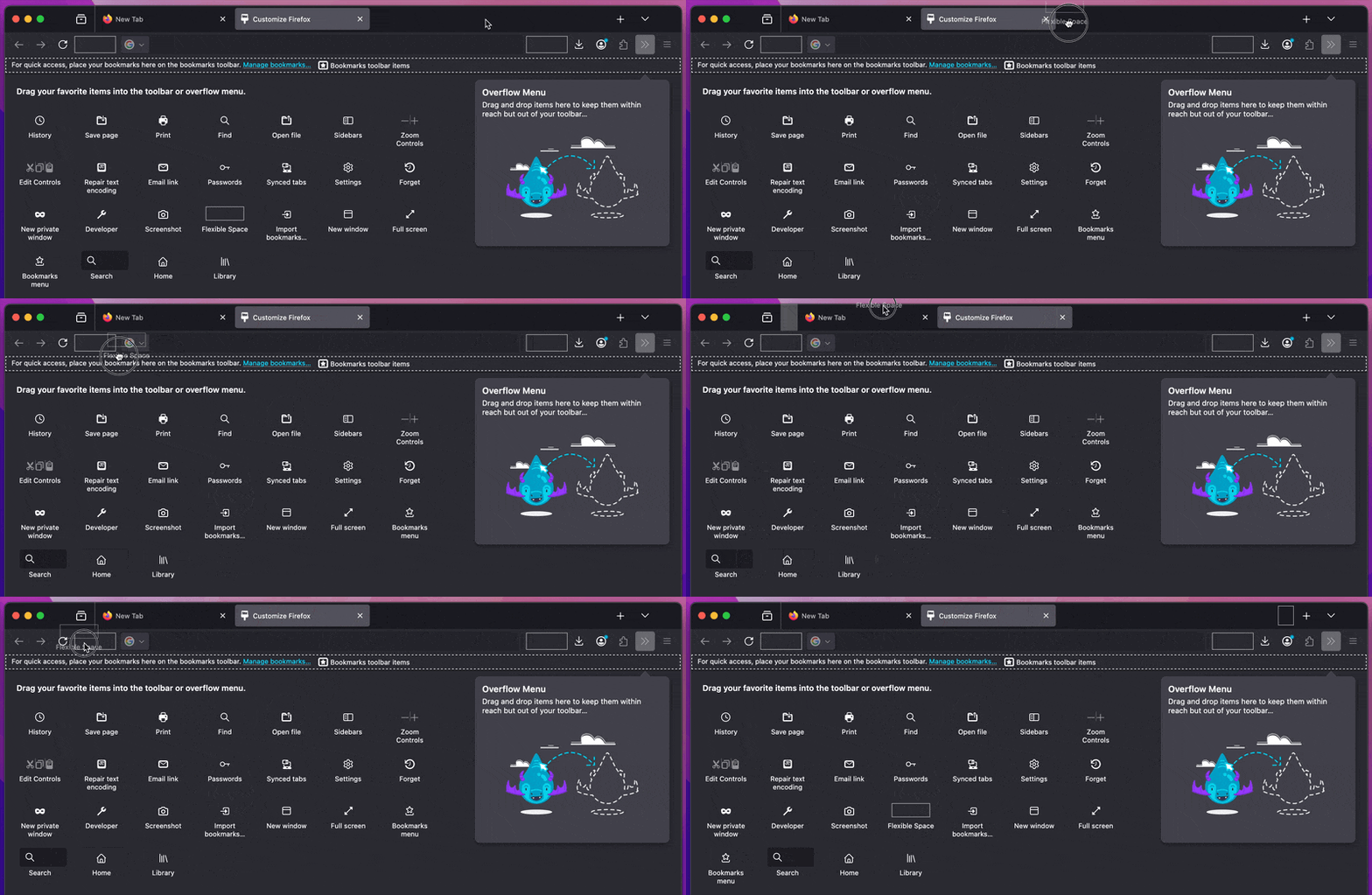
(also tried v115 and v128 on W10, window maximized or not, titlebar enabled and disabled, and don't see anything that sounds like the description… could you elaborate a little bit where it was supposed to be?)
For more clarification, you know that little 1px space above your tabs that you would normally use to click and move your window around (Not the tabs) - It's completely gone for me, and literally nothing I do seems to be able to get it back. I even downgraded Firefox, found the bar/space was still missing, re-downloaded and installed the new version and it's still gone. If you open a ton of tabs there is literally nowhere to click and move the window without adding a flexible space to a really terrible looking location on the far left or right under my tabs
#TabsToolbar { margin-top: 3px !important }
The 1px for me only allows resizing the window (has the double arrow icon), not dragging it around. I have to use the empty space (that a lot of people hate, but it serves this purpose) before and after the tab list to drag the window around.
It sounds you might wanna try to enable "Title Bar" in the customization pane to have something to manipulate the windows with?