


Firefox setup aborted.Norton Safe Web application.

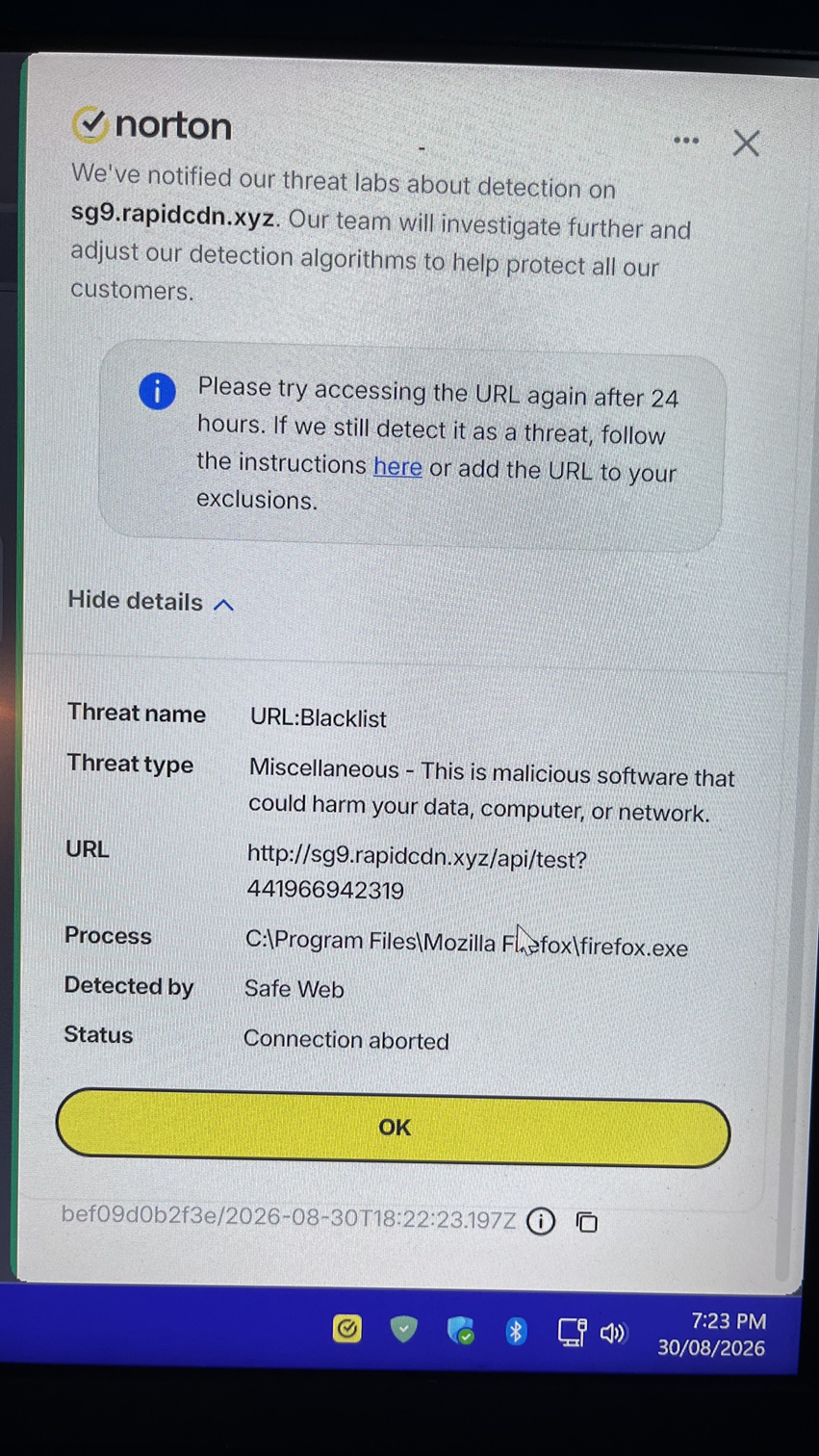
I have the latest version of Mozilla Firefox 155.0.Every time i update to latest version my Norton 360 for Gamers antivirus Safe Web application blocks the update process and i report it as False Positive and Mozilla Firefox updates ok. I have attached and image of Norton's Safe Web application analysis. Also,have submitted this issue to Norton using their Report False Positive form and have not had a reply yet. Thank you
தீர்வு தேர்ந்தெடுக்கப்பட்டது
jbr, You are it was Browsec Vpn add on causing the issue and have removed it and using Mozilla Firefox VPN. I have a second pc for as a backup and this also has Browsec and removed it. No more Threat blocked message appears now on both pc's.
thank you
All Replies (4)
This does not come from Firefox. It's either some ad–ware included with one of your addons, or a page content trying to load remote things when restored.
This looks like a Browsec VPN endpoint, so you might need to reach out to them if you use their products.
Thank you very much for your reply. Yes,i do use Browsec VPN.What i will do is to disable it and use Mozilla Firefox VPN. The only reason i didn't use Mozilla Firefox VPN was the countries listed was not that many. I will try Mozilla Firefox VPN to see if more countries have added and see if the Threat message occurs again.
Thanks again and have a nice day.
தீர்வு தேர்ந்தெடுக்கப்பட்டது
jbr, You are it was Browsec Vpn add on causing the issue and have removed it and using Mozilla Firefox VPN. I have a second pc for as a backup and this also has Browsec and removed it. No more Threat blocked message appears now on both pc's.
thank you
Note the Browsec VPN extension is not an actual VPN but rather your web browser traffic is routed through a proxy server which is what the built-in VPN in desktop Firefox since Fx 149.0 does also.
A proper VPN would be for example Mozilla's own subscription based "Mozilla VPN" app. https://vpn.mozilla.org