


Clearing cookies on exit now forces deleting history too. Is this indended?

Hello,
It seems that Firefox has lost the ability to clear cookies on exit without also clearing history. This affects the current version, 153, but I started observing it a few versions back, maybe around 148.
In Settings -> Privacy and Security, if I select "Clear cookies and site data every time you close Firefox", this automatically enables "Clear history when Firefox closes". If I unselect the latter, the former also becomes unselected.
I would like to clear site cookies and data whenever I close Firefox, but not browsing history. I'm sure this used to be possible in the past. Is it an intended change that this is no longer possible, or is it a mistake?
Thank you.
All Replies (7)
This wasn't possible before circa ~v150 as unchecking the latter also unchecked the former. Around v150 the settings changed so that the same clear data panel was offered here in "customize history" settings to allow exactly the fine tuning of the types of data to clean, just verified in v151 that while storage is pruned, the history entries are kept between restarts. This seems to change in v152 with settings redesign but that only moved few things around, I still seem to be able to retain the functionality. I'll run a few versions over a clean profile to see if there's any change in recent versions.
So this works in 152, the settings are in a few places:
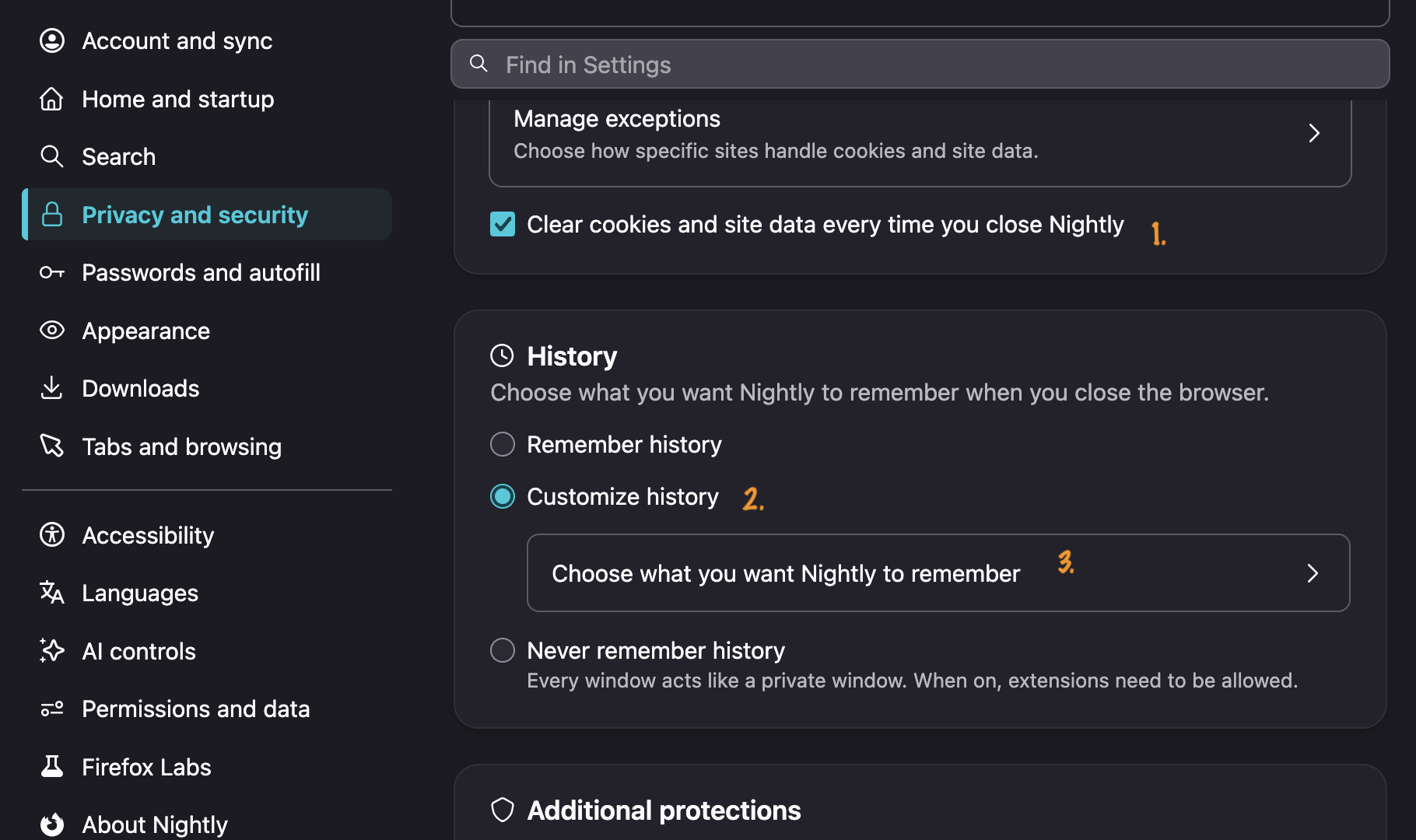
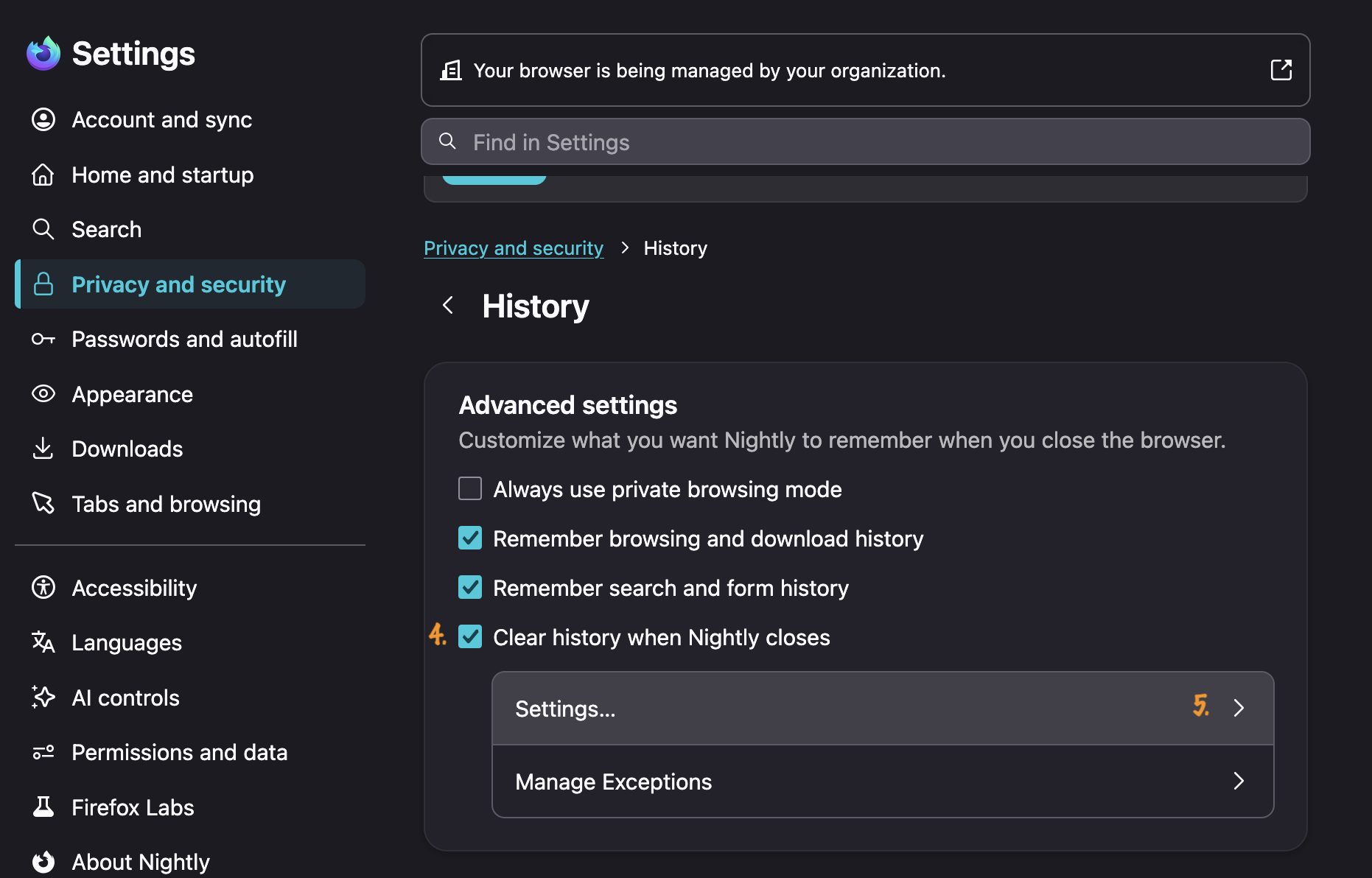
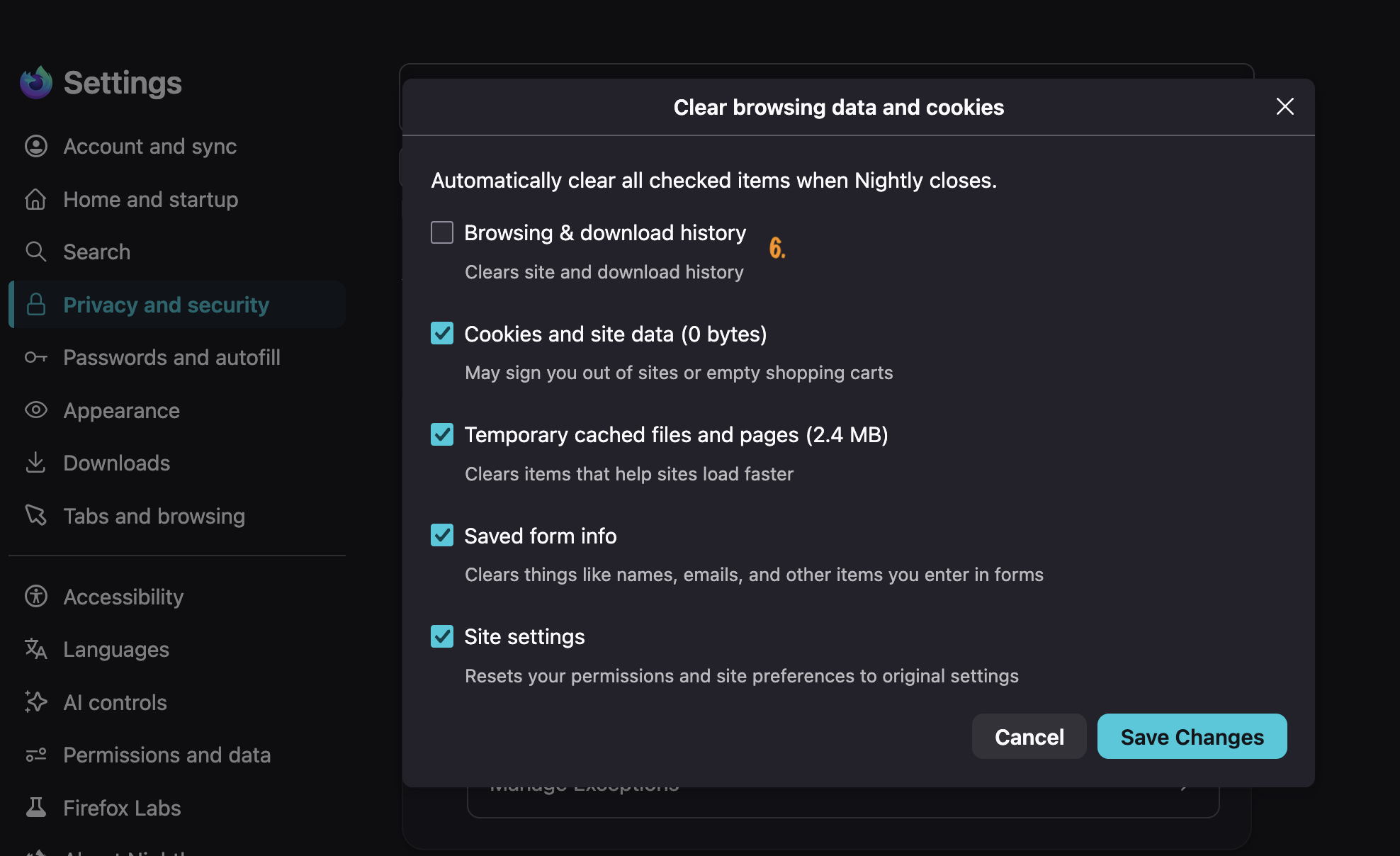
Hmm, I think the term "history" might be confusing here in some places in the new settings; perhaps it simply means "data".
I think I have also found a configuration that works:
1. Under Privacy and Security -> Browsing Data section, "Clear cookies and site data every time you close Firefox" is unchecked. If you check it, it will uncheck itself later when you do Step #2. 2. Further down, under the History section, select "Customize history", then click "Choose what you want Firefox to remember" right underneath. In this dialog box:
   - Select "Remember browsing and download history"
   - Select "Clear history when Firefox close"
   - In the "Settings" button right below, select what you want to clear. It's here that you can select only cookies, leaving browsing history unselected. However, if you don't also select to clear temporary and cached files, then this automatically disabled the selection in Step #1; if you select to clear both cookies and cache, then the box in Step 1 stay selected.
jbr said
So this works in 152, the settings are in a few places:
Thanks. You beat me to it while I was also typing a reply. I think we've found the same thing.
In your screenshot with (6), if you unselect everything apart from cookies, does that automatically undo (1)?
Thanks for sharing the solution. The new settings can confuse many users. Your step by step explanation makes it much easier to keep cookies cleared while saving browsing history.
It used to uncheck itself for me in pre–v149~ish era. Starting with circa v150 I was able to keep it checked while making the subset in 6. and verified between restarts (indexedDB storage removed, history items kept) — the v152+ redesign only changed the verbiage a bit, and started hiding some options when no longer relevant (say, if you un–customize the history options to match either never or always, it'd hide the custom entrypoints and flip the parent option to either of these…); however the functionality you're after works for me as expected in with the settings I posted — i.e. the checkbox in 1. is still active after customizing the options all the way to 6. — and confirming by restarts.
(I'm gonna make a clean v153 install and check again to make sure there's not an outlier in there…)
Yup this wipes the storage, retains history between restarts, and the checkboxes stick:
- https://zensnap.io/video/1fa163f6-252e-4b02-9474-09b53a3eae56 (video capture)
(I'm cheating here a little using v153.0.1 already but that's what I had already available;D…)