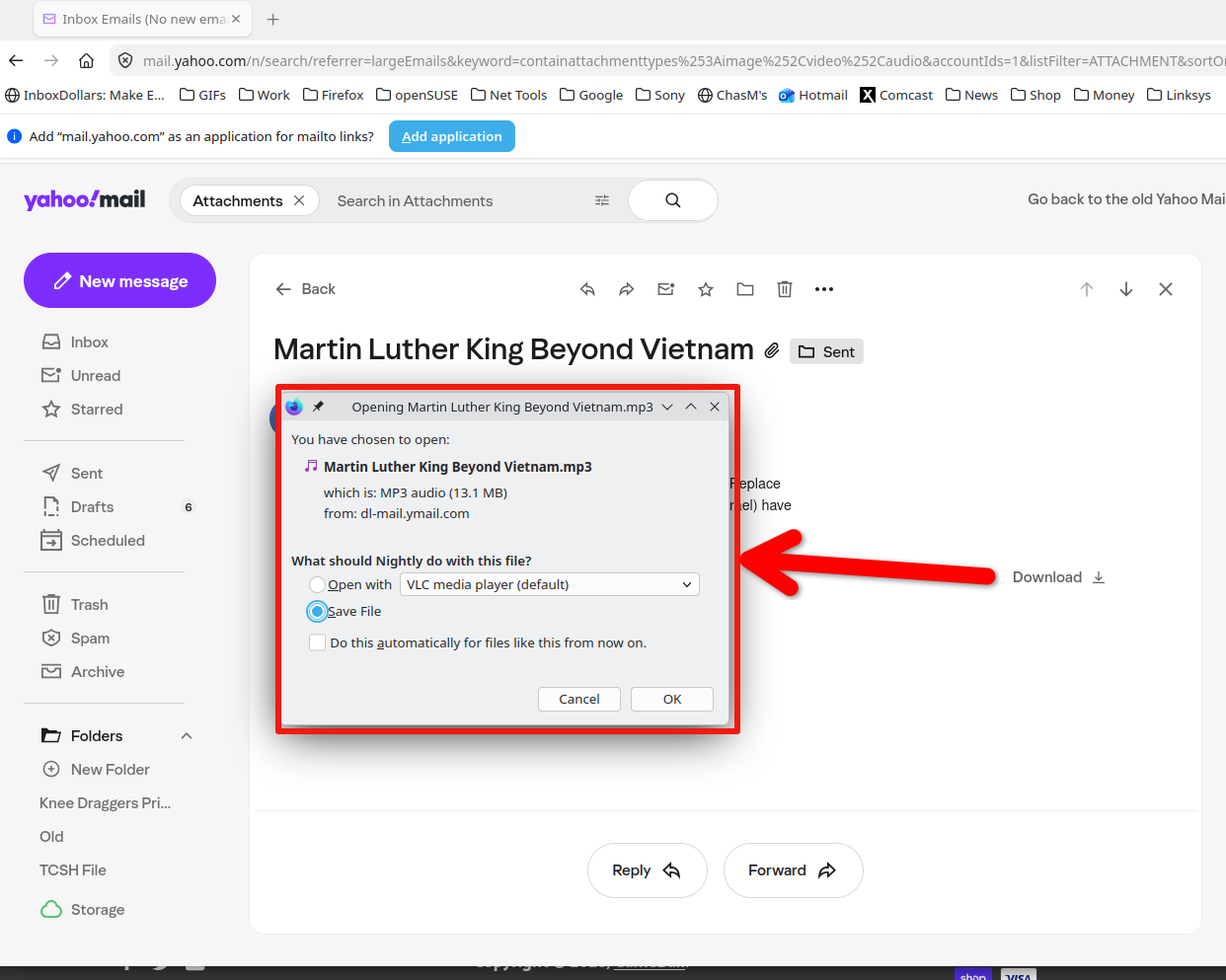
I cannot download work files from Yahoo Mail on Fire Fox; it suddenly stopped working.
Simple problem; complex solution? I work between two laptops and send files from one PC to the other by email. This week I could not download the sent files on Yahoo Mail. It literally just stopped downloading. I checked my security settings, created an exception for Yahoo Mail, double checked MS Defender, but nothing seems to be blocking it that I can see. I tried to review other sources, but could not find something for this situation. Help?
தீர்வு தேர்ந்தெடுக்கப்பட்டது
It works in troubleshoot mode. see screenshot
Read this answer in context 👍 0All Replies (6)
Do you have other email accounts to test with? I have yahoo, hotmail, and comcast. What type of files are you trying to download? Are there any errors you can show us? Windows home or pro? Did you try with Firefox in Troubleshoot Mode? https://support.mozilla.org/en-US/kb/diagnose-firefox-issues-using-troubleshoot-mode#w_how-to-start-firefox-in-4troubleshoot-modesf5safe-modesf
Did you clear your browser cache? https://support.mozilla.org/en-US/kb/clear-cookies-and-site-data-firefox
Also need to test in other browsers. I have another user reporting an issue in yahoo not able to compose email. I can also replicate.
I am able to replicate the download issue. It shows the progress circle, but nothing happens after that. Will test in another browser.
தீர்வு தேர்ந்தெடுக்கப்பட்டது
It works in troubleshoot mode. see screenshot
Thank you! I had tried EDGE before I wrote and left that out, but nonetheless, your steps are exactly what I did to solve the problem. When I troubleshot the problem and cleared the cache it still didn't download, but when I opened FF in their "safe mode" that did the trick. Downloaded straight away.
Thank you for providing the solution, that is the one that works.
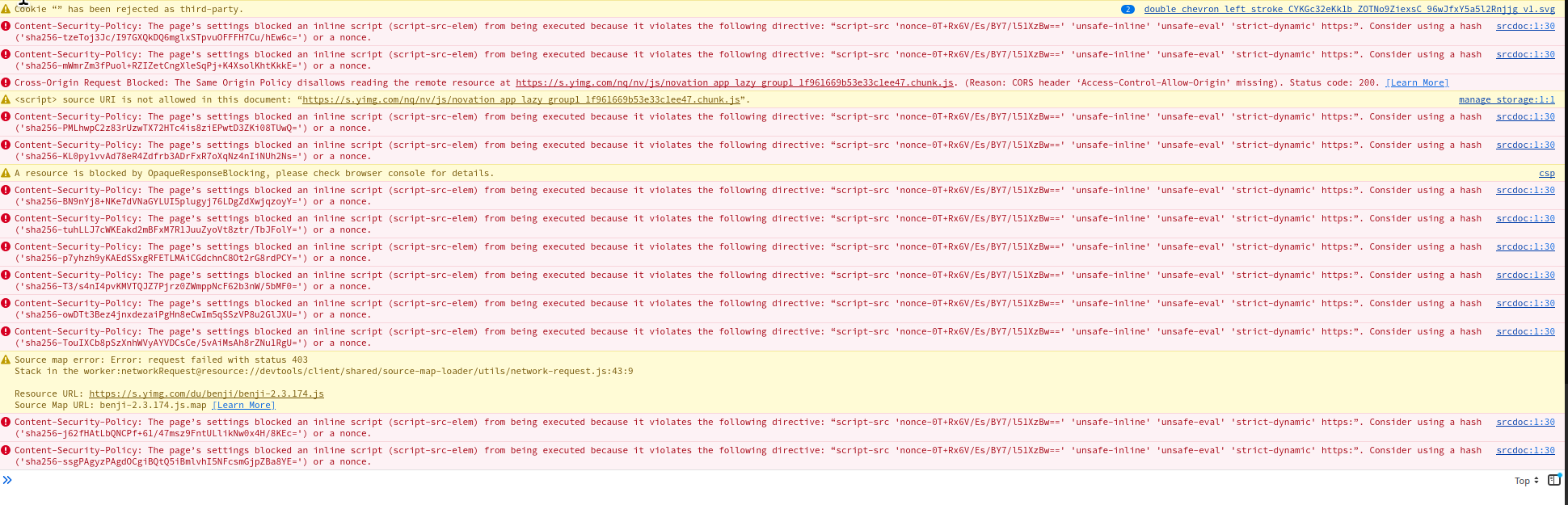
I do see errors in the console, but someone from dev would need to explain. Could be an issue with how strict my privacy settings are.
A resource is blocked by OpaqueResponseBlocking, please check browser console for details. csp Content-Security-Policy: The page’s settings blocked an inline script (script-src-elem) from being executed because it violates the following directive: “script-src 'nonce-0T+Rx6V/Es/BY7/l51XzBw==' 'unsafe-inline' 'unsafe-eval' 'strict-dynamic' https:”. Consider using a hash ('sha256-+IOJCD551Bk1jVTQf8C5357mTEwPzAWwaQr4FJKlwAY=') or a nonce. srcdoc:1:30 Content-Security-Policy: The page’s settings blocked an inline script (script-src-elem) from being executed because it violates the following directive: “script-src 'nonce-0T+Rx6V/Es/BY7/l51XzBw==' 'unsafe-inline' 'unsafe-eval' 'strict-dynamic' https:”. Consider using a hash ('sha256-QijpMZY0qFsiQJAYTDejwV0Fmegcwu6i3JC1N2dt08A=') or a nonce.