


Duplicate Outgoing Server

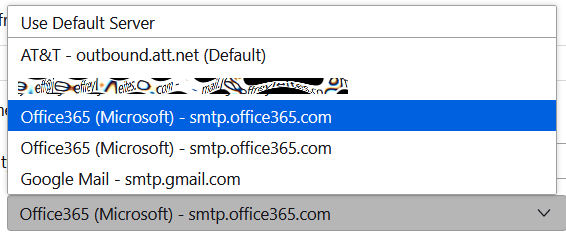
The Outgoing Server dropdown box on the Account Settings window shows 2 entries for [b]Office 365 (Microsoft) - smtp.office365.c/bom
The first one works for one of my accounts, the other doesn't. How can can I delete the one that doesn't work to avoid future confusion?
தீர்வு தேர்ந்தெடுக்கப்பட்டது
To delete an SMTP server - click to account settings - scroll down left side to 'Outgoing Server (SMTP) and click to show list of servers - highlight the one to delete and click 'remove'
Read this answer in context 👍 1All Replies (3)
தீர்வு தேர்ந்தெடுக்கப்பட்டது
To delete an SMTP server - click to account settings - scroll down left side to 'Outgoing Server (SMTP) and click to show list of servers - highlight the one to delete and click 'remove'
Thanks David, I didn't know that option was there on the left. It totally worked!
Kewl! You're most welcome. :)