


Firefox is continually running slow, crashes or freezes unless run in troubleshoot mode.

My machine (i7, 2 TB hybrid drive and 16 g RAM, keeps freezing/crashing/running slow. It does not, however, cause problems when run in troubleshoot mode. Chrome works better but I don't trust it and Edge is Microsoft and I don't want to use it. I like your program but it is not working for me.
All Replies (2)

chippion said
It does not, however, cause problems when run in troubleshoot mode.
https://support.mozilla.org/en-US/kb/diagnose-firefox-issues-using-troubleshoot-mode
Safe Mode is a troubleshooting mode that temporarily turns off hardware acceleration, resets some settings, and disables add-ons (extensions and themes), any userChrome.css/userContent.css files, and some other advanced features to help you assess whether these are causing the problem. If the problem goes away, that tells us one thing. If it does not, that tells us something else.
In the address bar, type about:crashes<enter>. Note: If any reports do not have BP- in front of the numbers/letters, click it to submit them.
The crash report is several pages of data. We need the report numbers to see the whole report.
Using your mouse, mark the most recent 7 - 10 Submitted crash reports, and copy them. Now go to the reply box and paste them in.
Please, Do not post a screenshot ! !
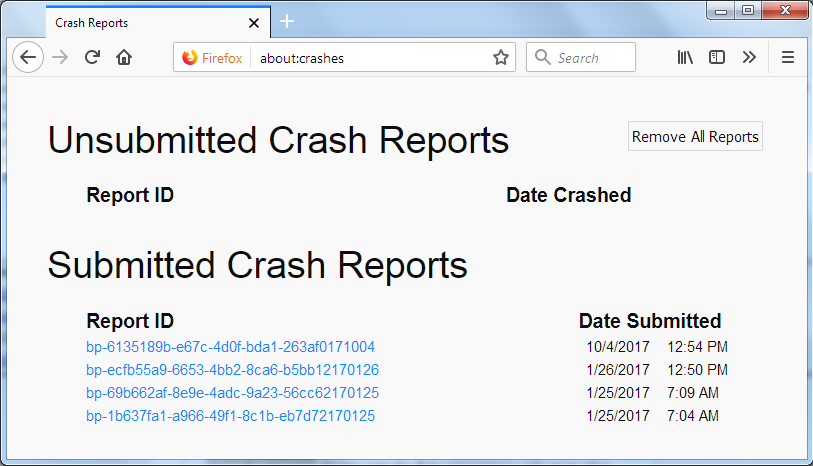
For more help on crash reports, see; https://support.mozilla.org/en-US/kb/firefox-crashes-asking-support