


Sending from my Hotmail address seems to be corrupt

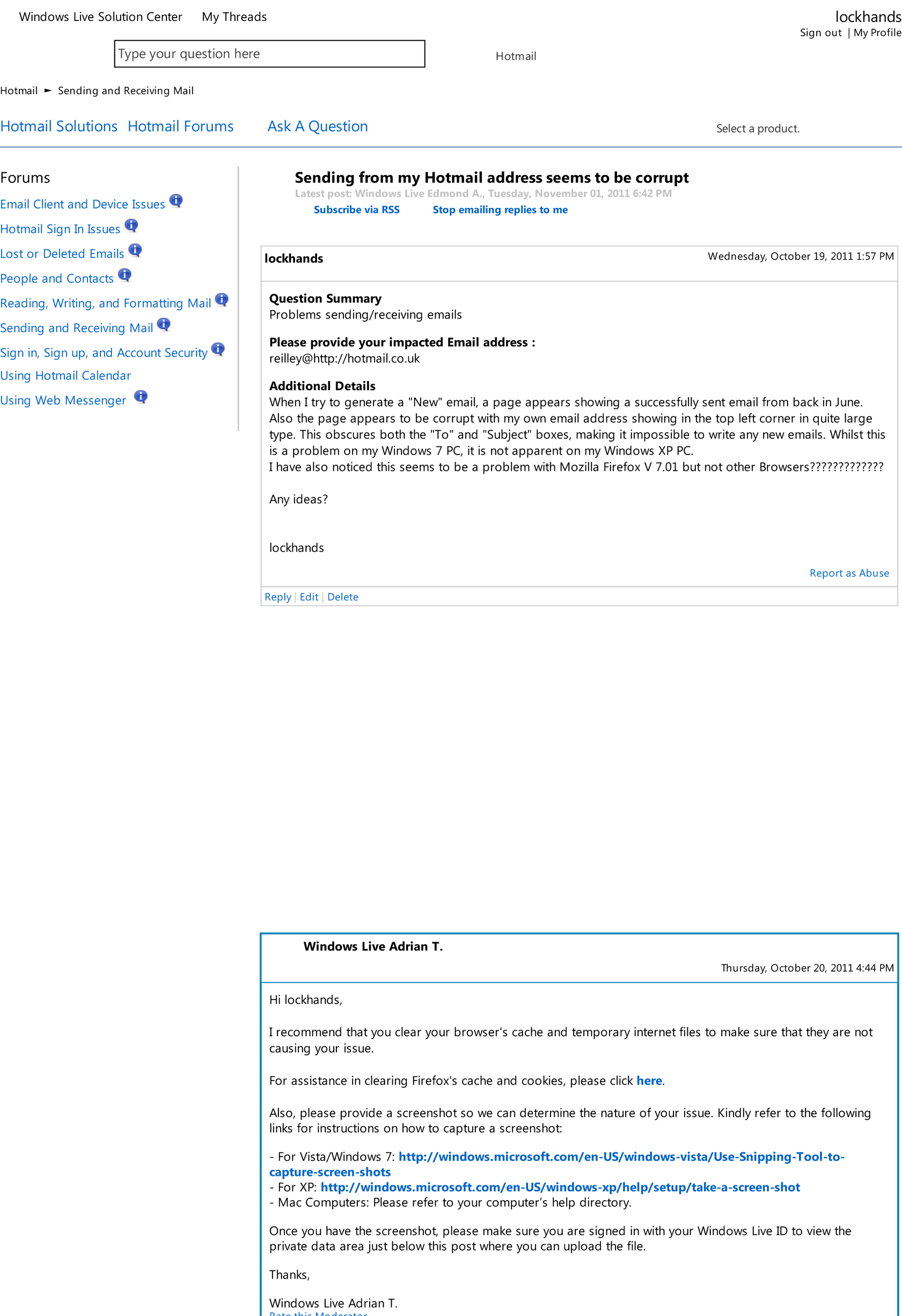
When I try to generate a "New" email, a page appears showing a successfully sent email from back in June. Also the page appears to be corrupt with my own email address showing in the top left corner in quite large type. This obscures both the "To" and "Subject" boxes, making it impossible to write any new emails. Whilst this is a problem on my Windows 7 PC, it is not apparent on my Windows XP PC. I have also noticed this seems to be a problem with Mozilla Firefox V 7.01 but not other Browsers?????????????
Any ideas?
lockhands
''The above is a copy of what I sent to the Microsoft Forum''
Vald lösning
-> Firefox can't load websites but other browsers can
Check and tell if its working.
Alla svar (6)
-> Troubleshoot extensions, themes and hardware acceleration issues to solve common Firefox problems
-> Clear Cookies & Cache
Check and tell if its working.
Dear mha007,
As you will see from the attached .jpg, a history of my Forum Question and answers from the Hotmail Forum, I have tried all that and several other things.
Any other ideas?
Regards,
lockhands
Create a New Profile as a test to check if your current profile is causing the problems.
-> Basic Troubleshooting - Make a New Profile
IF that New Profile works then you can recover your Bookmarks and Passwords from the Old Profile.
-> Restore bookmarks, passwords and data from an old Firefox profile
Check and tell if its working.
Dear mha007,
Success, thanks.
But I now have a repeat message appearing everytime I log into my Hotmail Account saying words to the effect “I should change to https”. I have tried to do this (as well as choose the old 'http' method) and then saved the choice but if I choose to log into a different account name linked to my main account name the message re-appears.
Ant ideas?
Cheers,
Lockhands
Vald lösning
-> Firefox can't load websites but other browsers can
Check and tell if its working.
Yes it seems to be OK now.
Thanks again.
lockhands