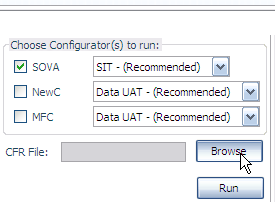
Does 6.0.2 have a problem with upload/browse buttons on sites or the save as/open file/export bookmark option or is it just me?

The box to select a file from/to the HD doesn't open. I can't save pages, images, Export/Import the Bookmarks via HTML, open file (CTRL+O), upload images via a browse button on sites, etc. Since I don't have a printer Print print (CTRL+P) defaults to xps which requires a save as dialog.
Only in Firefox. Version 6.0.2 Windows XP SP3
Last confirmed save as via Firefox was August 22nd.
Alla svar (6)

Try starting with Add-ons disabled and see if things work. This will not permanently effect Firefox, it will start normally after you quit and restart again. But it seems like an Add-on is causing this.
Go to Help and click on Restart with Add-ons disabled, when the Safe Mode opens click disable Add-ons then click continue in the Safe Mode.
Ändrad av DPMR
Nope, didn't work
Well I don't know, I do see in your system details it says..
WebGL Renderer
Blocked for your graphics driver version. Try updating your graphics driver to version 6.14.10.5218 or newer. GPU Accelerated Windows 0/3. Blocked for your graphics driver version. Try updating your graphics driver to version 6.14.10.5218 or newer.
 Maybe you driver is causing issues??? I confess I am at a loss.
 http://www.intel.com/support/chipsets/sb/CS-026488.htm
The problem seems to have gone away after 2 reboots. On Sept 6th I had removed an internal HDD so maybe that could have caused some configuration ghost? Who knows... Probably gremlins!
I guess I'll have to update the chipset though; thanks for pointing it out.
Cool, nice that you figured it out. Ya, personally I think XP is haunted. 7 has been pretty nice so far. Really fast.
I have the same issue with a Java plugin, it has a browse button but it does not work