


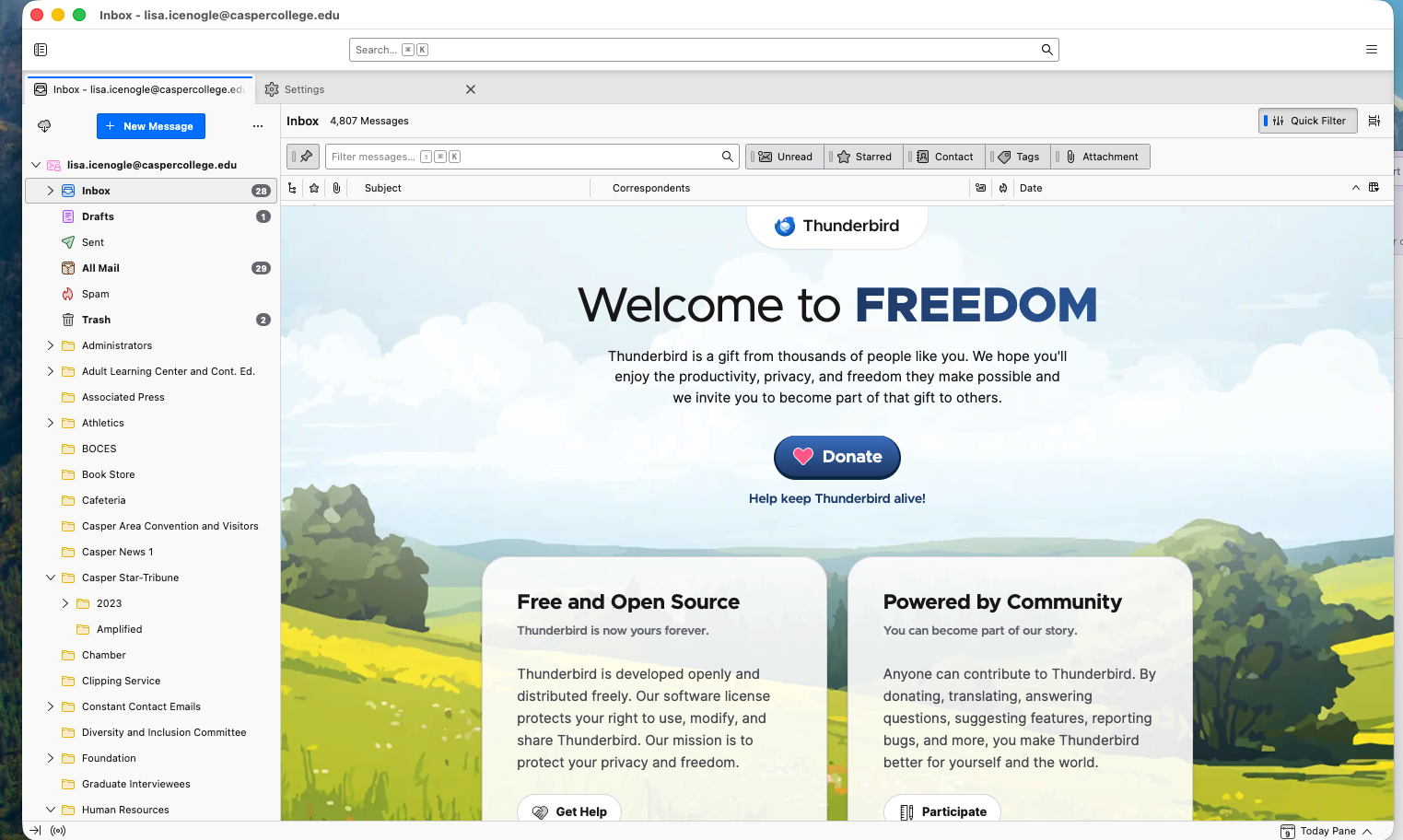
Hello! I cannot access my email because there is a large advertisement "Welcom to FREEDOM."

Hello!
When I opened Thunderbird today, the main middle pane has an advertisement "Welcome to FREEDOM." How do I get rid of this so that I can see and open my email? I have tried several ideas that I found in the comments before I signed in to this support that asked me to sign in. I tried the suggestions, and none of them work, which is why I came here.
I have attached a screenshot of my entire Thunderbird window. I currently. have 298 emails that I cannot access.
I am currently at work, and really need to be able to access my emails.
Also, I have donated in the past, including earlier this year.
Thank you!

Alla svar (2)

Vald lösning
That's just the Start Page. Whenever you open a message, its contents will be displayed there. You have it pushed all the way up so it's obscuring the message list, but you can drag it down to see both. Press <F8> to toggle the pane between visible and hidden. You can disable the Start Page entirely in <Settings | General>
This article describes it in more detail:
https://support.mozilla.org/en-US/kb/how-disable-or-change-thunderbird-start-page
Thank you! I did not realize that I had it the start page pushed all the way up. DUH! Thank you again!