


Öppen
Perpetual "Compact folders" popup

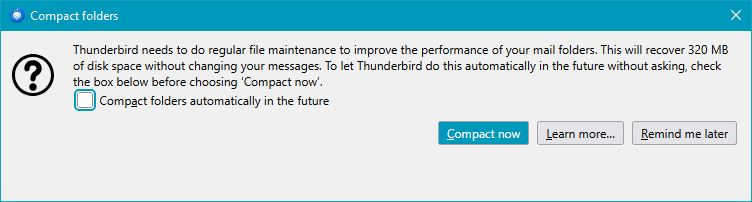
Every time I start TB on Windows 10, I am seeing "Compact folders". The prompt is offering to save around 310MB, but no matter how many times I select COMPACT NOW, I still get the prompt next time.
I have tried:
 - compact all folders in all accounts
 - Repair Folders in all accounts, all folders (which took a while! I have 10 email accounts)
 - deleting global-messages-db.sqlite
Any ideas on how to resolve this would be appreciated. Email is still working fine, I am just trying to get rid of the never ending prompt.
TB version 147.0 (yes, I know, I know. But I have made it look exactly how I want, so I avoid regular updates unless absolutely necessary.) Thanks.
Every time I start TB on Windows 10, I am seeing "Compact folders". The prompt is offering to save around 310MB, but no matter how many times I select COMPACT NOW, I still get the prompt next time.
I have tried:
- compact all folders in all accounts
- Repair Folders in all accounts, all folders (which took a while! I have 10 email accounts)
- deleting global-messages-db.sqlite
Any ideas on how to resolve this would be appreciated. Email is still working fine, I am just trying to get rid of the never ending prompt.
TB version 147.0 (yes, I know, I know. But I have made it look exactly how I want, so I avoid regular updates unless absolutely necessary.)
Thanks.
Alla svar (1)
This is likely resolved in newer esr version 153.1.1 https://bugzilla.mozilla.org/show_bug.cgi?id=2054592