


Recover a mailbox account I accidentally deleted

Hi, I accidentally deleted all my emails on my desktop. I was in Account Settings and pressed the red "Delete" button that appears next to the account name on the screen. I was trying to reset the email account settings but when i pressed delete, the mail account and all my old messages were deleted from my desktop.
I do see a file in the folder in User/appdata/roaming/thunderbird/profiles.../mail/mail.server.co.za that says "Inbox" and I THINK that might be my old emails but I can't seem to get Thunderbird to open the file. I've tried using ImportExportNG but it still won't open that file.
Is there a way to recover my old emails without having to take my computer to a specialist?
Appreciate any help. Hani
Alla svar (7)
The importexport took has always worked. In mail.server.co.za, look for a set of files, such as inbox, inbox.msf. What you want is the inbox entry. If unsure, post screenshot of contents of the mail folder. IGNORE the msf wien importing.
Vald lösning
Hi Thanks for your email. Here are some screen shots of what I'm seeing if I open the folder with File Manager vs ImportExport (none of the files show up).
Here's what I'm doing: In Thunderbird, I right-click on the new "Inbox" folder I've created with the new account. I go to ImportexportNG. Then I click "Import EML Message>Import EML Messages from Directory" I then select the folder where the old inbox folder is and click "Select Folder". And then nothing happens. I've also tried going into the folder where the email file is but none of the files show up when using ImportExportNG. I only see the 3 folders (and still don't see any files in those either).
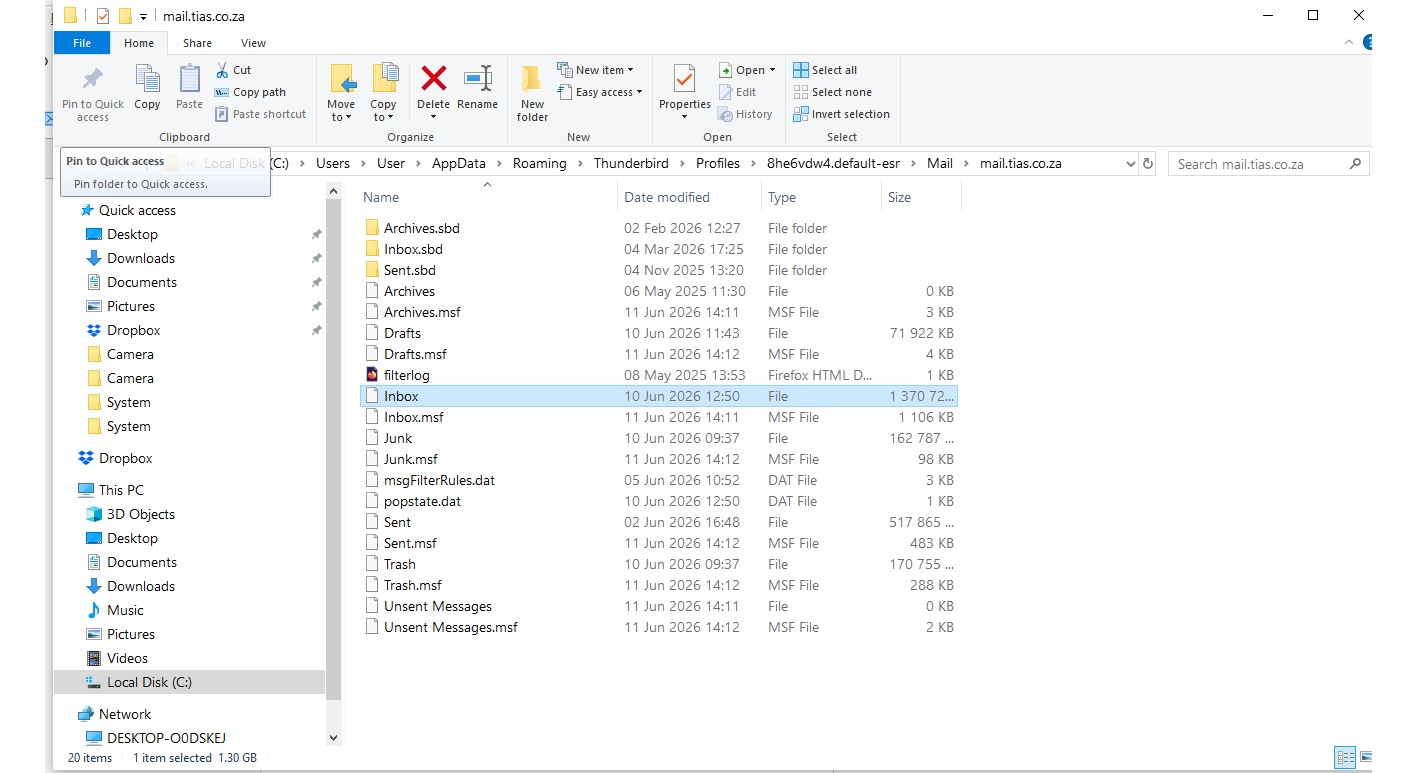
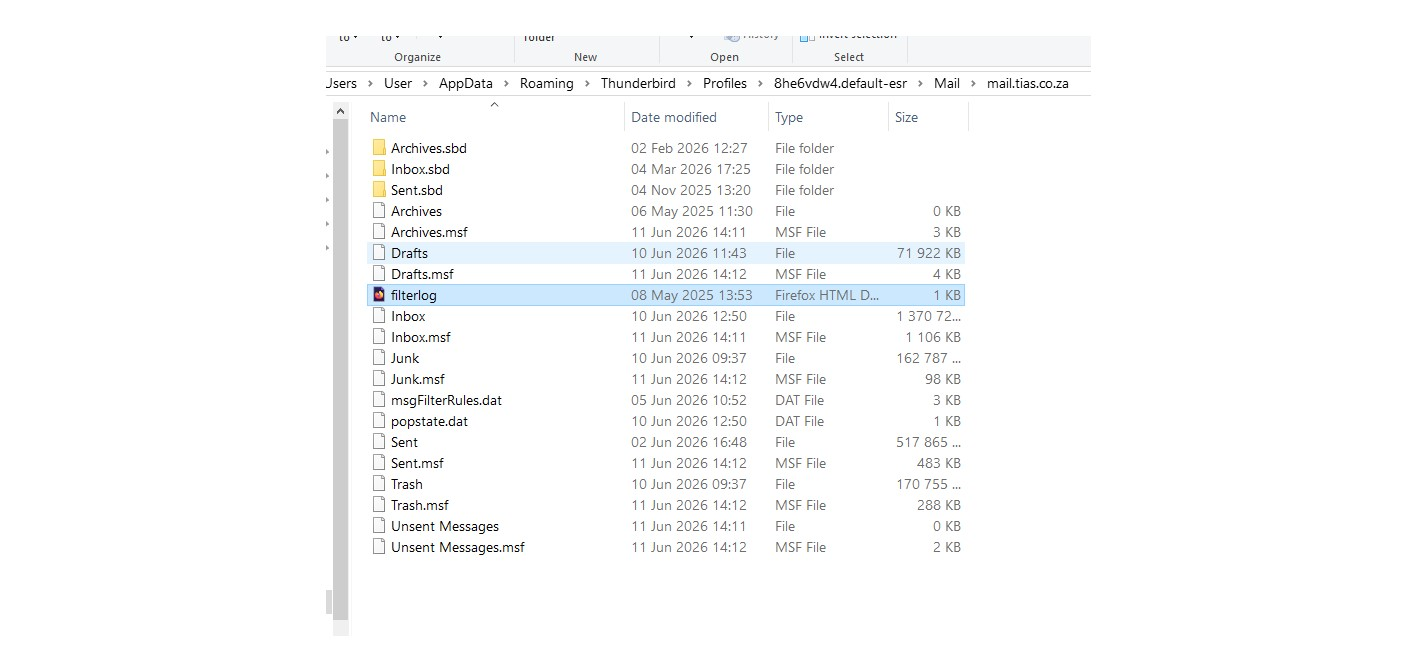
I suggest importing to Local Folders, but that's your call. _ after rightclicking the importexpot, click the option to import mbox, not import eml. the file name inbox, with approx 1.3 meg content, is an mbox file.

Is the account an IMAP account? Are the messages still in the inbox in webmail at your e-mail service provider's site? They should be if the account is IMAP.
If so, all you have to do is set up your account in Thunderbird again. The messages should get downloaded automatically.
David's' suggestion to use local folders is good. Right-click on "Local folders" and use the ImportExportToolsNG menu to import mbox. You don't have to create a new folder first.
Did you really create an inbox or was it created when you set up a new account? Is that "new" account the same as your old one? Are messages not getting downloaded automatically into your inbox?
I don't know why an inbox is even in your file system. I assumed that deleting the account in Thunderbird would remove it from the disk. Are you looking at the files of the account that you deleted or a different account?
Thank you both! I had to go and select the option "Show Local Folders" and then clicking on ImportExpoNG on Local Folders worked exactly like your instructions said. Both mailboxes were POP.
Thank you! Thank you! Thank you!
Right, POP works differently from IMAP. I tend to assume IMAP. David knows POP better than I do.
Another success! Free beer for everyone. We're glad to assist. :)