


Join us to show up for other Firefox users 🦊. Earn fun badges and Mozilla swag vouchers! Find out more: https://mzl.la/askafox150

Windows 10 reached EOS (end of support) on October 14, 2025. If you are on Windows 10, see this article.

Sök i support

Akta dig för supportbedrägerier: Vi kommer aldrig att be dig att ringa eller skicka ett sms till ett telefonnummer eller dela personlig information. Rapportera misstänkt aktivitet med alternativet "Rapportera missbruk".

Läs mer

Consitent font size across HTML mail and signature in Thunderbird

  • Inga svar
  • 0 har detta problem
  • Öppen

Hi community,

I want to have the same font and font-size in:

  • my HTML message body text
  • my signature.html file

so I can send consistent and nice-looking e-mails, like you would expect.

Here are my current settings:

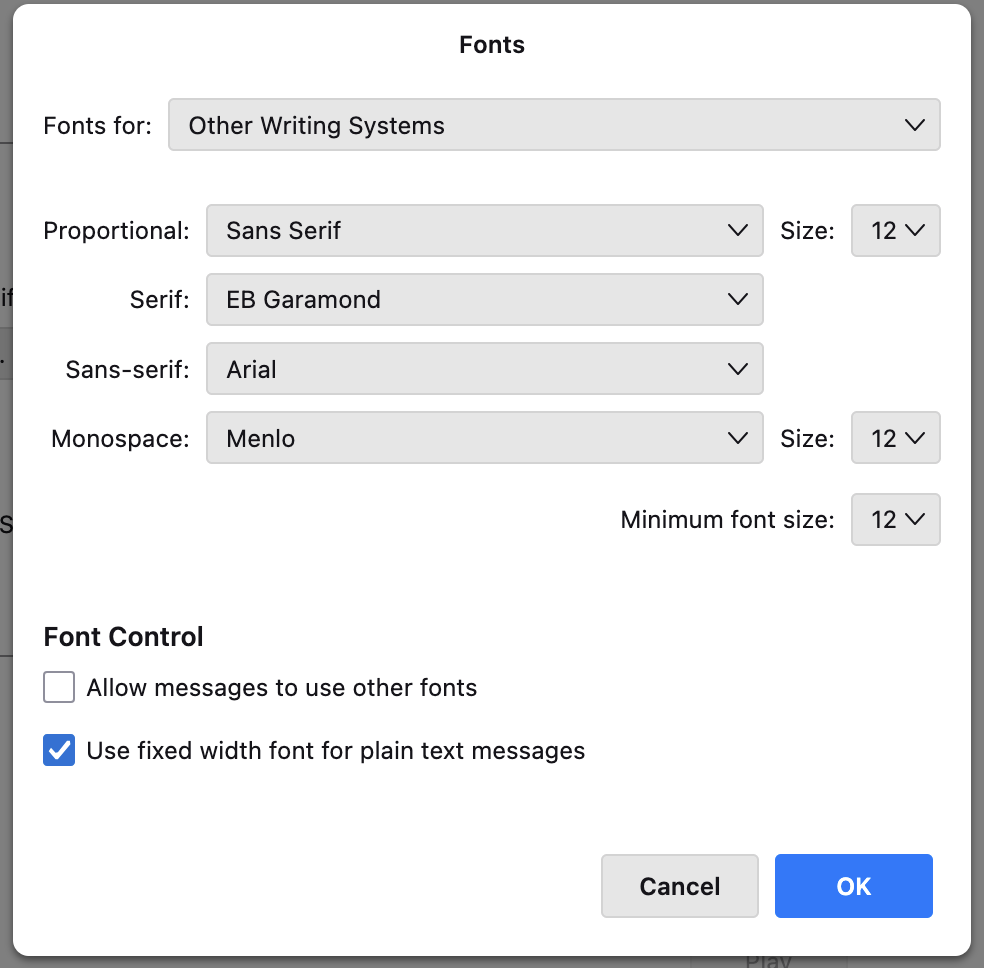
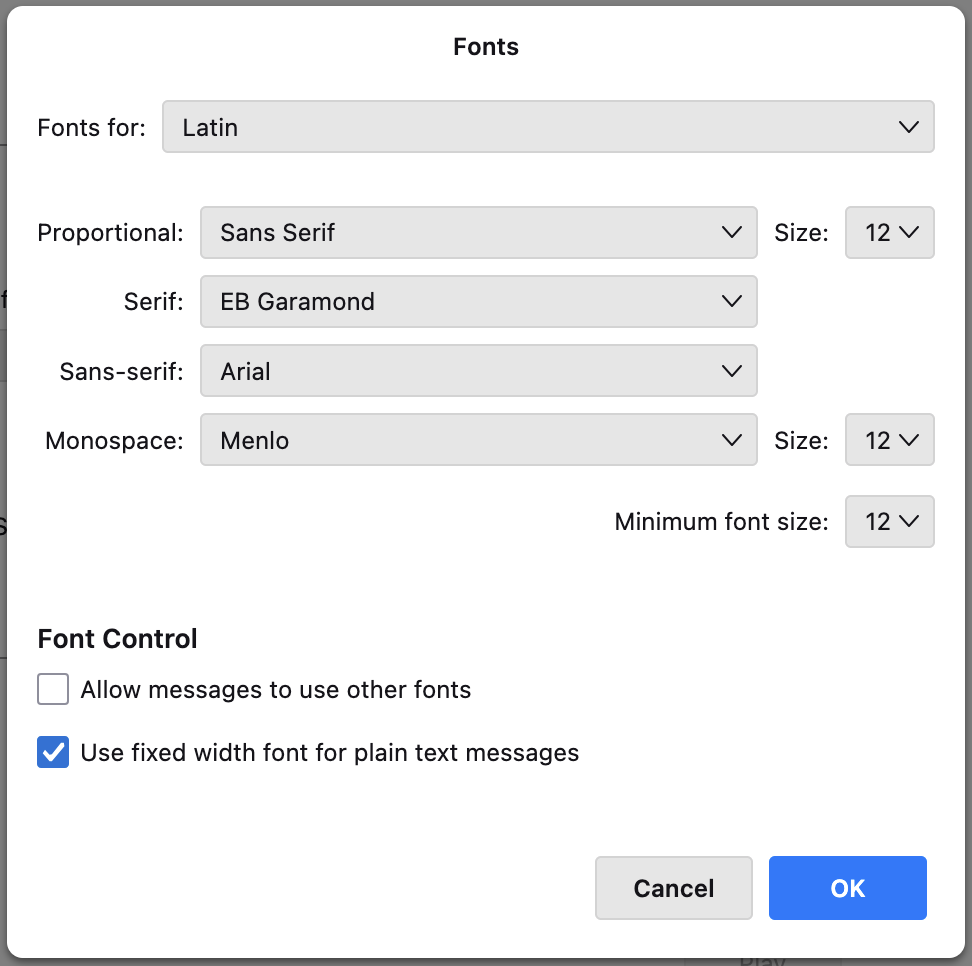
  • Settings > General > Language & Fonts > Fonts >
    • Default font: Arial
    • Size: 12
    • Advanced: For both "Latin" and "Other Writing Systems" I have the settings you can see in the attached screenshots.

I heard that these settings are for personal viewing.

  • Settings > Composition > HTML Style >
    • Font: Arial
    • Size: Medium

I heard that these settings are for viewing by recipients.

The first line of my signature.html file looks like this: div style="font-family: 'Arial'; color: #222; line-height: 1.0; font-size: 14px;"

There is always a slight font size mismatch of the message text with my signature.

I unsuccesfully tried tweaking the html font size values in px or pt to match the given size in Settings > Composition > HTML Style for Medium or Large.

It seems that the available font size granularity of Medium or Large just does not match corresponding pixel or point values?

I would be extremely grateful if someone can guide me on how to achieve this!

If there is no valid solution for this problem, I'm happy to open/report an issue on this.

Thank you and have a wonderful day
Hi community, I want to have the same font and font-size in: * my HTML message body text * my signature.html file so I can send consistent and nice-looking e-mails, like you would expect. Here are my current settings: * Settings > General > Language & Fonts > Fonts > ** Default font: Arial ** Size: 12 ** Advanced: For both "Latin" and "Other Writing Systems" I have the settings you can see in the attached screenshots. I heard that these settings are for personal viewing. * Settings > Composition > HTML Style > ** Font: Arial ** Size: Medium I heard that these settings are for viewing by recipients. The first line of my signature.html file looks like this: div style="font-family: 'Arial'; color: #222; line-height: 1.0; font-size: 14px;" There is always a slight font size mismatch of the message text with my signature. I unsuccesfully tried tweaking the html font size values in px or pt to match the given size in Settings > Composition > HTML Style for Medium or Large. It seems that the available font size granularity of Medium or Large just does not match corresponding pixel or point values? I would be extremely grateful if someone can guide me on how to achieve this! If there is no valid solution for this problem, I'm happy to open/report an issue on this. Thank you and have a wonderful day
Bifogade skärmdumpar

Ändrad av Luis

Du måste logga in på ditt konto för att svara på inlägg. Vänligen starta en ny fråga om du inte har ett konto ännu.