


Windows 10 reached EOS (end of support) on October 14, 2025. For more information, see this article.

Sök i support

Akta dig för supportbedrägerier: Vi kommer aldrig att be dig att ringa eller skicka ett sms till ett telefonnummer eller dela personlig information. Rapportera misstänkt aktivitet med alternativet "Rapportera missbruk".

Läs mer

Menus and tooltips in wrong places

  • 1 svar
  • 0 har detta problem
  • 66 visningar
  • Senaste svar av jonzn4SUSE

fler alternativ

Hi,

When I first open Firefox, everything will be normal. But after opening a menu (e.g. dropdown from the bookmarks bar, or downloads menu next to address bar) for the second or maybe more time, the menu will show up in the wrong location, maybe halfway across or down the screen. I am usually able to bring my mouse over to where it is shown and click the buttons, although sometimes the buttons show a hover animation when my mouse is where they are *supposed* to be and I must reopen the menu to be able to interact with the buttons where they are actually shown. Contracting the window fixes the problem, but it comes right back when I maximize the window. It will also happen with tooltips, such as the name of a tab when I hover over it.

I am using Fedora 42 GNOME Wayland with two monitors, one at 125% scaling and other at 100% scaling; the issue happens on both, but independently of each other. I have tried enabling the Firefox setting for fractional scaling, but nothing was fixed. Any way to make menus show up where they are supposed to?
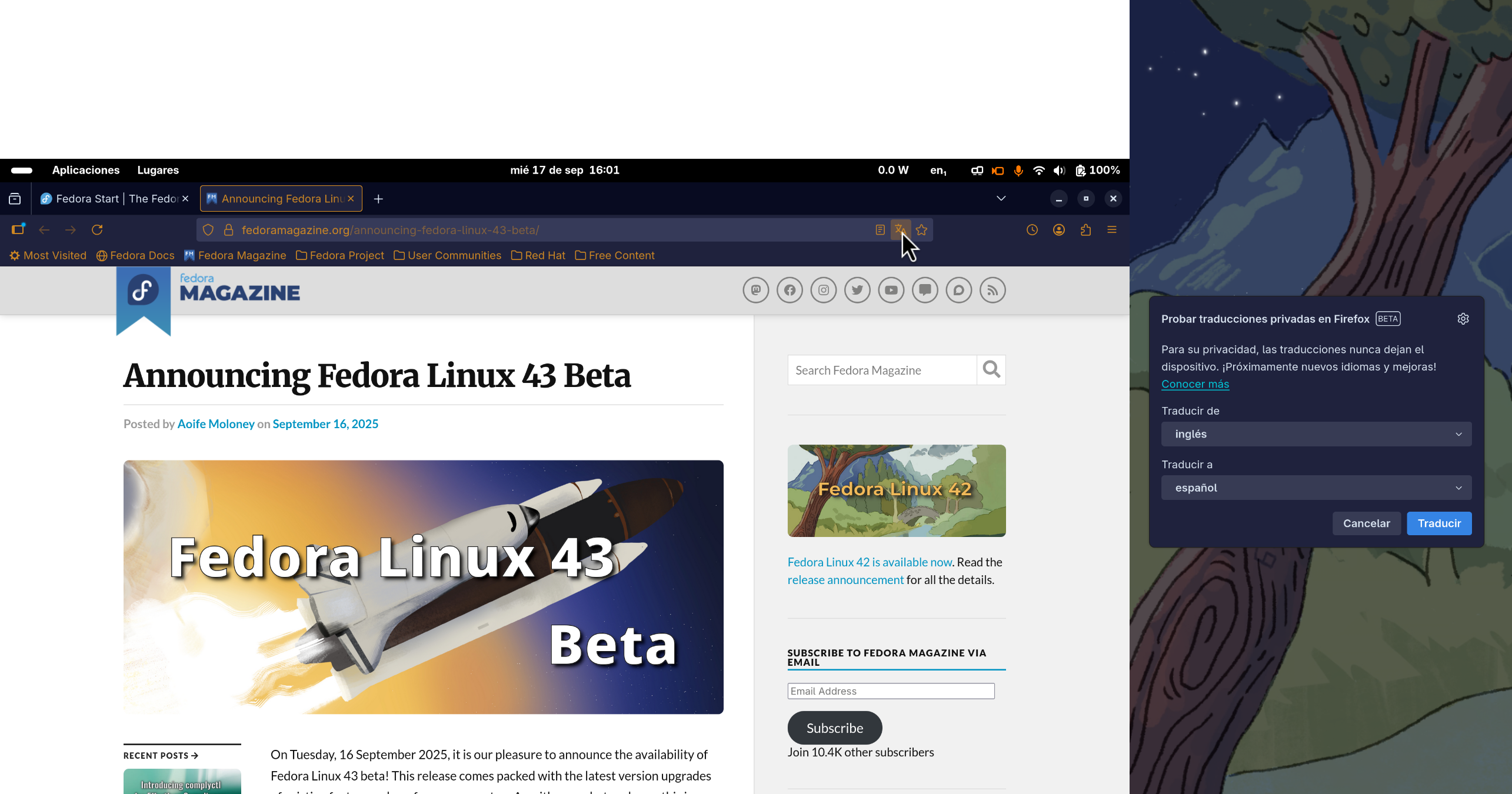
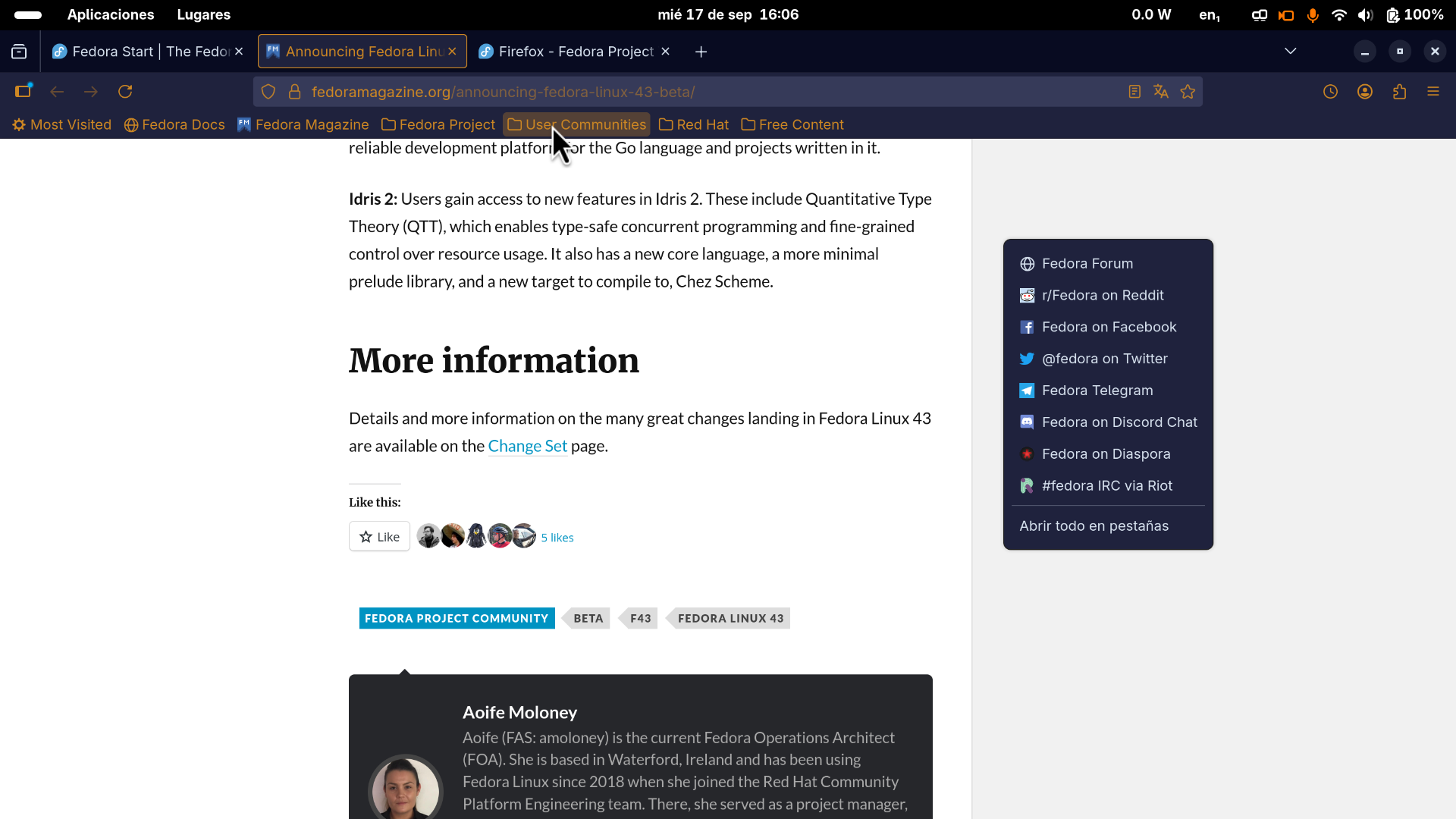
Hi, When I first open Firefox, everything will be normal. But after opening a menu (e.g. dropdown from the bookmarks bar, or downloads menu next to address bar) for the second or maybe more time, the menu will show up in the wrong location, maybe halfway across or down the screen. I am usually able to bring my mouse over to where it is shown and click the buttons, although sometimes the buttons show a hover animation when my mouse is where they are *supposed* to be and I must reopen the menu to be able to interact with the buttons where they are actually shown. Contracting the window fixes the problem, but it comes right back when I maximize the window. It will also happen with tooltips, such as the name of a tab when I hover over it. I am using Fedora 42 GNOME Wayland with two monitors, one at 125% scaling and other at 100% scaling; the issue happens on both, but independently of each other. I have tried enabling the Firefox setting for fractional scaling, but nothing was fixed. Any way to make menus show up where they are supposed to?
Bifogade skärmdumpar

Alla svar (1)

fler alternativ

What happens in X11 or under a different user account? How about a different desktop? Try downloading Firefox from Mozilla, run firefox-bin from the folder and see if you have the same issue. https://www.mozilla.org/en-US/firefox/all/#product-desktop-release

Ställ en fråga

Du måste logga in på ditt konto för att svara på inlägg. Vänligen starta en ny fråga om du inte har ett konto ännu.