


Windows 10 reached EOS (end of support) on October 14, 2025. For more information, see this article.

Sök i support

Akta dig för supportbedrägerier: Vi kommer aldrig att be dig att ringa eller skicka ett sms till ett telefonnummer eller dela personlig information. Rapportera misstänkt aktivitet med alternativet "Rapportera missbruk".

Läs mer

Send tab to decide

  • 5 svar
  • 1 har detta problem
  • 91 visningar
  • Senaste svar av Lorien

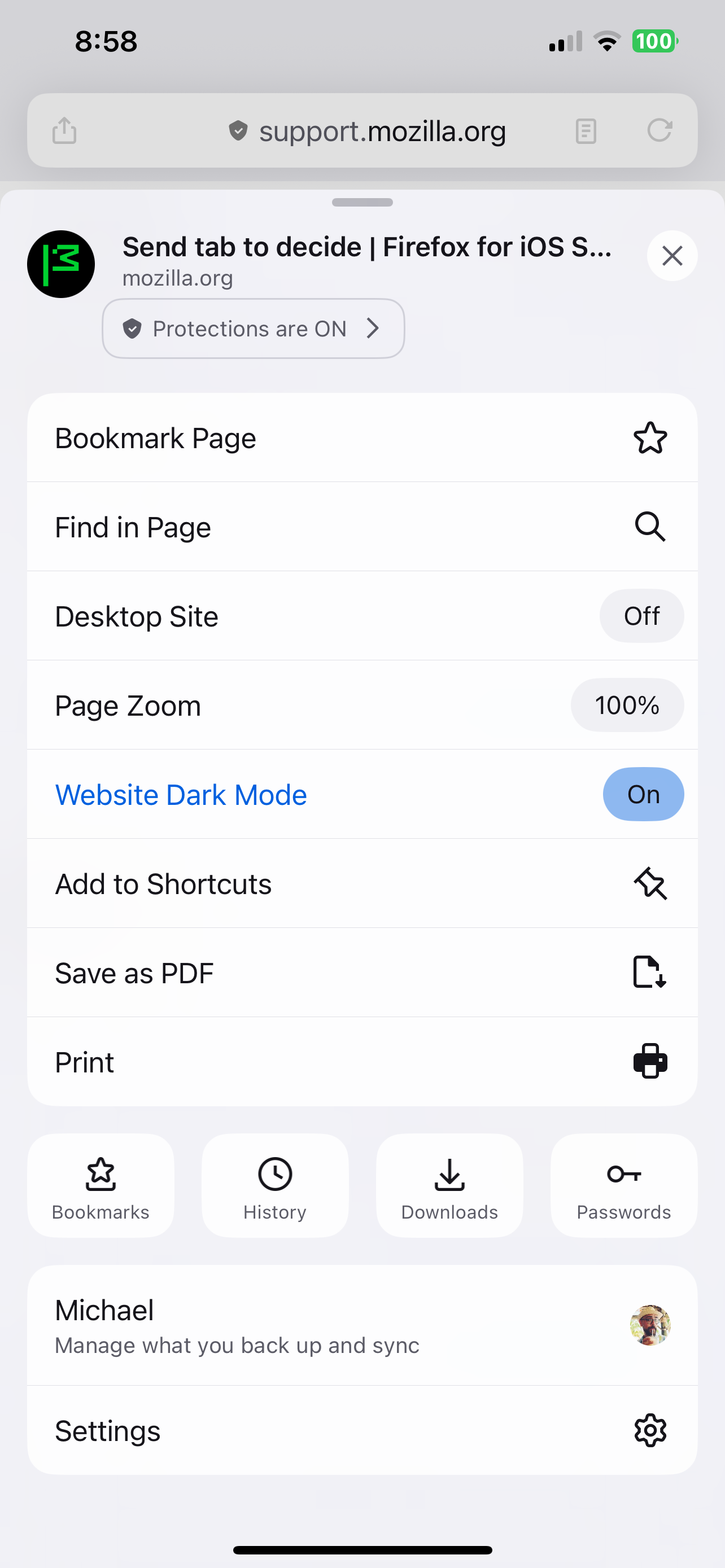
Why do they keep moving or removing this functionality? I can’t figure out how to send a tab to another device. There’s no option anymore on the “…” menu and I don’t see where else it could be.

Does anyone know how to do this on the new version of the iOS app?

Why do they keep moving or removing this functionality? I can’t figure out how to send a tab to another device. There’s no option anymore on the “…” menu and I don’t see where else it could be. Does anyone know how to do this on the new version of the iOS app?

Vald lösning

Try to click that icon on the left side of the address bar. It looks like a Share icon, it should be there.

Läs svaret i sitt sammanhang 👍 1

Alla svar (5)

Sorry, I typed “device” in the subject but it got autocorrected.

I think it should be there. Are you logged in to the Firefox Account?

Yes. See attached screenshot. As you can see, I’m logged in but there’s no option to send the tab to a device.
Vald lösning

Try to click that icon on the left side of the address bar. It looks like a Share icon, it should be there.

Ok, yeah, it’s there. It used to be on the lower right corner where it was easily accessible. I don’t know why they keep moving it. This is like the third time this year.

Ställ en fråga

Du måste logga in på ditt konto för att svara på inlägg. Vänligen starta en ny fråga om du inte har ett konto ännu.