


Windows 10 reached EOS (end of support) on October 14, 2025. If you are on Windows 10, see this article.

Sök i support

Akta dig för supportbedrägerier: Vi kommer aldrig att be dig att ringa eller skicka ett sms till ett telefonnummer eller dela personlig information. Rapportera misstänkt aktivitet med alternativet "Rapportera missbruk".

Läs mer
Denna tråd har arkiverats. Ställ en ny fråga om du behöver hjälp.
Arkiverad

Sync Instructions Do Not Match Mobile Firefox Optioons

ashley

Hello, I am trying to sync browser bookmarks bidirectionally from PC to Cell devices. The instructional window that pops up on the PC says to: click the three dots in the Android Firefox cell, 1) Choose "I already have Firefox for mobile" & click Continue 2) Window popup appears "Sync Firefox on your phone or tablet" 2a) Open Firefox on cell phone 2b) Go to the Menu (three dots) 2c) Tap "Sync and save data" 2d) Tap "Ready to scan" My issue is, I do not see option 2c, Tap "Sync and save data. Thus, I cannot scan the OCR code to pair up the devices because in the Firefox app on the Android cell (Samsung Galaxy S22+), there is no option to sync and save data. Please advise. Thank you
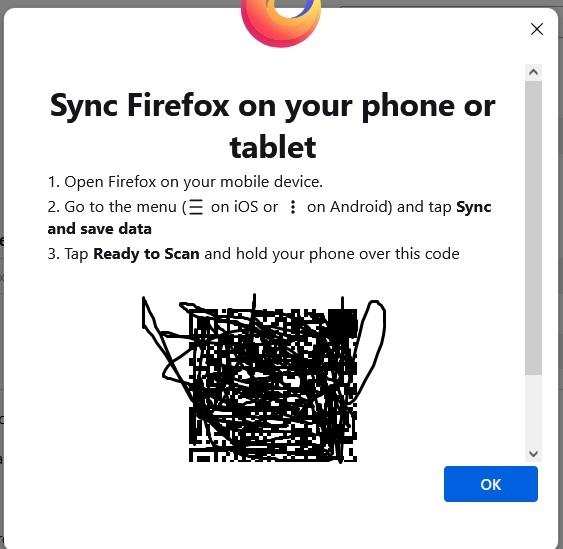
Hello, I am trying to sync browser bookmarks bidirectionally from PC to Cell devices. The instructional window that pops up on the PC says to: click the three dots in the Android Firefox cell, 1) Choose "I already have Firefox for mobile" & click Continue 2) Window popup appears "Sync Firefox on your phone or tablet" 2a) Open Firefox on cell phone 2b) Go to the Menu (three dots) 2c) Tap "Sync and save data" 2d) Tap "Ready to scan" My issue is, I do not see option 2c, Tap "Sync and save data. Thus, I cannot scan the OCR code to pair up the devices because in the Firefox app on the Android cell (Samsung Galaxy S22+), there is no option to sync and save data. Please advise. Thank you
Bifogade skärmdumpar

Alla svar (1)