


Synchronisation blocked between two desktops

I have two notebooks with Firefox (NB1 and NB2). NB2 rebooted and Firefox restarted losing all open tabs; now I would like to bring the tabs from NB1 to NB2; both have synchronisation enabled, but when I go to ‘Settings, synchronisation’ on NB2 it says ‘Synchronising in progress’ and nothing happens. I've also tried going to NB1 and sending a tab to NB2; I select NB2 and nothing happens.
I have two notebooks with Firefox (NB1 and NB2).
NB2 rebooted and Firefox restarted losing all open tabs; now I would like to bring the tabs from NB1 to NB2; both have synchronisation enabled, but when I go to ‘Settings, synchronisation’ on NB2 it says ‘Synchronising in progress’ and nothing happens.
I've also tried going to NB1 and sending a tab to NB2; I select NB2 and nothing happens.
Vald lösning
Also verify your sync settings on both. see screenshot
Läs svaret i sitt sammanhang 👍 1Alla svar (2)
On NB2, I would follow the screenshot to see if NB2 can see the tabs on NB1. I have see it in the past where sync takes a very very long time, but it rarely happens.
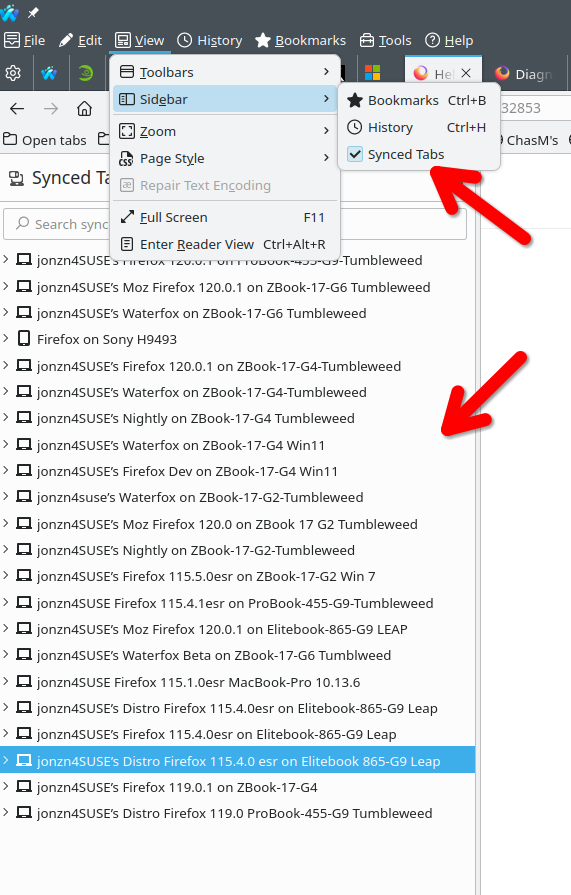
Ändrad av jonzn4SUSE
Vald lösning
Also verify your sync settings on both. see screenshot
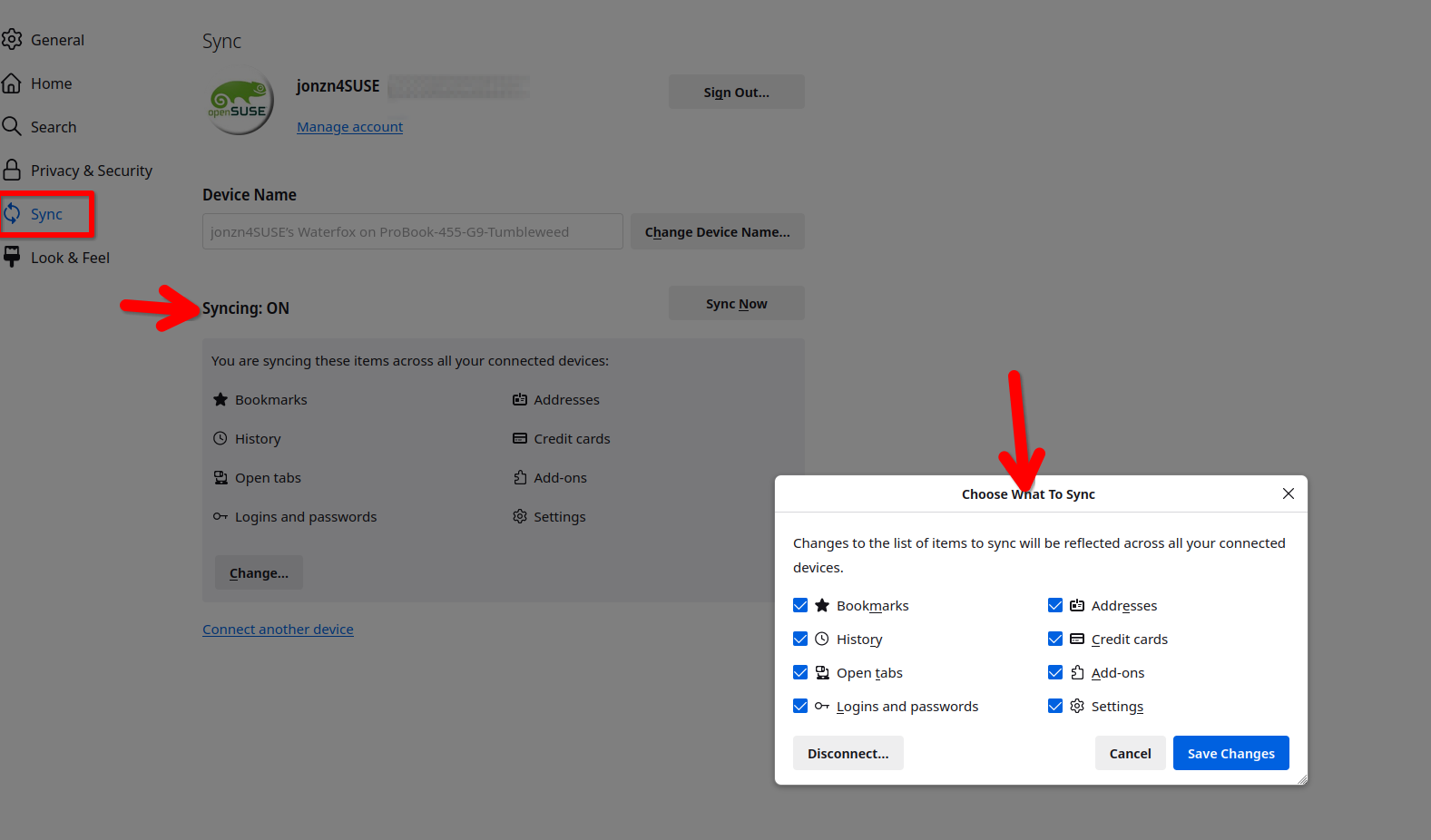
Ändrad av jonzn4SUSE