


Number is not getting recognised

After switching to Firefox version 123, I encountered an error on our website: '1,000,000.00 is not a valid number.' It seems to be a form validation error, but it worked fine with previous versions of Firefox. The application is built using GWT (Google Web Toolkit). Any help would be appreciated. Thanks.

Vald lösning
For reference: https://bugzilla.mozilla.org/show_bug.cgi?id=1882386
Fixed release on tuesday.
Läs svaret i sitt sammanhang 👍 0Alla svar (18)
Hi, could you run mozregression to find specific commit that broke it? Thanks.
Can you show a screenshot of this input field in the Inspector?
mozregression run.
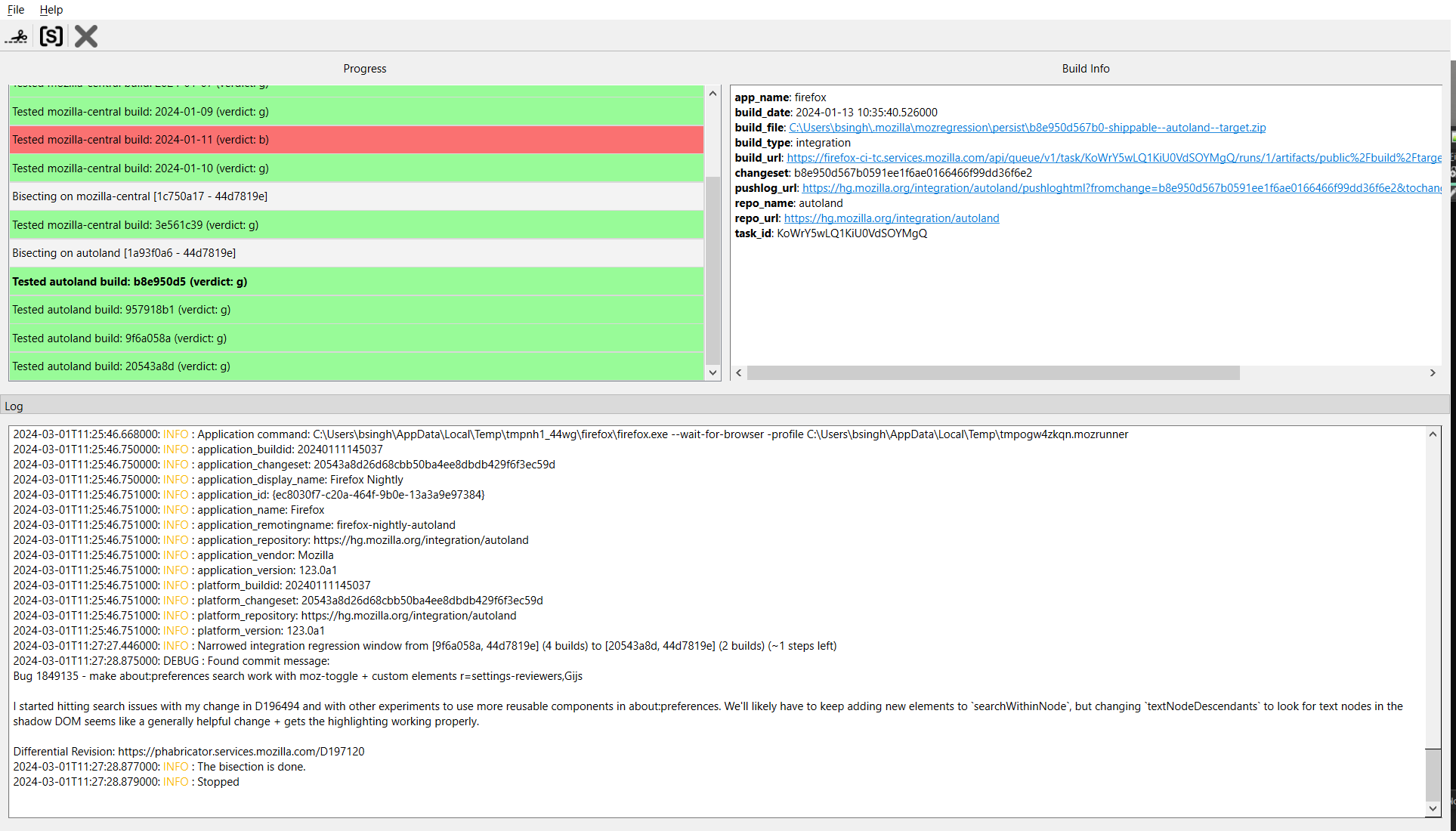
screenshot of this input field in the Inspector
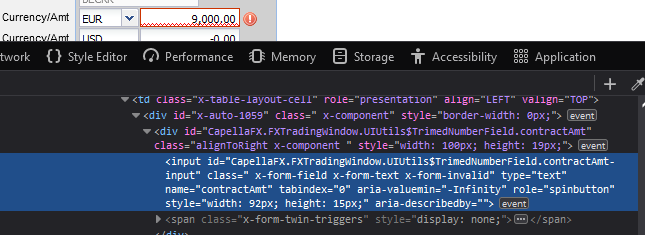
This looks like a normal text field (type="text"), so the validation is done via JavaScript (event button present).
This might be another example of the same problem:
Hi Cor-el, Thanks for taking the time to look at this. When I inspect the element before and after version 123, I see extra attribute "x-form-invalid"(see the side by side comparison in the screenshot below). All the other attributes look the same. Not sure what is causing this change. I ran mozregression(see the screen shot above) and found the last bug that caused this issue but not sure how it is causing this issue.
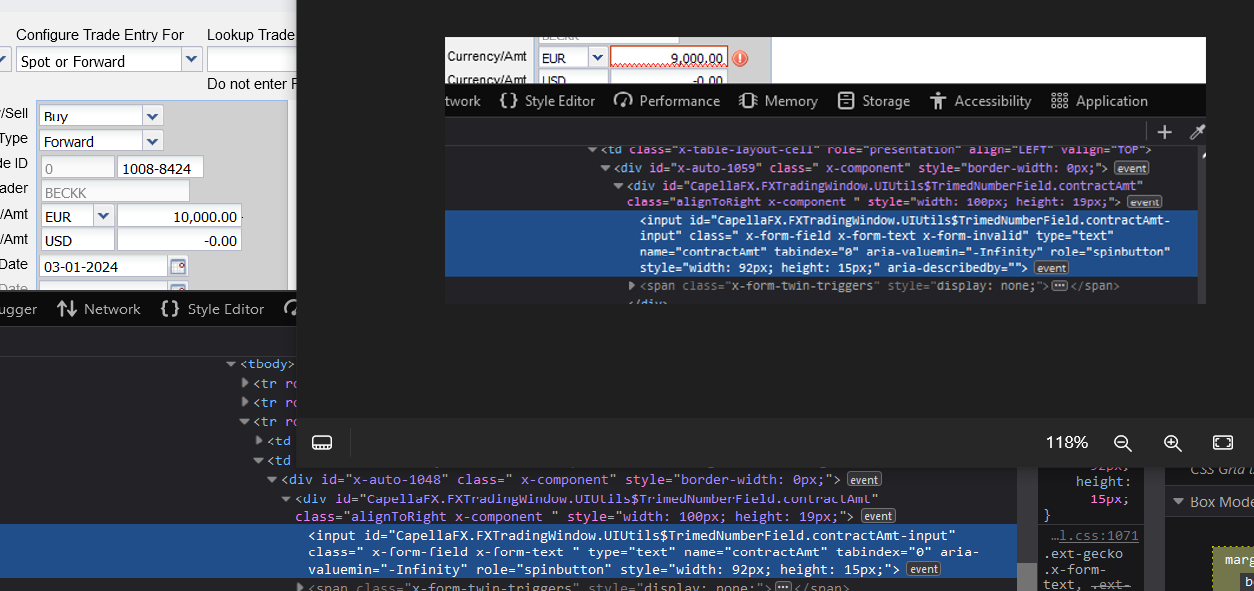
That is a class name that is likely added by the JavaScript that validated the input and thus is a consequence of the JavaScript finding this number invalid. Does it have out the grouping comma's? Does your window locale use a comma or a dot for a fraction and thus the opposite for the grouping delimiter?
jscher2000, Thanks for looking at this. Issue comes when the number is greater than 3 digits and comma is added automatically during number formatting. If the number is up to 3 digits it works fine.
Hmm, I don't see any changes that sounds relevant:
https://developer.mozilla.org/docs/Mozilla/Firefox/Releases/123
I was trying to find a demo page for GWT that has numeric input validation to test on, but nothing popped out at me. Are you using custom code, or a specific framework/plugin for that?
Did this comma also appear in previously Firefox versions?
I don't think that bug 1849135 could be causing this issue since it got closed 10 days ago for nightly and is about check boxes (moz-toggle), your issue would be a bug that got fixed for 123 if it started happening with the current release and doesn't happen with earlier versions.
Does it still happen in the latest Nightly? It should be fixed by Bug 1882386 which will hopefully make the next 123.0.1 update.
@Cor-el, Yes, commas are working on previous versions. Thanks
Ändrad av Bikram Singh
Vald lösning
For reference: https://bugzilla.mozilla.org/show_bug.cgi?id=1882386
Fixed release on tuesday.
@ TyDraniu, did you see any oddity in the mozregression screen shot?
Great ! Thank you. Will you send you feedback tomorrow.
Thank you Everyone! This is resolved!