


attachment pane does not always display

Dear Thunderbird experts, While migrating from a Windows 10 to a Windows 11 laptop, I installed Thunderbird on the new laptop. Both are at V102.10.0 but the old laptop shows 32 bit and the new one 64 bit. On the new laptop I cannot see the attachment pane until the Tbird window is at least 1000px wide or until I double click on the message header to open it in a new tab page.. On the old laptop the attachment pane displays always.
Why the different behavior?
Michael F
Ändrad av MichaelF
Alla svar (5)
Could you do a screenshot of what you're seeing?
David, here are two screenshots, 900px wide and 1000px wide.
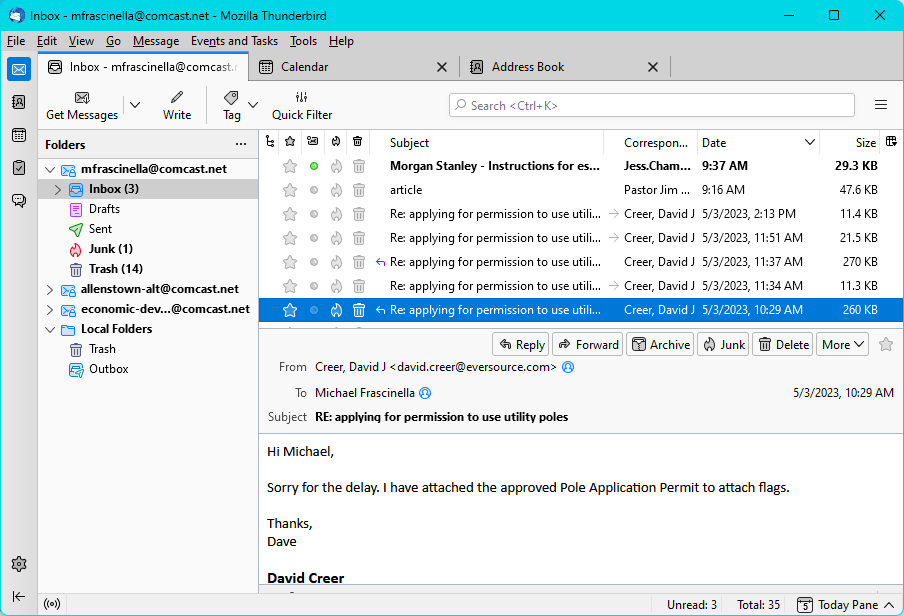
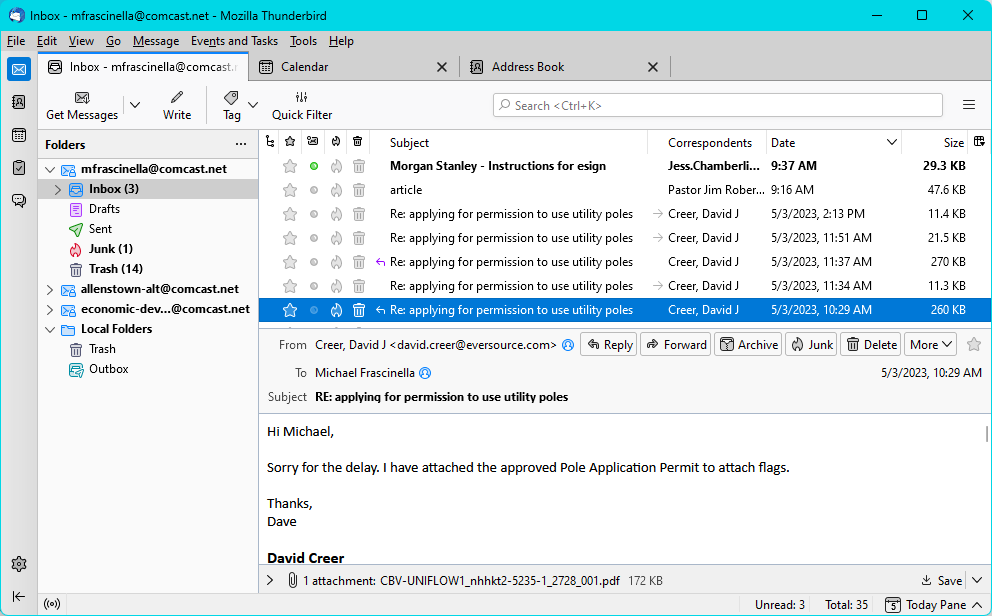
I have no answer, but I wonder if the windows display setting for screen is different between the two laptops? Otherwise, I have no idea.
David,
I found the solution but it doesn't make sense. I was checking every menu for some clue and looked at View -> Toolbars -> Customize to see if Attachment Pane was there but it wasn't. I saw the Restore Default Set button and clicked on it for lack of anything better, and to my surprise, the attachment pane reappeared. It remained visible as I made the window wider and narrower.
Why do you think that had a positive effect?
Yours,
Michael F.
I think it is a bug in the rendering of the three pane view. I have seen it on my own system and it is frustrating. If it still continues once the magical next release (115) with a whole new three pane view then I would suggest you file a bug report.
See https://blog.thunderbird.net/2023/02/thunderbird-115-supernova-preview-the-new-folder-pane/ for the new layout.
See https://bugzilla.mozilla.org/home for filing bug reports.